

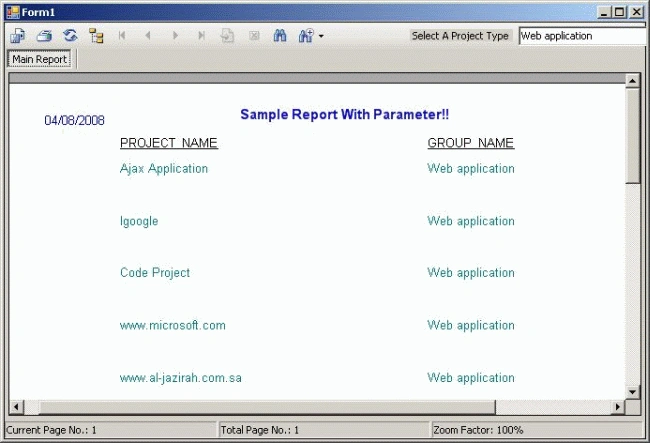
Introduction
This article gives an idea as how to use Crystal report in .Net Windows Application with parametrized queries and Oracle as Database using dataset.I had searched on internet for articles related to Crystal Report with parametrized query with Oracle,but I was unable to find any good article on this topic.So I am posting my article on this topic.
There are three main points in this article.
- Crystal Report with parametrized query.
- Using Oracle Views because here stored procedure will not be able to do this job because of the fact that Oracle Stored Procedure does not return Multiple Rows(Record Set) as Sql Server Stored Procedures do.
- Using DataSet.
Hence I have used Oracle views in this project to bind the Crystal Report and Dataset.Then I wrote my parametrized query on the view as we do generally on database tables. So this Project will give a good idea on how to Use Crystal Report with Oracle. There are many methods to do this job, even we can create Oracle packeges which will return mutiple records as SQl Server Stored Procedures. But I found this way simple and fast to do.
Background
No special background knowledge is needed for this article. Any beginner or Intermediate will be able to understand this code.It will be good if you have a basic knowledge of database views.
Using the code
I have created 2 sample tables and a view for this project. Scripts of tables and view are as follows, with some sample insert query to have sample data
create table tbl_project
(
PROJECT_ID NUMBER(4),
PROJECT_NAME VARCHAR2(150),
GROUP_CODE NUMBER(2)
)
create table tbl_project_group
(
GROUP_CODE NUMBER(2),
GROUP_NAME VARCHAR2(100)
);
create view view_project as
select a.PROJECT_NAME "PROJECT_NAME",b.GROUP_NAME "GROUP_NAME",
a.GROUP_CODE "GROUP_CODE"
from tbl_project a,tbl_project_group b where
a.GROUP_CODE=b.GROUP_CODE;
insert into tbl_project values(1,'CrystalReportWithOracle',1);
insert into tbl_project values(2,'Ajax Application',2);
insert into tbl_project_group values(1,'windows application');
insert into tbl_project_group values(2,'Web application');
Step 1:
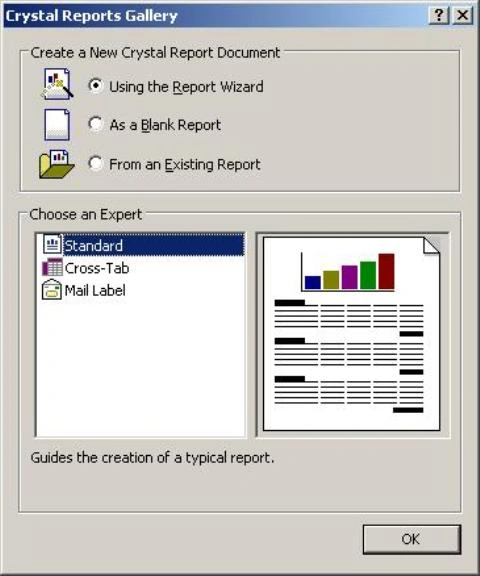
First off all create a project in Microsoft Visual Studio 2005 and name it CrystalReportWithOracle. Then add a crystal report to it as shown below.
Step 2:
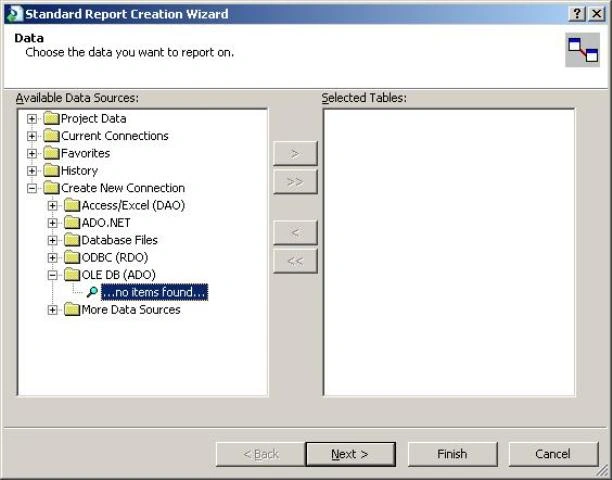
Then from the available data sources choose OLEDB(ADO) as below.
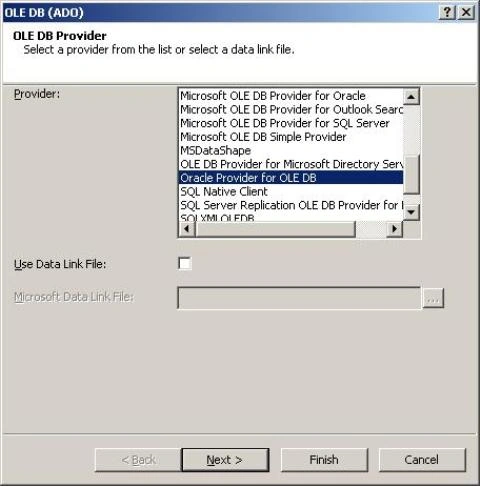
Then Select the Provider as Oracle Provider for OLEDB as in the image.
Then Provide the necessary information for databse login as per your oracle Configurations.
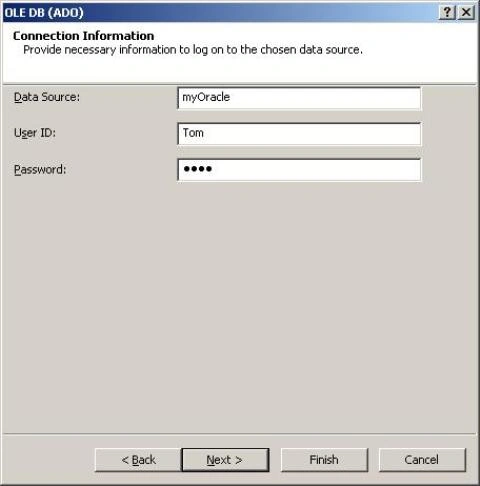
Step 3:
Then from the available data source add your view which you have created before to the selected table Container and add your fields which will be displayed in the report as shown below.
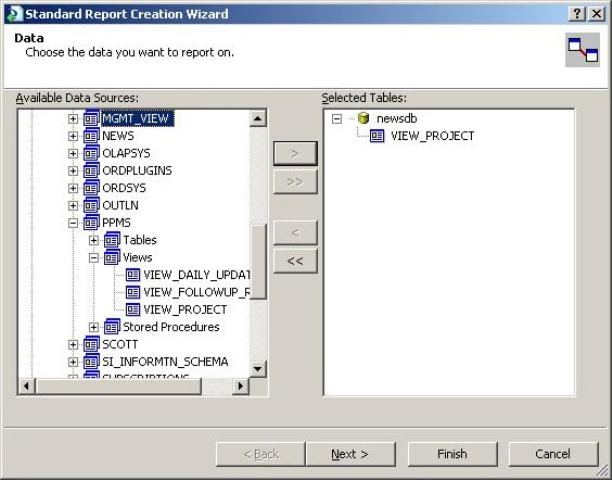
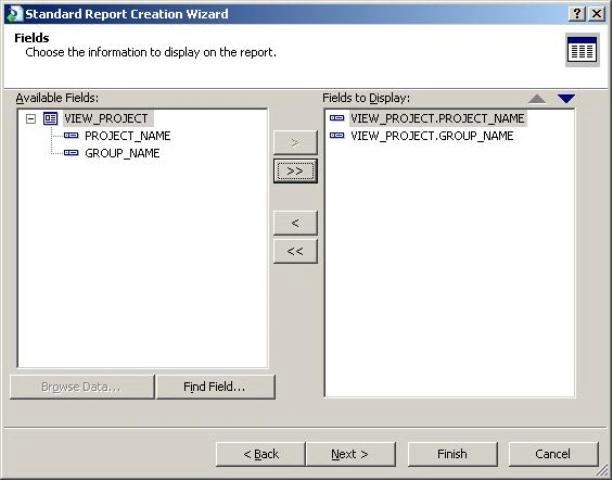
Step 4:
Now add a Empty DataSet to your project.
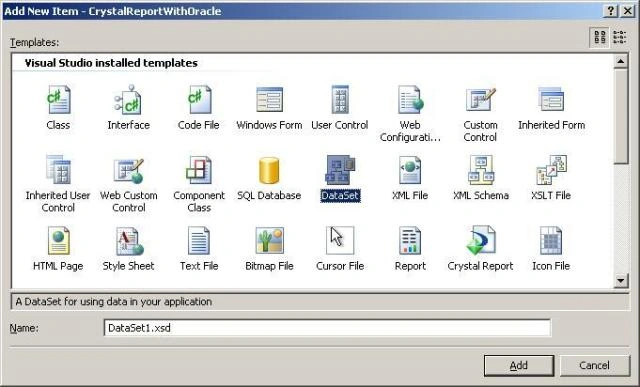
Then You add a Crystal Report Viewer Control from the tool box to your form.
There is a class file DLApplication.cs for the sake of database connectivity. Here you can change your connection string as per your Oracle configuration. If You are creating your Own connectivity in the form itself you can ignore this file.
There is a Combo Box in which the user can select his choice of project type so that the application generates a dynamic report on the user selection. Code to fill the combo box is as follows.
String Query = "Select GROUP_CODE,GROUP_NAME from tbl_project_group order by GROUP_CODE ASC";
DLApplication oDl = new DLApplication();
OracleConnection Conn = oDl.GetCon();
DataView dv = oDl.getDataView(Query, Conn);
cmb_type.DataSource = dv;
cmb_type.ValueMember = "GROUP_CODE";
cmb_type.DisplayMember = "GROUP_NAME";
cmb_type.SelectedIndex = -1;
In the above code getDataView() function is called with required parameters. This function resides in the DLApplication class.
The main function which is binding the crystal report is given below, when ever the user changes his choice from the combo box a new report is generated for the selected combo value.
//
private void cmb_type_SelectedIndexChanged(object sender, EventArgs e)
{
if (Convert.ToInt32(cmb_type.SelectedIndex) == -1 ||
(Convert.ToString(cmb_type.SelectedValue) == "System.Data.DataRowView"))
{
return;
}
CrystalReport1 objRpt;
objRpt = new CrystalReport1();
String ConnStr = "SERVER=newsdb;USER ID=ppms;PWD=ppms";
OracleConnection myConnection = new OracleConnection(ConnStr);
// Here I am writing my query over the view
// we cannot write query directly over the tables because it will be a
// join query and we will not be able to fill our adapter easily.
string Query1 = "select PROJECT_NAME,GROUP_NAME from view_project
where GROUP_CODE=" + cmb_type.SelectedValue;
OracleDataAdapter adapter = new OracleDataAdapter(Query1, ConnStr);
DataSet1 Ds = new DataSet1();
adapter.Fill(Ds, "view_project");
if (Ds.Tables[0].Rows.Count == 0)
{
MessageBox.Show("No data Found", "Project Tracker Suite");
return;
}
objRpt.SetDataSource(Ds);
CrystalDecisions.CrystalReports.Engine.TextObject root;
root = (CrystalDecisions.CrystalReports.Engine.TextObject)
bjRpt.ReportDefinition.ReportObjects["txtHeader"];
root.Text = "Sample Report With Parameter!!";
crystalReportViewer1.ReportSource = objRpt;
}
}
//
saleem malikPosted Oct 6, 2008, 10:14 AM
here ur explanation is good but give me more details when we r working in a realtime environment
prakash chavanPosted Sep 20, 2008, 3:06 AM
hi, i want to display the records in the crystal report as the sql query returns the values. am not selecting the database fields in details section of the report. please help me out in this regards thanks in advance.
Rehan Ahmad AbbasiPosted Aug 24, 2008, 1:09 PM
Please Vote This article