

Every developer must implement security points in websites. Here I will first show how to do a forcible logout and then the solution of that problem.
So I need the following 3 pages for this:
- Login Page
- Home Page
- Logout Page
Step 1
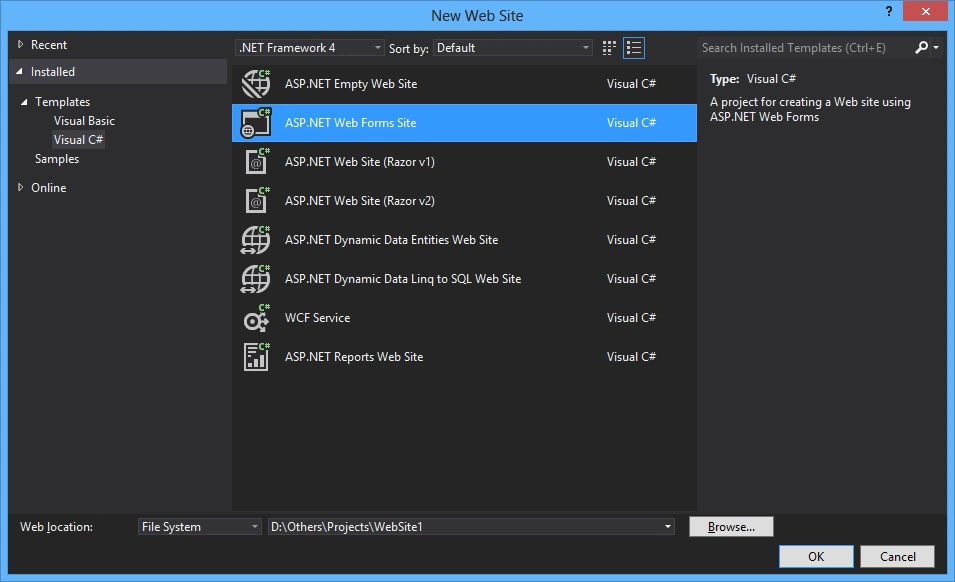
Add a new "Website" named "Website1".
And you will get the default page named "Default.aspx".
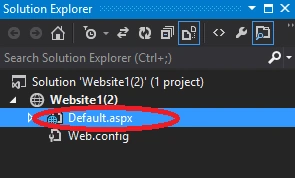
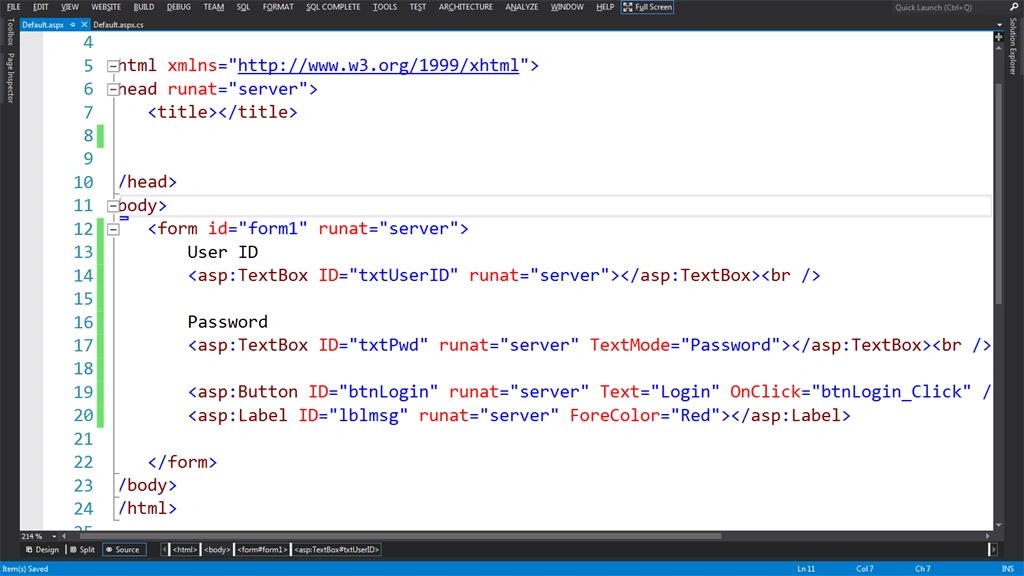
Here Default Page is my landing page so I am taking it as my "Login Page".
Add some controls to the "Default.aspx" page.
- Textboxes on the page for User ID and Password respectively
- A button for login with click event
- A label from the message
- User ID
- <asp:TextBox ID="txtUserID" runat="server"></asp:TextBox>
- <br />
- Password
- <asp:TextBox ID="txtPwd" runat="server" TextMode="Password"></asp:TextBox>
- <br />
- <asp:Button ID="btnLogin" runat="server" Text="Login" OnClick="btnLogin_Click" />
- <br />
- <asp:Label ID="lblmsg" runat="server" ForeColor="Red"></asp:Label>
Step 2
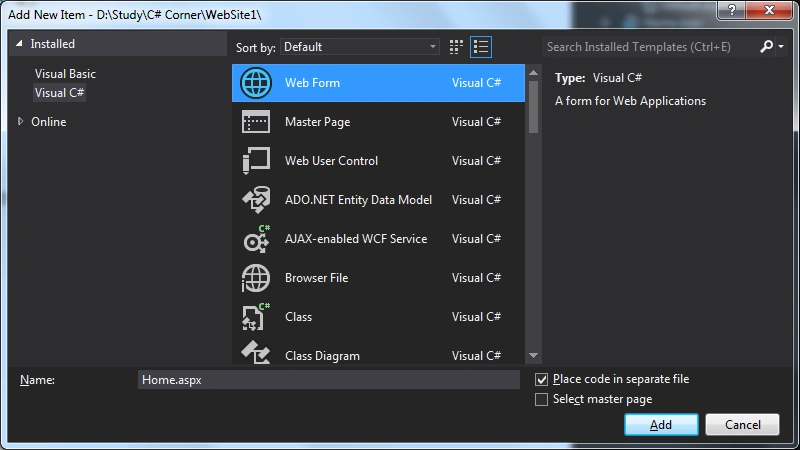
Add a web form named "Home.aspx".
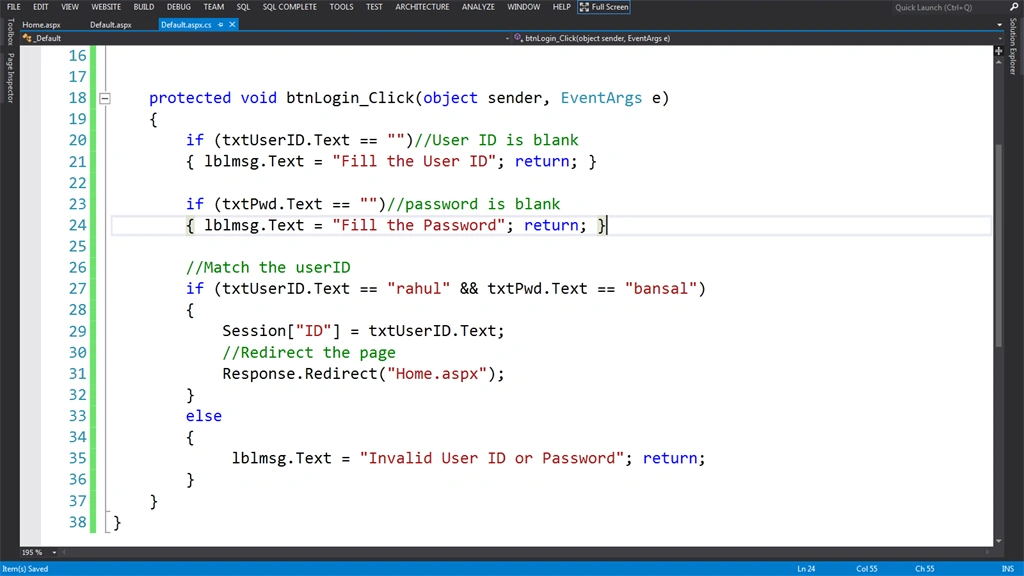
Add the following code for the click event of the login button of the "Default.aspx" page.
- protected void btnLogin_Click(object sender, EventArgs e)
- {
- if (txtUserID.Text == "") //User ID is blank
- {
- lblmsg.Text = "Fill the User ID";
- return;
- }
- if (txtPwd.Text == "") //password is blank
- {
- lblmsg.Text = "Fill the Password";
- return;
- }
- //Match the userID
- if (txtUserID.Text == "rahul" && txtPwd.Text == "bansal")
- {
- Session["ID"] = txtUserID.Text;
- //Redirect the page
- Response.Redirect("Home.aspx");
- } else {
- lblmsg.Text = "Invalid User ID or Password";
- return;
- }
- }
Note
Here you can fetch the user ID and password from the database and then match them.
Step 3
Now write some code on the page load event of "Home.aspx" that will do:
- Check whether or not the session named "ID" is null
- If it's not null then show the user id on the page
- protected void Page_Load(object sender, EventArgs e)
- {
- if (Session["ID"] == null)
- {
- //Go to Error Page or Default page
- Response.Write("Session is null");
- return;
- } else
- {
- Response.Write(" Welcome " + Convert.ToString(Session["ID"]));
- }
- }

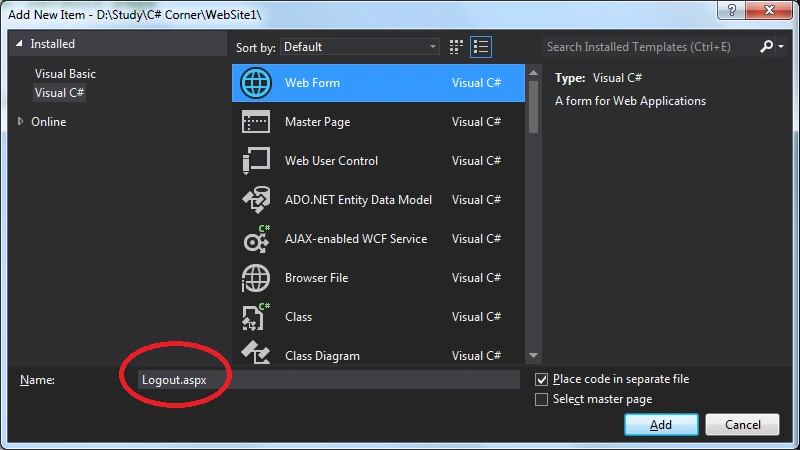
Add a web form named "Logout.aspx".
Step 4
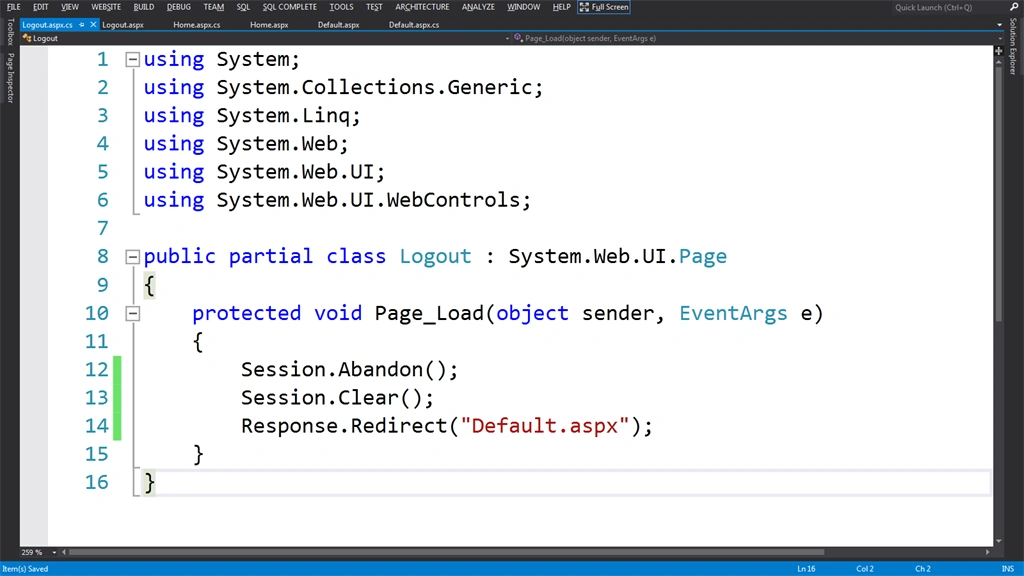
Write some code on the page load event of "Logout.aspx" to clear the session and redirect to the "Deafult.aspx" page.
- protected void Page_Load(object sender, EventArgs e)
- {
- Session.Abandon();
- Session.Clear();
- Response.Redirect("Default.aspx");
- }
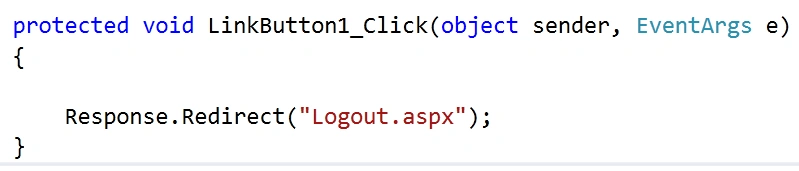
Finally add a link button on the "Home.aspx" page to redirect to the "Logout.aspx" page.
- <asp:LinkButton ID="LinkButton1" runat="server" OnClick="LinkButton1_Click">Logout</asp:LinkButton>
Result
Provide the valid user id and password on the "Default.aspx" page and click on the login button.
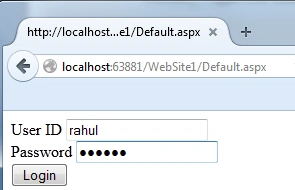
It will redirect to the "Home.aspx" page.
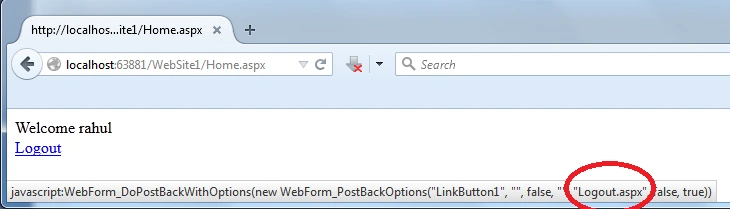
Now if you click on the logout link then
- It will redirect to the "Logout.aspx" page
- Clear all the sessions on the page load event of the "Logout.aspx" page
- Redirect to the "Deafult.aspx" page
Problem
If anyone is familiar with the "Logout.aspx" then he can call this logout page directly without clicking on the logout button and clear all the sessions.
I will create an HTML page named "ClickMe.html" with an anchor tag that will redirect to the page.
- <!DOCTYPE html>
- <html
- xmlns="http://www.w3.org/1999/xhtml">
- <head>
- <title></title>
- </head>
- <body>
- <a href="http://localhost:63881/WebSite1/Logout.aspx">Logout</a>
- </body>
- </html>
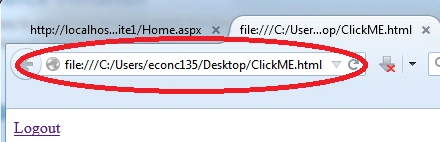
Then it will redirect to me on the default page of website as in the following:
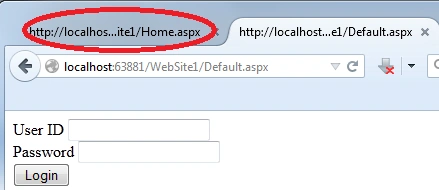
But "Home.aspx" is already open in another tab so let's see what happened to that page after refreshing it.
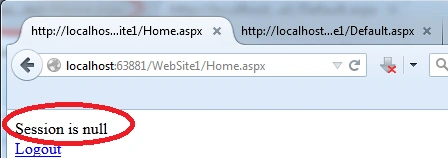
See, I have not clicked on the "Logout" button of my website and my sessions are clear due to the action of the outsider.
Solution
You can resolve this issue in one of the following 2 ways:
- Pass a string or number in the session and in the click event of the logout button of the "Home.aspx" page check it on the page load event of the "Logout.aspx" Page.
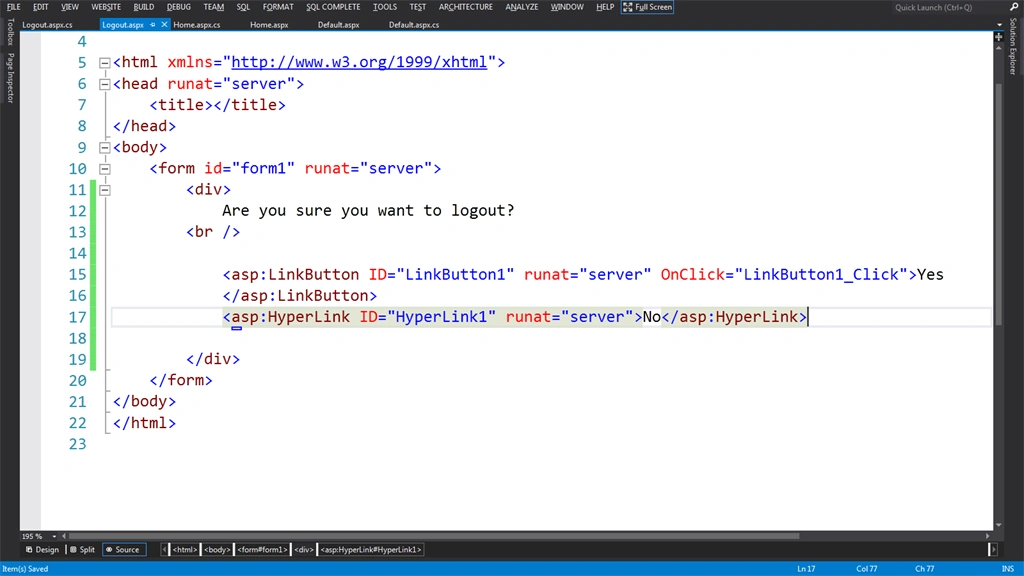
- Don't write any code on the page load event of the "Logout.aspx" page and create 2 links for "Yes and "No" on the "Logout.aspx" page with a message like "Are you sure you want to logout?".
Solution 1
Write the following code for the click event of the Logout link button in the .cs file of the "Home.aspx" page.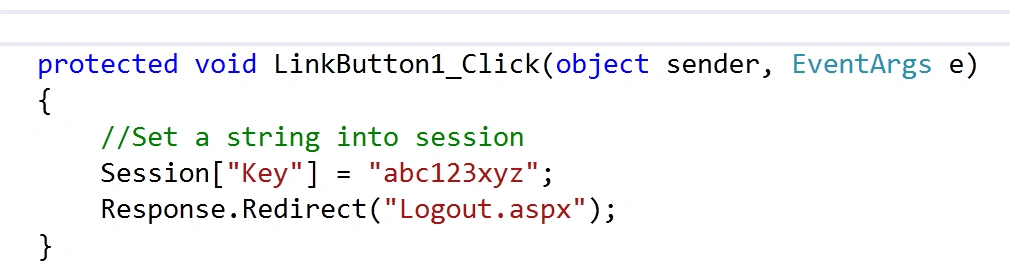
Check it on the page load event of the "Logout.aspx" page. If the string exists in the session then do the work.
- protected void Page_Load(object sender, EventArgs e)
- {
- if (Session["Key"] == "abc123xyz")
- {
- Session.Abandon();
- Session.Clear();
- Response.Redirect("Default.aspx");
- }
- }
Create a link button with a click event and a hyperlink.
- <div>
- Are you sure you want to logout?
- <br />
- <asp:LinkButton ID="LinkButton1" runat="server" OnClick="LinkButton1_Click">Yes
- </asp:LinkButton>
- <asp:HyperLink ID="HyperLink1" runat="server">No</asp:HyperLink>
- </div>
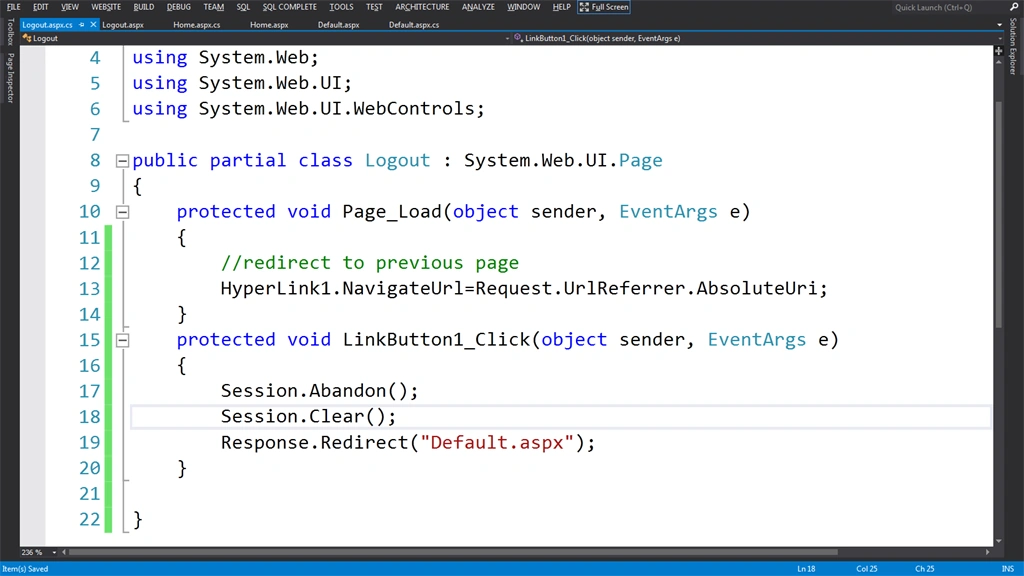
Write the following code for the page load of "Logout.aspx" to set the navigateUrl property of the hyperlink "No" for the previous page.
- protected void Page_Load(object sender, EventArgs e)
- {
- //redirect to previous page
- HyperLink1.NavigateUrl=Request.UrlReferrer.AbsoluteUri;
- }
- protected void LinkButton1_Click(object sender, EventArgs e)
- {
- Session.Abandon();
- Session.Clear();
- Response.Redirect("Default.aspx");
- }
I hope you now understand the solution of the problem.
शनिश सिंहPosted Nov 24, 2018, 5:53 AM
Hi Sir we develop web app for mobile but in mobile after some time logout button is not working and not going to as expected and userId and password lost so what we have to do for this for not lost and not auto log out my page from mobile.
Ganesh SarafPosted Apr 3, 2015, 5:56 AM
nice.
Karthik Muthu KaruppanPosted Apr 2, 2015, 11:08 AM
good info
Santhakumar MunuswamyPosted Apr 2, 2015, 8:40 AM
good work
NitinPosted Apr 2, 2015, 3:43 AM
Good one
Khargesh RajputPosted Mar 31, 2015, 11:46 PM
nice
Gowtham RajamanickamPosted Mar 31, 2015, 10:51 PM
good