

The main purpose of publish dialog is provide a simplified way to take the file list which need to be published on your website. In this article I’m going to explain how to publish an MVC web application using the “publish” dialog provided in VS 2015.
Step 1: Open Publish Dialog.
You can open the publish dialog by “Right Click” on the project, then selecting “Publish” on the floating menu.
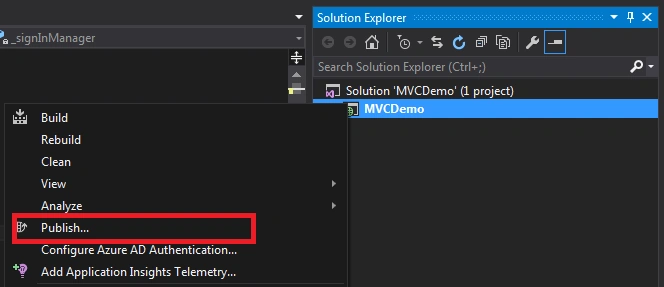
Step 2: Create Profile.
As a first step, you should create a profile before publishing. This is just one kind of grouping, say for example you can create multiple profile one for Azure and one for local. So when next time you open this dialog you can see the profiles and select from them.
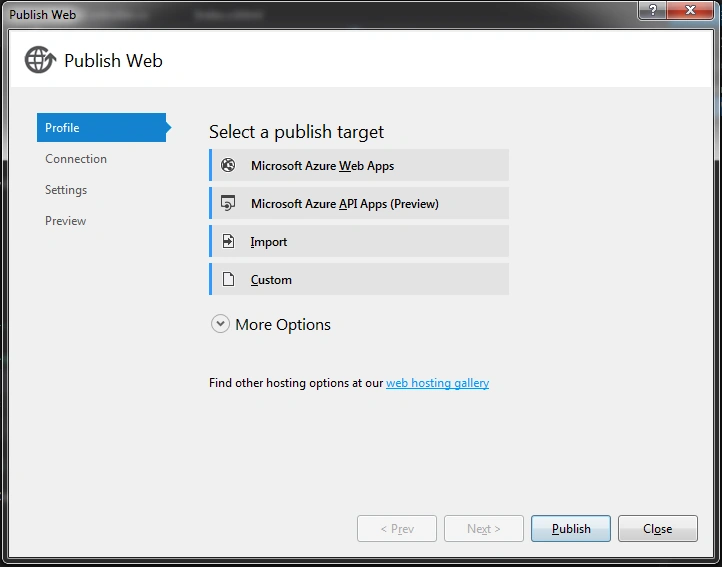
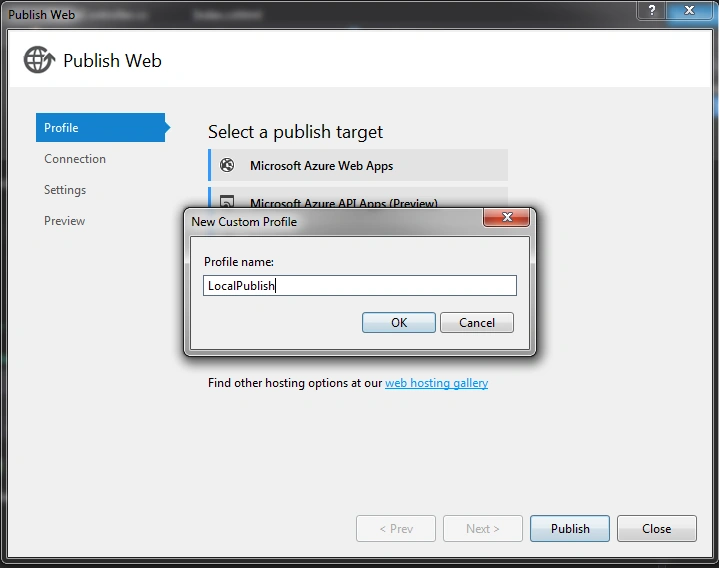
I have selected “Custom” as “Publish Target” and given profile name “LocalPublish”.
Step 3: Select the Connection.
In this step, we need to tell where our published files are going to be. You can publish the files directly on your server also by selecting “Web Deploy” publish method or you can use FTP too.
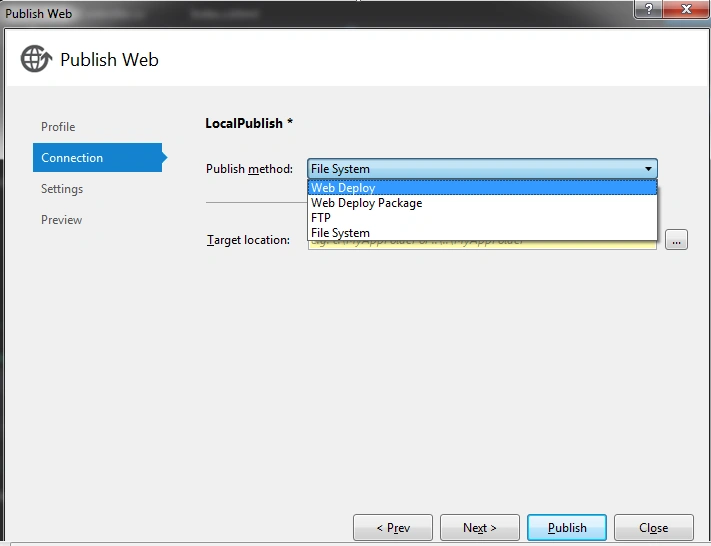
Since I’m going to publish files in local file system, so I selected “File System”.
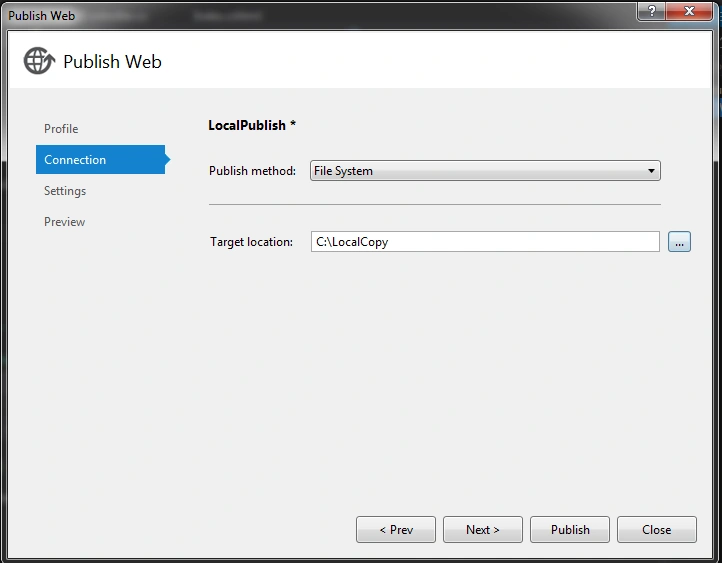
Step 4: Select Configuration and other settings.
In thpreceding step, you can choose “Configuration” mode and other settings like delete files before publishing in the specific folder, precompile, etc.
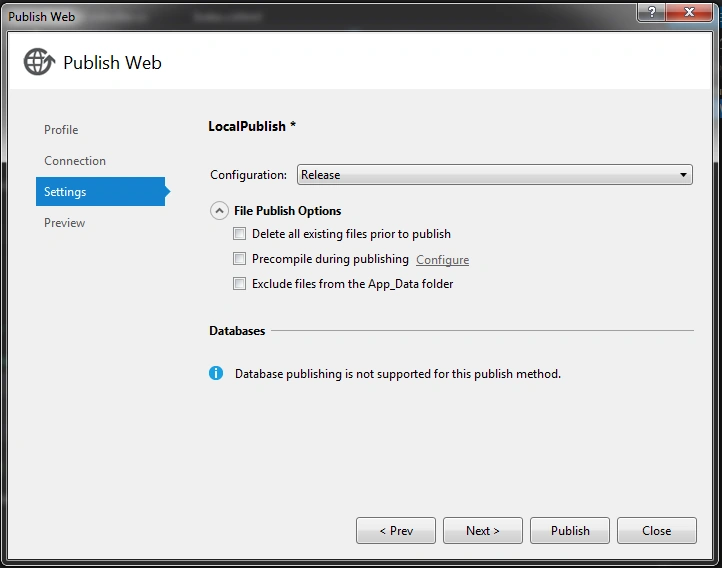
Step 5: Preview & Publish.
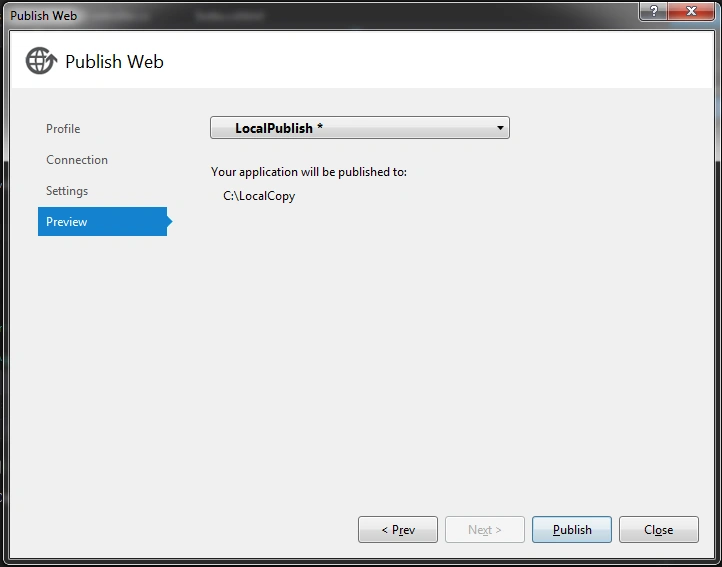
You are about to complete your publishing. Click Publish to start the publishing as in the following screenshot:
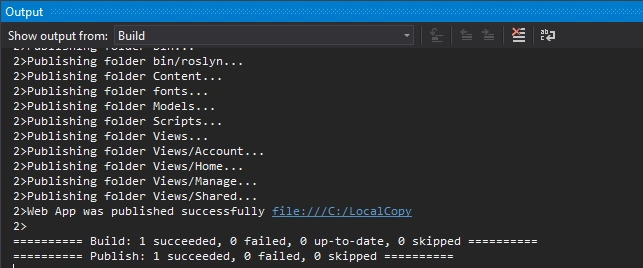
In the output window you can see the result of the publish.
Hope this post is useful who are all using the “Publish” option in Visual Studio 2015.
Happy Coding!
Priya NeelakandanPosted Mar 18, 2020, 9:14 AM
So how can i execute the website?
Brian JacobPosted Dec 19, 2018, 10:15 AM
What additional steps are involved if you need to publish databases along with the code push?
Ravi BirlaPosted Nov 1, 2018, 12:21 AM
Thanks very helpful
Mahesh SawPosted Jun 29, 2016, 8:10 AM
Thank you..it's very help full for me...
Arul RPosted Oct 9, 2015, 10:33 AM
Thanks for information
Saineshwar BageriPosted Sep 20, 2015, 1:07 AM
nice one
Santhakumar MunuswamyPosted Sep 17, 2015, 10:30 AM
Thanks for nice share
Humayun Kabir MamunPosted Sep 15, 2015, 2:48 AM
Nice...
Pankaj Kumar ChoudharyPosted Sep 14, 2015, 9:42 PM
Thanks for Nice Information Sir..........
Mohammed IbrahimPosted Sep 14, 2015, 1:07 PM
nice information
Francis SusaimichaelPosted Sep 14, 2015, 9:33 AM
Happy to share :)
Nilesh JadavPosted Sep 14, 2015, 8:09 AM
Nice Article
Harshad PansuriyaPosted Sep 14, 2015, 7:53 AM
Nice One
Ajeet MishraPosted Sep 14, 2015, 7:41 AM
nice
Raja TPosted Sep 14, 2015, 7:36 AM
Good one, Thanks for sharing