

When we are working with SharePoint Document Libraries, there are scenarios where folder names need to be updated automatically based on business requirements. for example project folder should be renamed when the project name changes and customer folder should display an updated customer code.
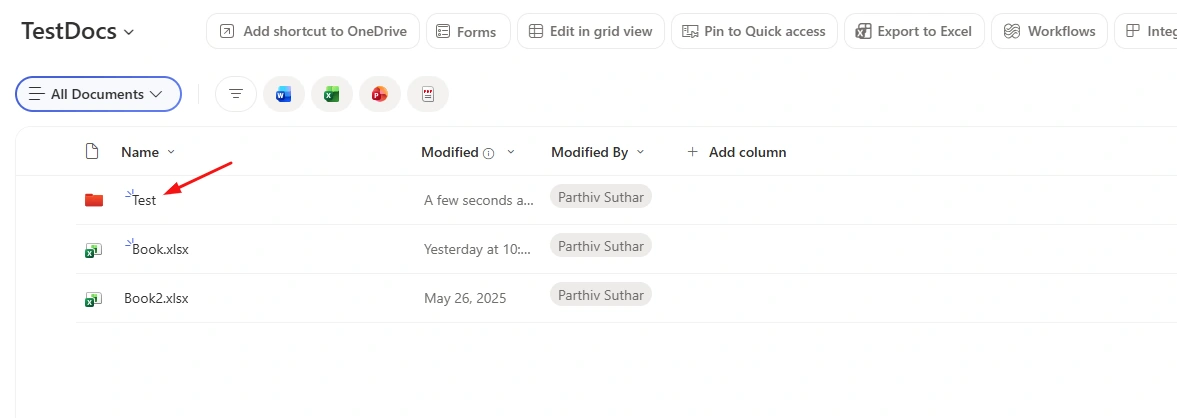
My Document Library
I will rename this folder name through flow.
Stepwise Implementation
1 - Create flow
Go to make.powerautomate.com
Choose flow type based on your need.. here i have choose manual type.
2 - Add Send HTTP request to SharePoint action
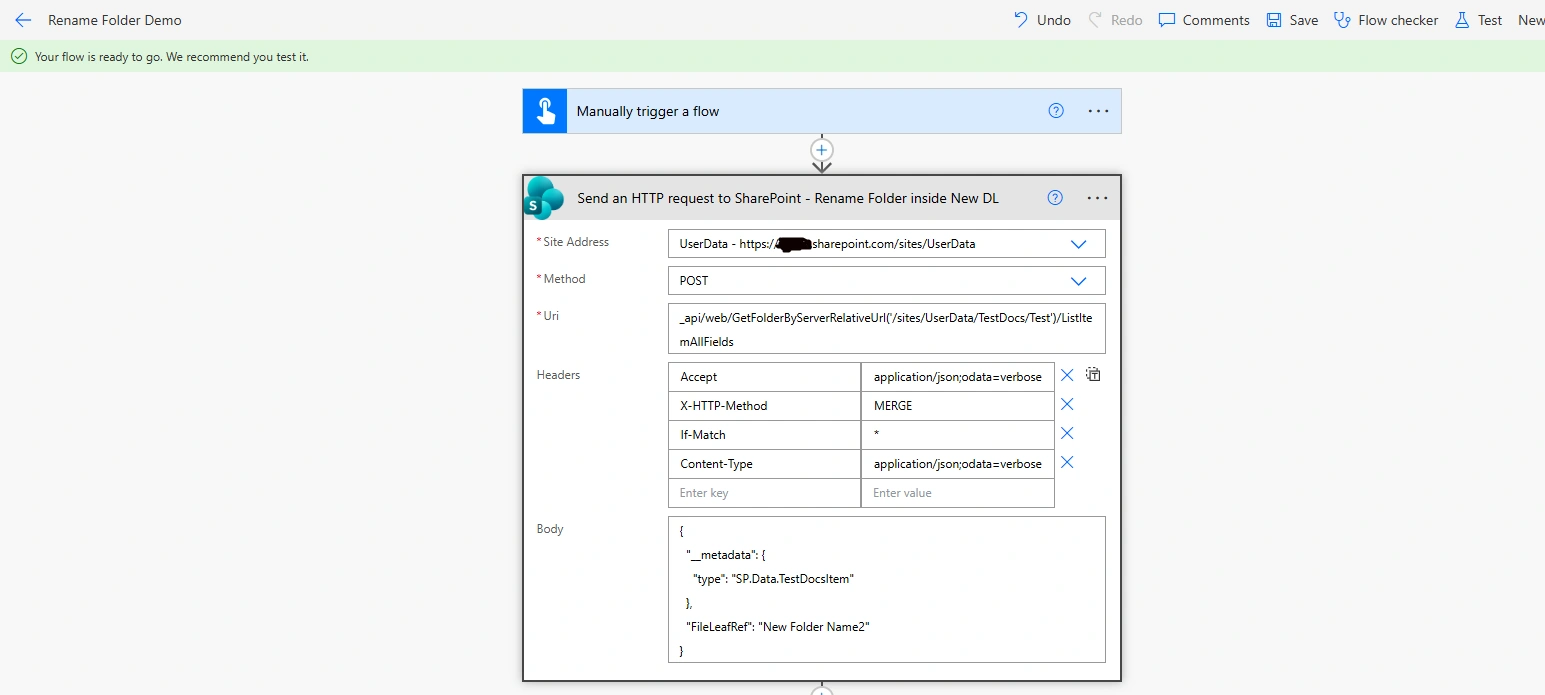
Method: POST
Uri: _api/web/GetFolderByServerRelativeUrl('/sites/UserData/TestDocs/Test')/ListItemAllFieldsWhere Test is folder
Headers: {
  "Accept": "application/json;odata=verbose",
  "X-HTTP-Method": "MERGE",
  "If-Match": "*",
  "Content-Type": "application/json;odata=verbose"
}
where
Accept: Defines the format of the response returned by SharePoint
X-HTTP-Method: MERGE: Updates only the specified fields instead of replacing the entire item
If-Match: *: Ignores version checks and forces the update
Content-Type: Specifies that the request body contains JSON data
Body: {
  "__metadata": {
    "type": "SP.Data.TestDocsItem"
  },
  "FileLeafRef": "New Folder Name2"
}
where
SP.Data.TestDocsItem represents an item in the TestDocs document library.
FileLeafRef is the internal SharePoint field that stores the file or folder name.
3 - Run the flow
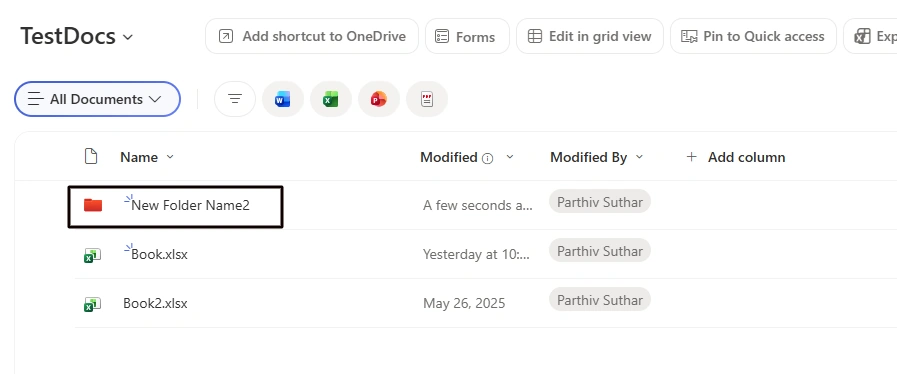
After flow ran successfully, check the folder name in Document Library
Conclusion
Here, we learned how to rename a folder in a SharePoint Document Library using Power Automate and the Send an HTTP Request to SharePoint action.
Join the conversation! Your thoughts help the community grow.