

Introduction
In this article, we just go through some steps by which we can easily reset our PIN in Windows 10. There are always some chances that we may forget the pin, so this article is useful for those who forget the PIN of their system. As you already know that we use the PIN in store, apps, and services, so when you reset your PIN you have to sign in again in all the applications and services from the beginning in your system. PIN is very useful in Windows 10. For resetting the PIN we have to just follow some steps from below. Let us see how to reset PIN in windows 10.
Steps for Reset and Create a new PIN in Windows 10
Step 1
Click on the Start Menu and select the setting option from the menu.
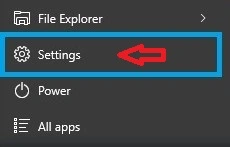
Figure 1: Setting App
Step 2
In Settings enter Accounts option.
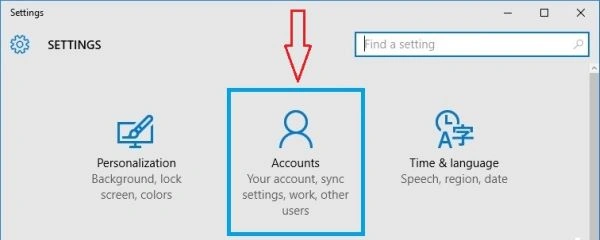
Figure 2: Accounts
Step 3
Now you can check on the left side from the opened window and you will find a Sign-In Options option. Now select the Sign-in options from the list.
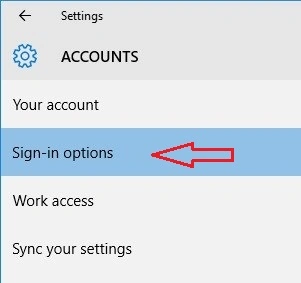
Figure 3: Sign-in options
When you select Sign-in options just see on the right side in the opened window where you can easily find a PIN option.
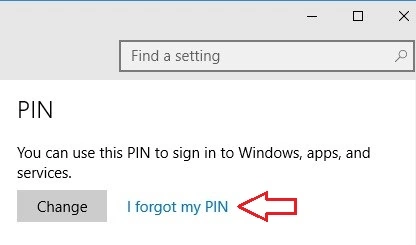
Figure 4: PIN
Step 5
Now press the Continue button when your system asks for confirmation for the forgotten pin.
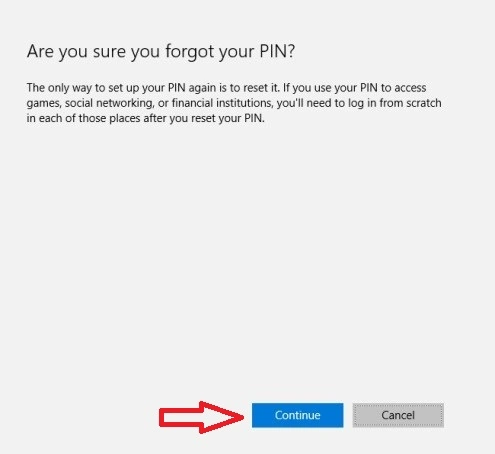
Figure 5: Forget PIN
Step 6
Now you will find a new window asking for a password for Microsoft account. Provide all the details (Retype Password of your Login Microsoft account) and then press the sign-in button.
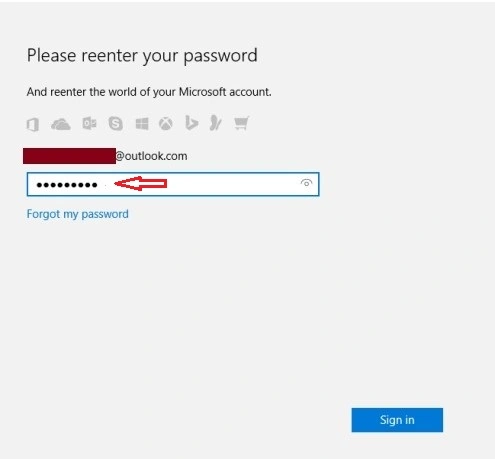
Figure 6: Enter password for Microsoft Account
Step 7
Now on the following screen, you just need to set up for a new pin, here you can create a new pin for your system.
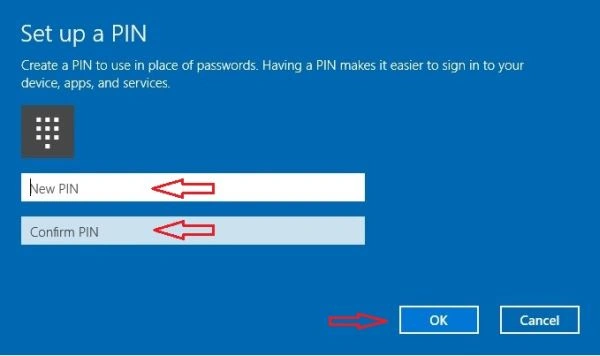
Figure 7: Set up a PIN
Click Ok.
After you reset your PIN in Windows 10 you are able to sign in your system with a new pin. We all know that the PIN is the easiest type to enter your system so create a strong PIN by which you can safe your system by hackers and unauthorized persons.
In this article, we saw how to Reset and Create a New PIN for your System.
Santhakumar MunuswamyPosted Oct 18, 2015, 5:18 AM
Good one
Sibeesh VenuPosted Oct 9, 2015, 1:11 AM
Nice Share
Bhavya GaurPosted Oct 9, 2015, 1:10 AM
Thanks Brother..
Zubair AhmadPosted Oct 9, 2015, 1:04 AM
Very helpful sir......
Harshad PansuriyaPosted Oct 9, 2015, 12:51 AM
Nice One
Nilesh JadavPosted Oct 9, 2015, 12:05 AM
Good one !
Mahesh ChandPosted Oct 8, 2015, 3:34 PM
Nice Bhavya and welcome to C# Corner. An article on How To Reset Your Password In Windows 10 will be nice!