

Introduction
Microsoft windows reset will be handy in a lot of scenarios when you troubleshoot issues within Windows environment. Especially when a windows update or any other program is causing issues to your OS you can simply reset your windows 10. Following are the steps you need to follow to reset your Windows 10 PC.
Step 1
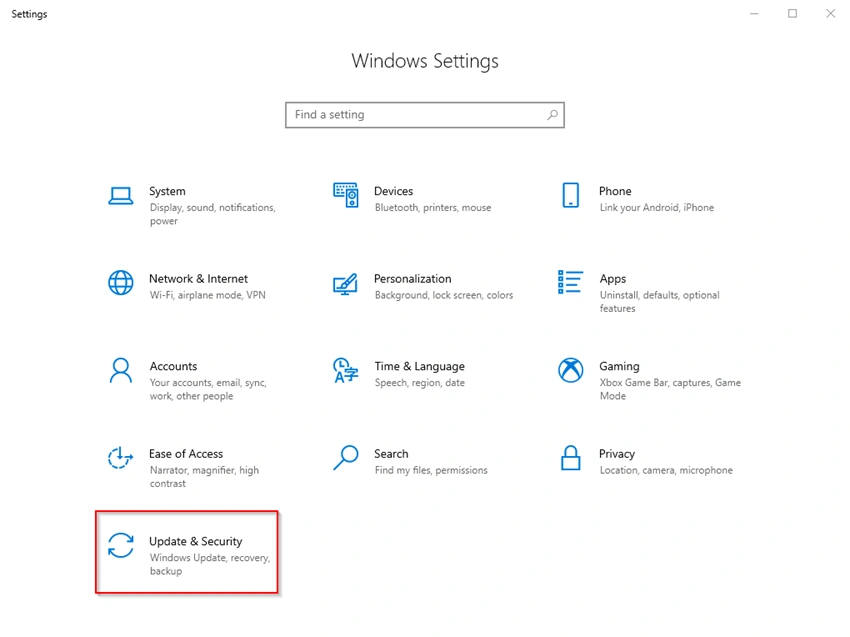
Go to windows settings and open Update & Security.
Step 2
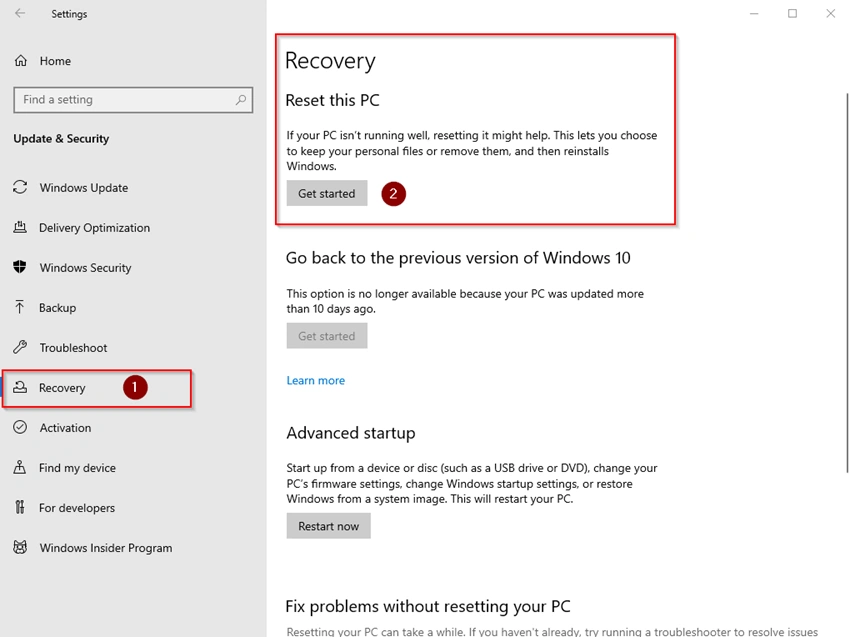
Select Recovery option as shown below and click on “Get started” in Reset this PC
Step 3
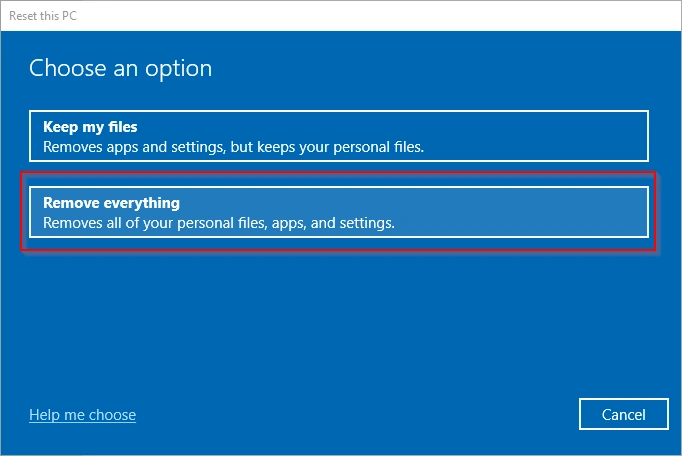
You will get an option window to choose from, please select “Remove everything” option
Step 4
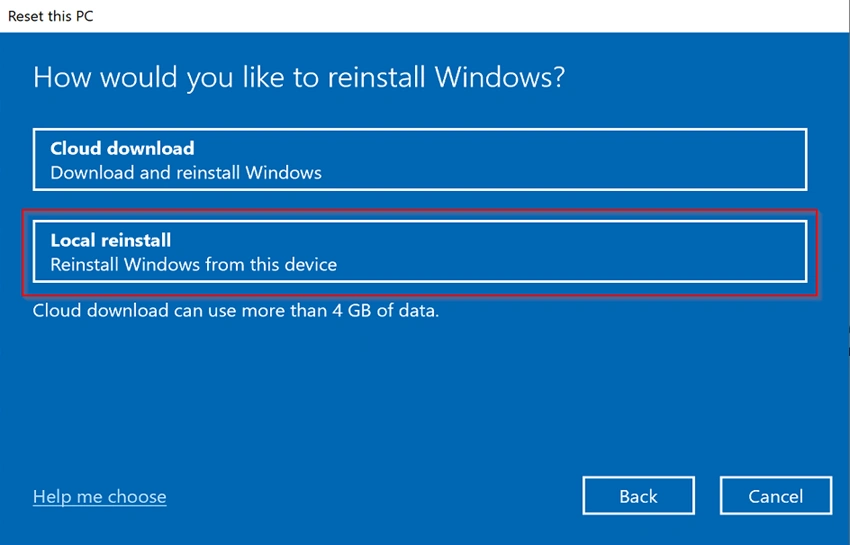
Select Local reinstall
Join the conversation! Your thoughts help the community grow.