

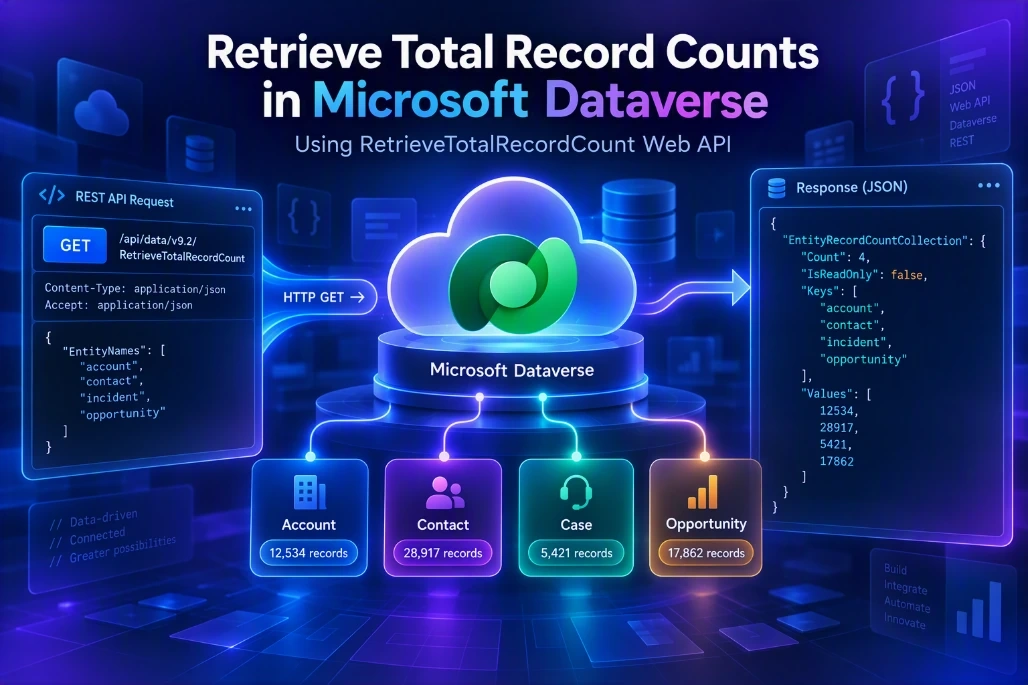
 When working with Microsoft Dataverse, there are situations where we need to quickly determine the total number of records available in one or more tables.
Although Dataverse supports the OData $count option, Microsoft documents limits of 5,000 records for standard tables and 500 records for elastic tables when using $count=true.
For obtaining the total row count beyond those limits, Dataverse provides the RetrieveTotalRecordCount function.
In this article, let's see how to use RetrieveTotalRecordCount through the Dataverse Web API.
What Is RetrieveTotalRecordCount?
RetrieveTotalRecordCount is a Microsoft Dataverse Web API function that returns the total number of records for specified Dataverse tables.
One important point to understand is that this isn't intended to provide a real-time transactional count.
Microsoft states that the returned data comes from a snapshot within the last 24 hours.
This makes the function particularly useful for scenarios such as:
Environment analysis
Data-volume dashboards
Environment comparison
Migration validation
Performance/environment assessments
Monitoring table growth
Reporting approximate total table volumes
For example, if you need to find the overall record count for Account and Contact, you can retrieve both counts in one request.
RetrieveTotalRecordCount Web API Syntax
The basic request is:
GET [Organization URI]/api/data/v9.2/RetrieveTotalRecordCount(EntityNames=['account','contact'])EntityNames is a collection of strings containing the logical names of the Dataverse tables that should be included in the request.
Notice that we use:
account
contact
and not:
accounts
contacts
The parameter expects entity logical names.
Identify Your Dataverse Environment URL
First, identify the URL of your Dataverse environment.
For example:
https://yourorg.crm.dynamics.comYour complete request will therefore follow this pattern:
https://yourorg.crm.dynamics.com/api/data/v9.2/RetrieveTotalRecordCount(EntityNames=['account','contact'])Replace yourorg.crm.dynamics.com with your actual Dataverse environment URL.
Specify the Tables
Next, decide which Dataverse tables you want to retrieve counts for.
For example:
Account
Contact
Their logical names are:
account
contact
Pass these logical names to the EntityNames collection:
EntityNames=['account','contact']Therefore, the complete function becomes:
RetrieveTotalRecordCount(EntityNames=['account','contact'])Execute the Dataverse Web API Request
1. Postman
Send an HTTP GET request:
GET https://yourorg.crm.dynamics.com/api/data/v9.2/RetrieveTotalRecordCount(EntityNames=['account','contact'])Typical Web API headers include:
Accept: application/json
OData-MaxVersion: 4.0
OData-Version: 4.0
Authorization: Bearer <AccessToken>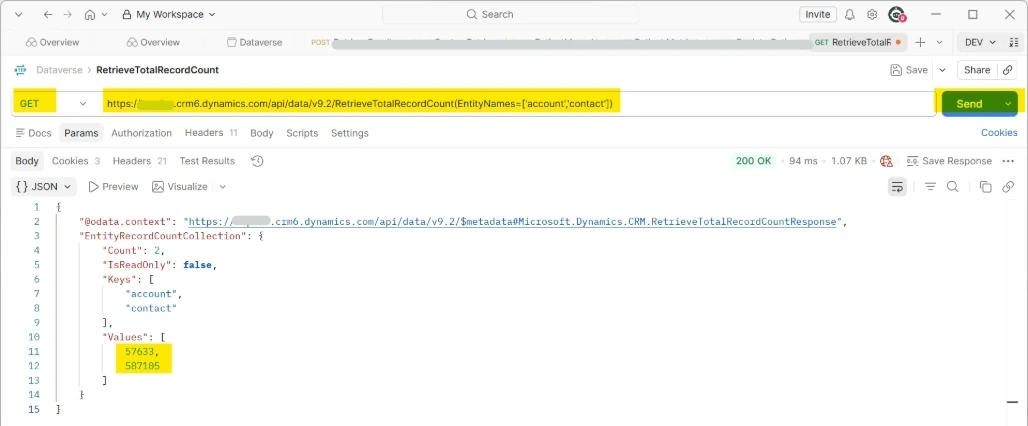
Note: Follow the below article to set up and connect to Dataverse in Postman.
How To Setup And Connect To The Dataverse Environment In Postman
2. Test in a Browser
You can also test this in a browser window.
Simply open a new tab in the browser where you have access to your Dataverse environment.
Copy and paste the following URL to render the output:
https://yourorg.crm.dynamics.com/api/data/v9.2/RetrieveTotalRecordCount(EntityNames=['account','contact','lead','opportunity'])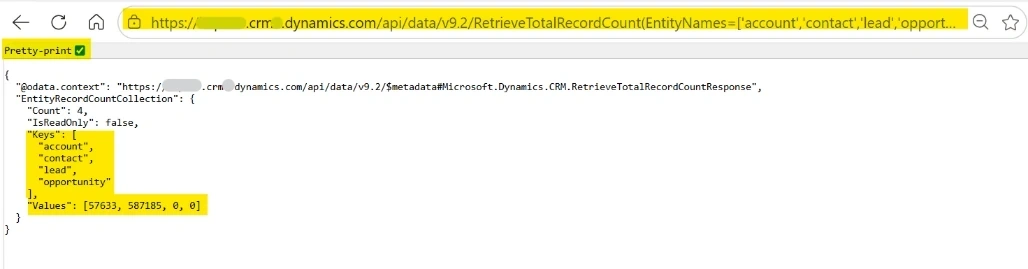
Limitation
The most important limitation is:
RetrieveTotalRecordCount does not necessarily return a real-time count.
Microsoft explicitly states that the retrieved data comes from a snapshot within the last 24 hours.
Therefore, if records were recently:
Created
Deleted
Imported
Migrated
Bulk processed
the returned total should not be treated as an immediate transactional count.
For dashboards showing approximate environment or table volumes, however, this characteristic may be acceptable.
SDK Equivalent
If you are developing in C#, Dataverse also provides the RetrieveTotalRecordCountRequest.
A request can be created with the required entity names and executed through IOrganizationService.
var request = new RetrieveTotalRecordCountRequest
{
    EntityNames = new[]
    {
        "account",
        "contact"
    }
};

var response =
    (RetrieveTotalRecordCountResponse)service.Execute(request);

foreach (var recordCount in response.EntityRecordCountCollection)
{
    Console.WriteLine(
        $"{recordCount.Key}: {recordCount.Value}"
    );
}
The SDK response exposes EntityRecordCountCollection, which contains table names and their respective record count values.
Conclusion
RetrieveTotalRecordCount is a useful Dataverse Web API function when you need overall record counts for tables.
Remember these points:
It accepts table logical names.
Multiple tables can be passed through EntityNames.
It returns an EntityRecordCountCollection.
The count is based on a snapshot within the last 24 hours.
It is useful when you need totals beyond the normal $count=true limits.
$count=true has documented limits of 5,000 standard-table rows and 500 elastic-table rows.
The capability is available through both the Dataverse Web API and the corresponding Dataverse SDK request/response classes.
Join the conversation! Your thoughts help the community grow.