

Before reading this article, please go through the following write-up.
Reading this article, you will learn how to run Xamarin Forms application in Universal Windows Platform development with XAML and Visual C#.
The following important tools are required for developing UWP.
- Windows 10 (recommended).
- Visual Studio 2015 Community Edition (It is a free software available online).
- Using Visual Studio 2015 Installer, enable the Xamarin (Cross-platform mobile development and C#/.NET( Xamarin V4.1.1) while installimg/modifying Visual Studio 2015.
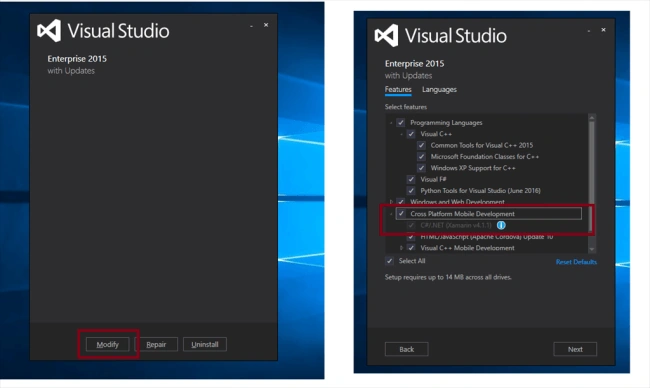
Now, we can discuss step by step app development.
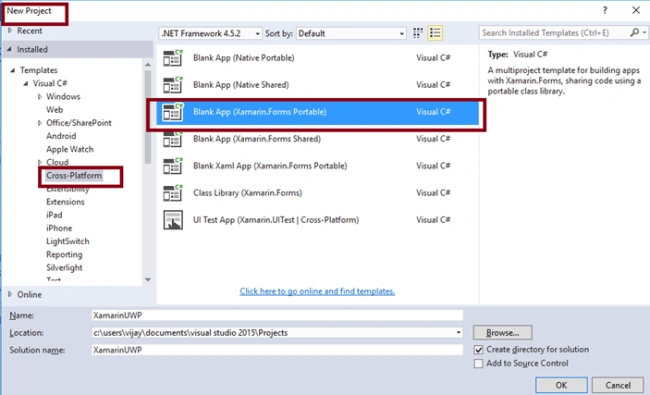
Step 1: Open Visual Studio 2015 -> Start -> New Project-> Select Cross-Platform (under Visual C#-> Blank App (Xamarin.Forms Portable)-> Give the suitable name for your App (XamarinUWP) ->OK.
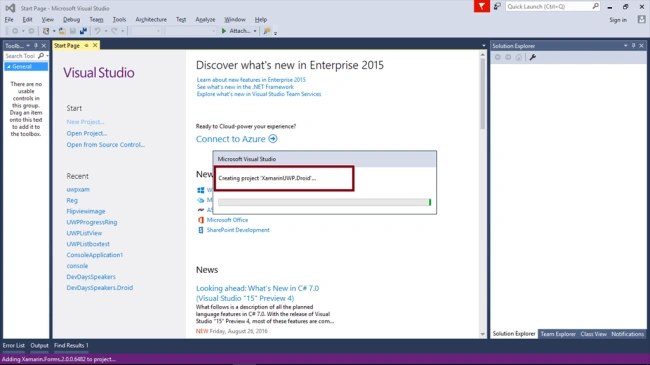
Step 2: Now, creating project “XamarinUWP_Droid” …
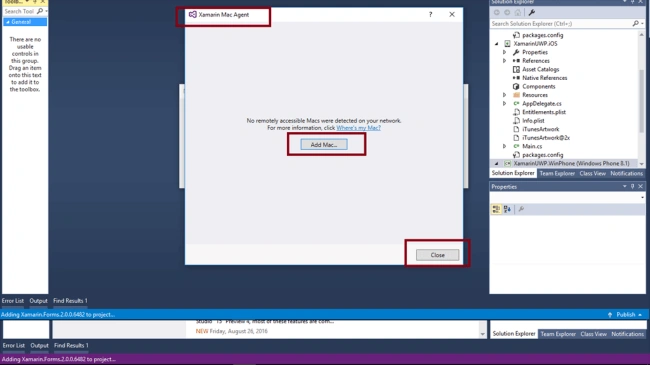
Step 3: Asking you for adding Xamarin Mac Agent. If you don’t have a mac machine, just close the window.
Step 4: Choose the target and minimum platform version for your Universal Windows Project.
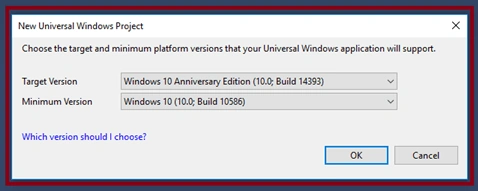
Step 5: Now, create project “XamarinUWP_UWP” …

Step 6: After that, Visual Studio creates 6 projects. Also, it displays Getting Started.XamarinPage.
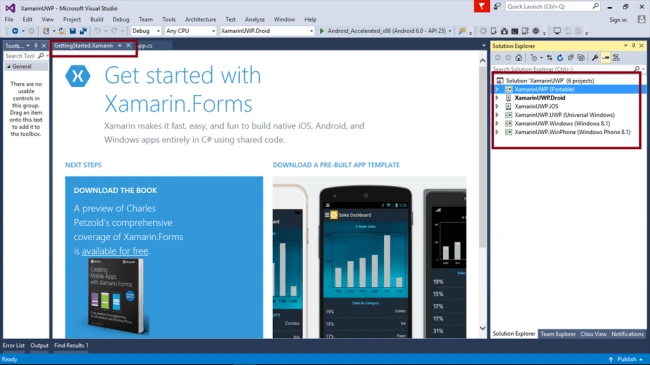
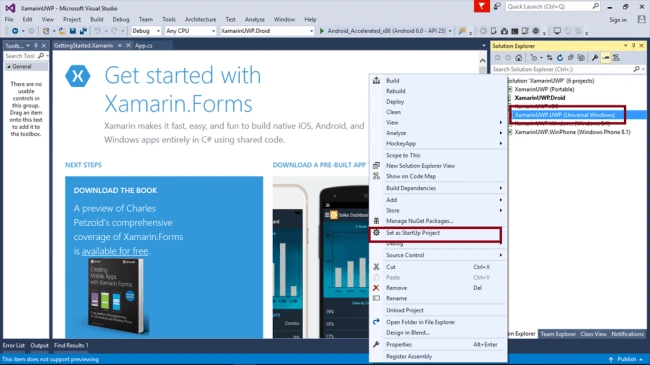
Step 7: We will run/test as UWP. So, you can select XamarinUWP.UWP (Universal Windows) as startup project.
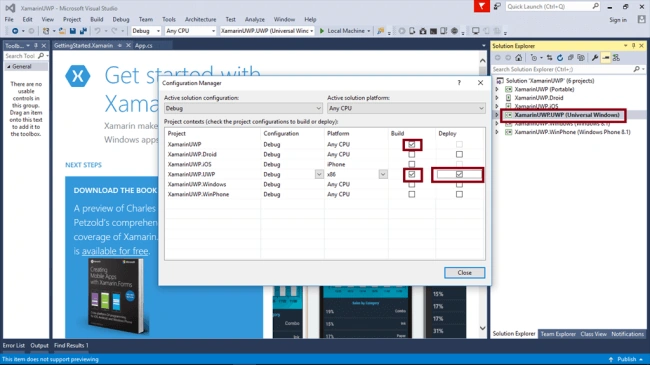
Step 8: Change the Configuration Manager settings. Go to Build Menu-> Configuration Manager.
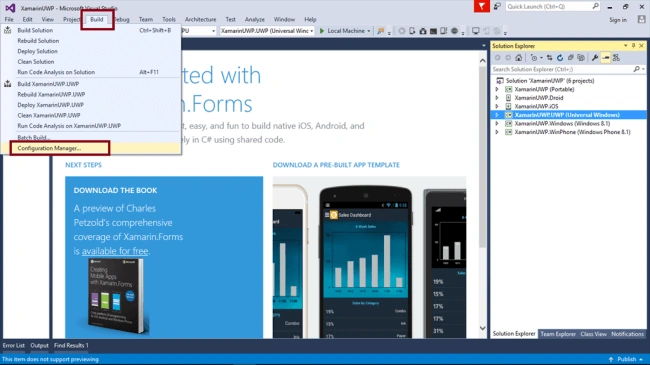
Uncheck all the build and deploy options to the XamarinUWP.iOS, XamarinUWP.Droid, XamarinUWP.Windows, XamarinUWP.WinPhone.
Check the XamarinUWP, XamarinUWP.UWP (enable only UWP project).
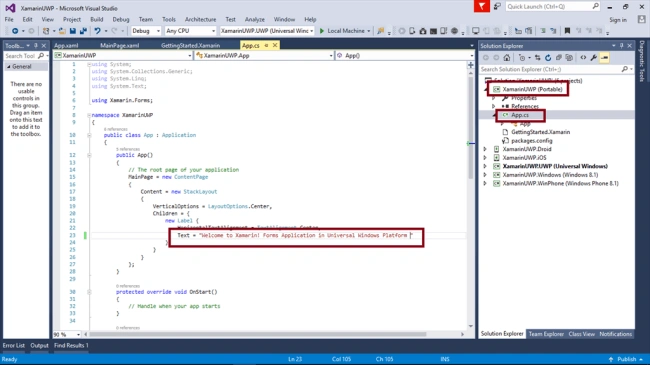
Step 9: Open (double click) the file App.cs in the Solution Explorer->XamarinUWP (portable) and change the text content in the label.
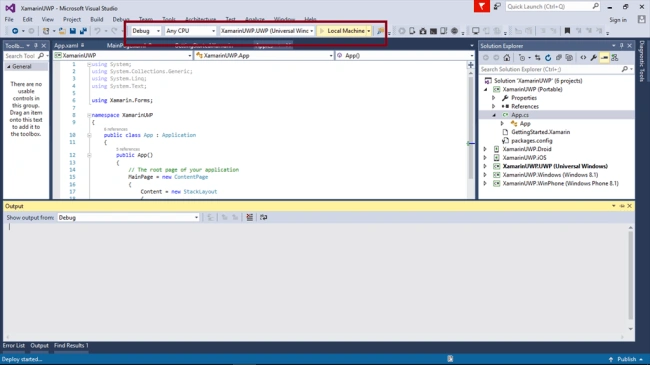
Step 10 : Deploy your app in Local Machine.
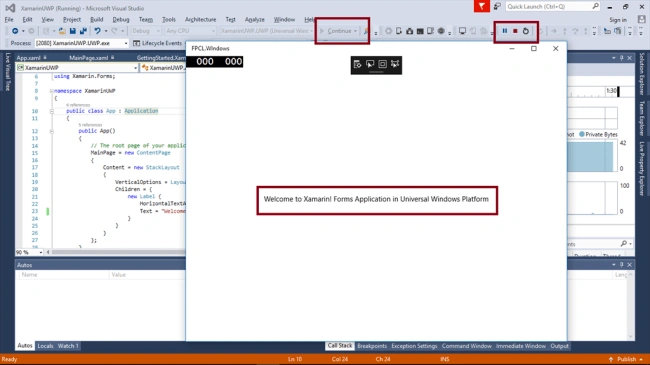
Step 11: The output of the XamarinUWP App is,
Summary
Thus, you have successfully created and tested your Xamarin Forms application in Universal Windows Platform in Visual C# - UWP environment.
Vignesh ManiPosted Aug 30, 2016, 8:39 AM
Nice
Humayun Kabir MamunPosted Aug 30, 2016, 3:18 AM
Nice...
Delpin Susai RajPosted Aug 29, 2016, 10:32 PM
Nice article