

Introduction
In real scenarios sometimes we have the images of users with some uniqueness and want to use those images in our application but we can't store so many images in the server due to some restriction, so we can store them in a database by creating a utility with simple code.
Like an Exam committee gets the exam candidate images with their roll numbers but now we want to access them in the other system depending on the roll numbers.
If you want to store only a single image then click here.
To explain this article I will use the following procedure:
- Create a table in the database to store the image and some other relevant and unique data like id or roll number by which I can fetch the image from the table.
- Create a website with a page wit a "Button" in the design part of that page (.aspx).
- Write the code in the ".cs" file of that page to save multiple images into the database on "button click" event.
The following is the detailed procedure for the preceding procedure.
Step 1
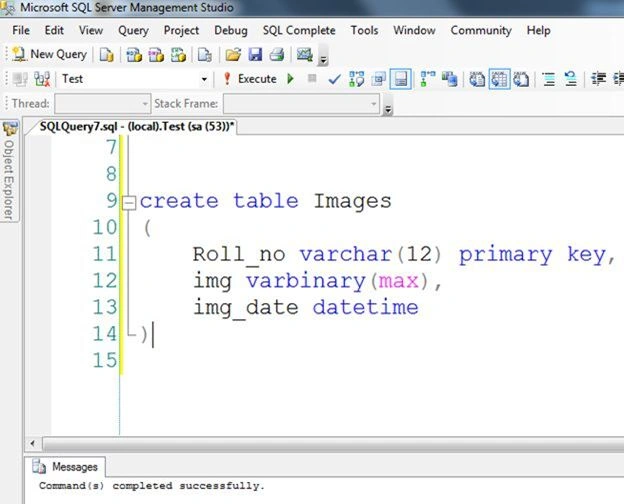
Create a table named "Images" that will store the following:
- Roll number of a student
- Image of a student
- Date of image insertion
- CREATE TABLE dbo.Images(
- Roll_no varchar(12) primary key,
- img varbinary(max) ,
- img_date datetime
- )
Step 2
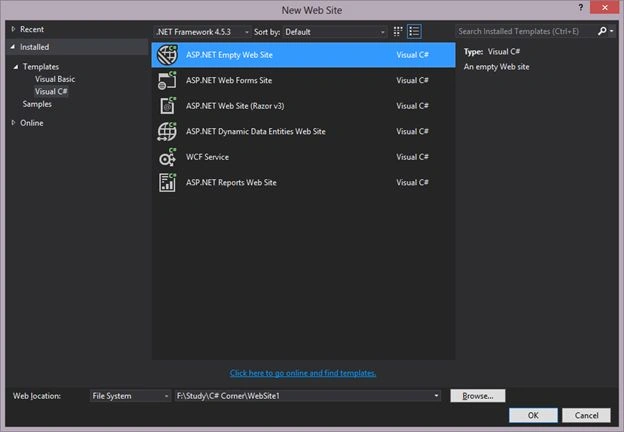
- Create a new empty website named "Website1".
- Add the a button with click event to the default page named Default.aspx:
- <asp:Button ID="Button1" runat="server" Text="Convert All Images to Byte" OnClick="Button1_Click" />
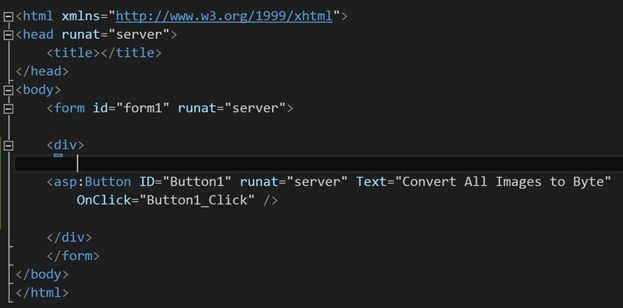
- <asp:Button ID="Button1" runat="server" Text="Convert All Images to Byte" OnClick="Button1_Click" />
- Add a folder named "Images" to the website and put some images into it that you want to store in the database.
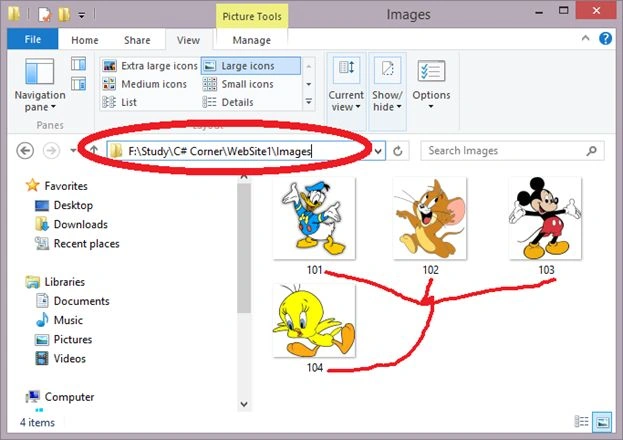
Note: I am assuming that the image names are unique as roll numbers in this article.
Step 3
- Write the code to insert the image into the database on the click event of the button.
- protected void Button1_Click(object sender, EventArgs e)
- {
- for (int i = 101; i <= 104; i++)
- {
- string filename = "~/Images/" + i.ToString() + ".jpg";
- byte[] imageByte = System.IO.File.ReadAllBytes(Server.MapPath(filename));
- //Insert the Data in the Table
- using (SqlConnection connection = new SqlConnection())
- {
- connection.ConnectionString = ConfigurationManager.ConnectionStrings["con"].ToString();
- connection.Open();
- SqlCommand cmd = new SqlCommand();
- cmd.Connection = connection;
- string commandText = "Insert into Images values (@Rollno,@image,getdate())";
- cmd.CommandText = commandText;
- cmd.CommandType = CommandType.Text;
- cmd.Parameters.Add("@image", SqlDbType.VarBinary);
- cmd.Parameters["@image"].Value = imageByte;
- cmd.Parameters.Add("@Rollno", SqlDbType.VarChar);
- cmd.Parameters["@Rollno"].Value = i.ToString();
- cmd.ExecuteNonQuery();
- cmd.Dispose();
- connection.Close();
- }
- }
- Response.Write("Data has been Added");
- }

Step 4
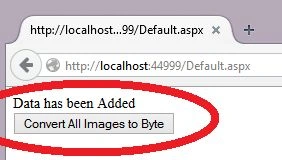
- Run the page that will be like:

- Click on the button and see the text "Data has been Added".
Result: As you can see the images have been saved in the database in binary format and now you can use them anywhere in your project.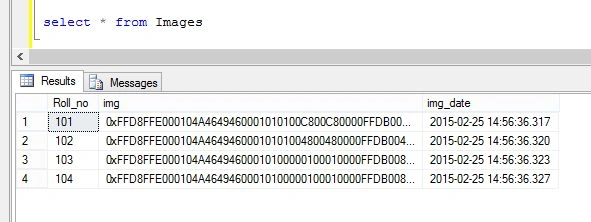
pc depositPosted Oct 21, 2016, 5:41 AM
Hi, how can I upload and save selected 4 images?
Sabyasachi MishraPosted Jan 10, 2016, 10:16 PM
Good one
Sameer ShrivastavaPosted Aug 8, 2015, 1:36 AM
Sir how can i access multiple images in a time with a method
Rahul BansalPosted Feb 28, 2015, 7:05 AM
@Sourabh Somani:- its just a utility for a single user and useful when the user gets the images from the client and want to use some where. Its better in that situation when you have some restiction on your server to upload the image on your server or less space on server and no restriction on SQL Server
Sibeesh VenuPosted Feb 28, 2015, 5:30 AM
Good one....
Sourabh SomaniPosted Feb 28, 2015, 4:38 AM
One query: Where should we store images and which way is batter? in the database or in a folder If I want to store images on the server than ??
Sourabh SomaniPosted Feb 28, 2015, 4:35 AM
You are using loop and opening connection then closing connection again and again... and If we do this thing then it may take time some time and If I send 10 images which are of high resolution then server will not respond back to me and we will get page not responding error...
Rahul Kumar SaxenaPosted Feb 27, 2015, 11:20 PM
Good One..