

In this article, you will learn how to send links directly into Teams Chats using Microsoft Graph HTTP requests in Power Automate. By combining Power Automate with Microsoft Graph, you can automate the process of sending messages, sharing links, and engaging with your team via Microsoft Teams.
Stepwise implementation for flow creation
1 - Open Power Automate
Go to make.powerautomate.com
Select flow type based on your need as i have select instant flow.
2 - Add Send a Microsoft Graph HTTP request action of Teams
First to get chat id, you need to call api on this url
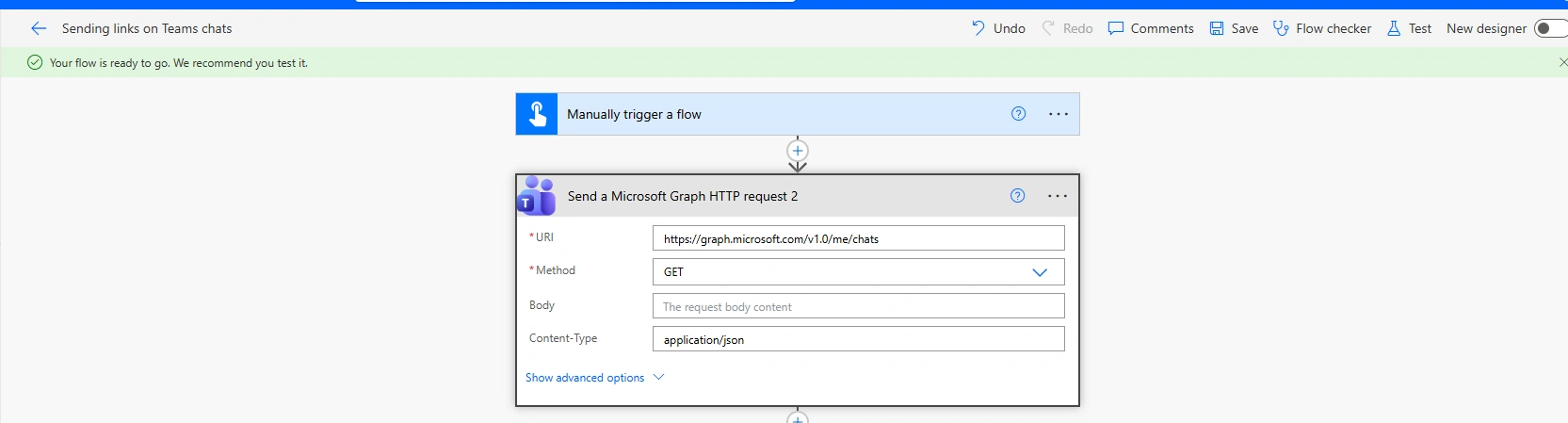
After saving and run flow, you will get ids of chats in Response
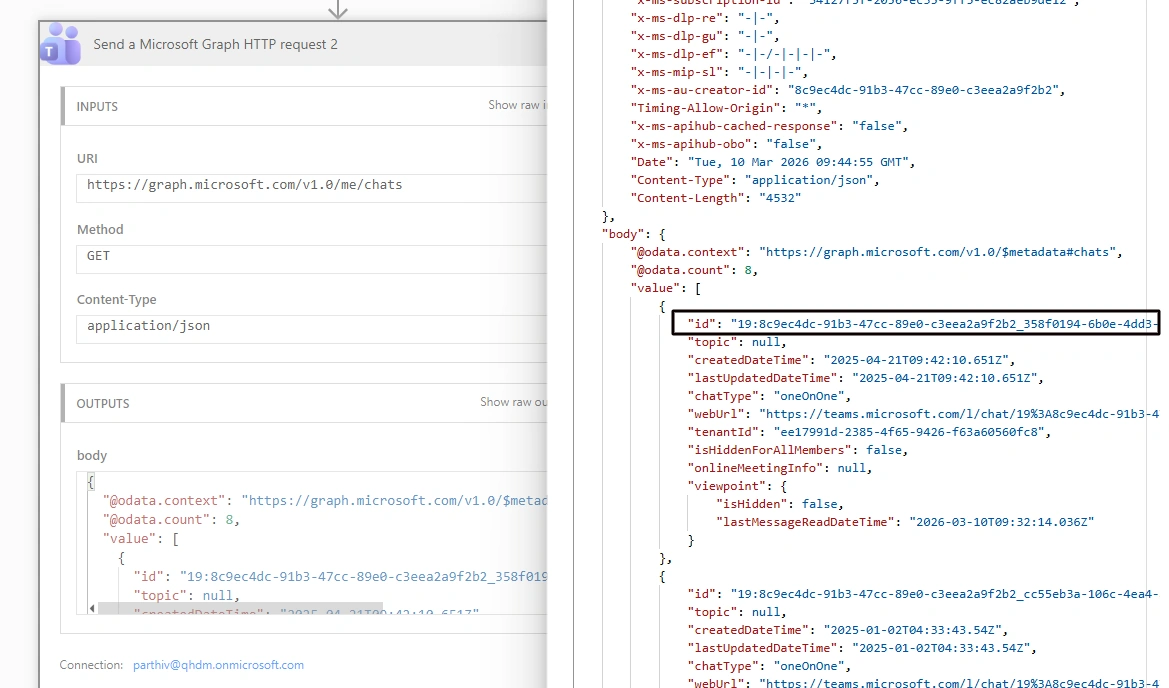
After getting id of that chat, put this on base url and select POST as method and implement this as below screenshot.
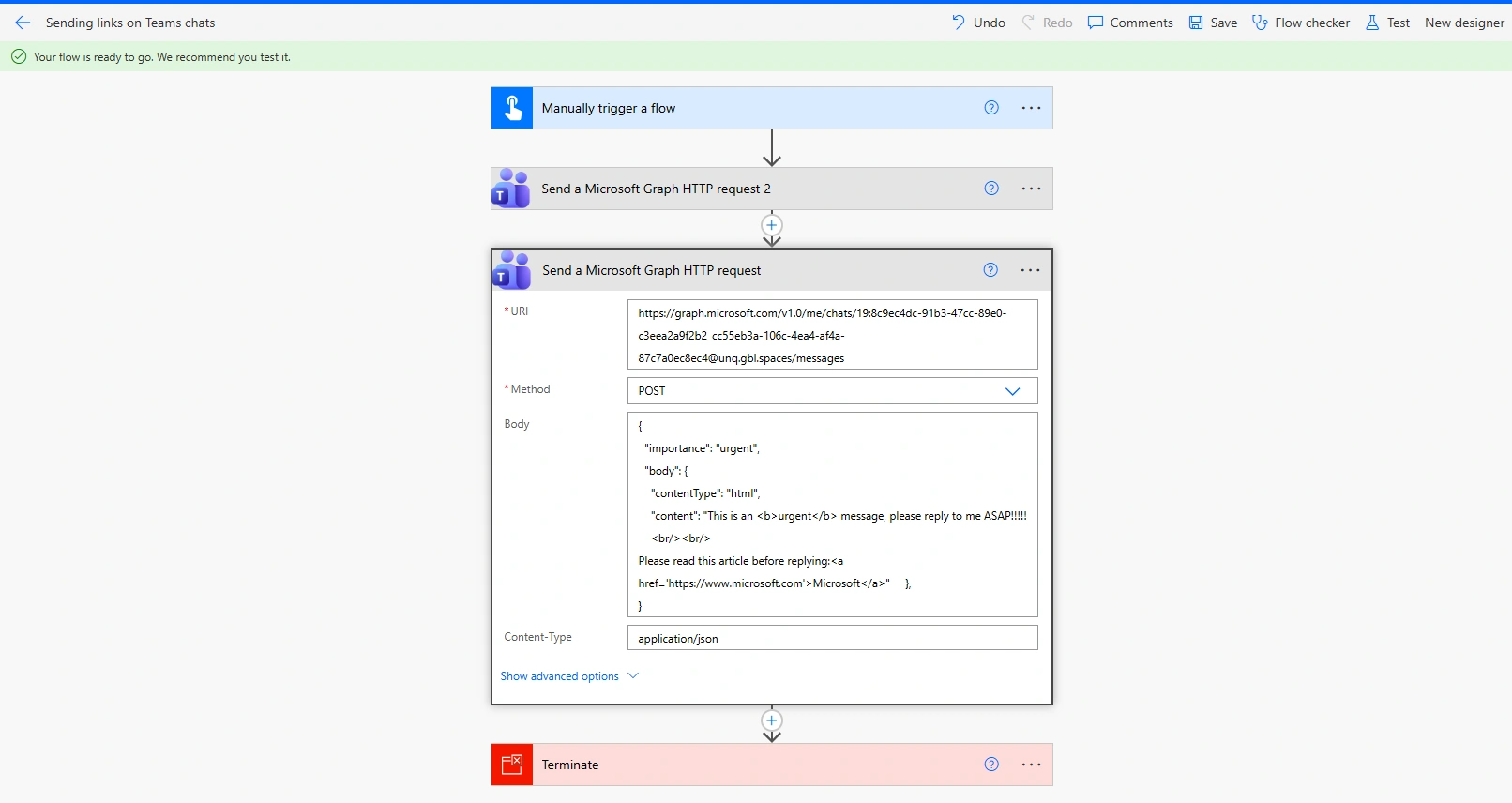
Save and run flow, as you will see message in respective chat based on id

Conclusion
Here, we have explored how to send links to Teams Chats using Microsoft Graph HTTP in Power Automate. By integrating Microsoft Graph with Power Automate, you can easily automate the process of sending messages and sharing links within Teams, improving collaboration and communication efficiency.
Join the conversation! Your thoughts help the community grow.