

In this article, we will explore how to display images directly from a database using a handler in ASP.NET WebForms. This approach is useful when you want to store images as binary data in the database and retrieve them dynamically for display on a web page.
Step 1. Create a Database Table to Store Images
First, let's create a table in your database to store the images. The table will include columns for storing image data in binary format, along with additional metadata.
CREATE TABLE ApplicantProfileImage
(
    MemberId INT PRIMARY KEY,
    Uploaded_File VARBINARY(MAX),
    Extension NVARCHAR(10)
)
In this table
- MemberId is the unique identifier for each record.
- Uploaded_File stores the binary data of the image.
- Extension stores the file extension (e.g., .jpg, .png).
Step 2. Create a Stored Procedure to Retrieve the Image
Next, we need a stored procedure to retrieve the image from the database based on the MemberId.
CREATE PROCEDURE Get_Applicant_Profile_Image
    @MemberId INT
AS
BEGIN
    SELECT Uploaded_File, Extension
    FROM ApplicantProfileImage
    WHERE MemberId = @MemberId
END
This stored procedure will return the binary data (Uploaded_File) and file extension (Extension) for a specific MemberId.
Step 3. Create the HTTP Handler in ASP.NET
An HTTP handler is a great way to dynamically serve images stored in the database. Below is the implementation of an HTTP handler in ASP.NET that retrieves and displays the image.
<%@ WebHandler Language="C#" Class="Get_Applicant_Profile_Image" %>
using System;
using System.Web;
using System.Data;
using System.IO;
using System.Web.SessionState;
using System.Xml;
using System.Text;
public class Get_Applicant_Profile_Image : IHttpHandler, IRequiresSessionState
{
    public void ProcessRequest(HttpContext context)
    {
        string memberid = context.Request.QueryString["Id"];
        DataSet ds = new DataSet();
        DataSet IDDset = new DataSet();
        try
        {
            using (Database.DALBase ds1 = new Database.DALBase(ConnectionClass.connectionstring))
            {
                ds1.ssSQL = "[MMDSPY].[Get_Applicant_Profile_Image]";
                ds1.InitializeCommand();
                ds1.AddParameter("@MemberId", SqlDbType.Int, memberid);
                ds1.FillDataSet(ref IDDset, "SD");
                ds1.CloseConnection();
            }
            if (IDDset.Tables[0].Rows.Count > 0 && IDDset.Tables[0].Rows[0]["Uploaded_File"] != null)
            {
                context.Response.ContentType = NicMp.Common.MimeFinder.GetContentType(IDDset.Tables[0].Rows[0]["Extension"].ToString());
                context.Response.BinaryWrite((byte[])IDDset.Tables[0].Rows[0]["Uploaded_File"]);
            }
            else
            {
                SendNoImage(context);
            }

        }
        catch (Exception ex)
        {
            SendNoImage(context);
        }
    }
    private void SendNoImage(HttpContext context)
    {
        context.Response.ContentType = "image/jpeg";
        string noImagePath = context.Server.MapPath("~/Common/Images/NoImage.jpg");
        byte[] noImage = File.ReadAllBytes(noImagePath);
        context.Response.BinaryWrite(noImage);
    }
    public bool IsReusable
    {
        get
        {
            return false;
        }
    }

}
This handler processes the request to retrieve the image based on MemberId from the database, sets the appropriate content type based on the file extension, and writes the binary image data directly to the HTTP response.
Step 4. Display the Image on a Web Form
Now, let's use the HTTP handler to display the image in an ASP.NET Web Form.
  <div class="modal fade" id="dvMessageredirect" tabindex="-1" role="dialog" aria-labelledby="messageLabel" aria-hidden="true">
      <div class="modal-dialog" role="document">
          <div class="modal-content">
              <div class="modal-header">
                  <h5 class="modal-title" id="messageLabel"></h5>
                  <button type="button" class="close" data-bs-dismiss="modal" aria-label="Close">
                      <span aria-hidden="true">×</span>
                  </button>
              </div>
              <div class="modal-body" >
                    <img id="imgDoc" alt="" />
              </div>
              <div class="modal-footer">
                  <button type="button" class="btn btn-secondary" data-bs-dismiss="modal">Close</button>
              </div>
          </div>
      </div>
  </div>
In the JavaScript part, use jQuery to dynamically set the image source to point to the handler with
$(document).ready(function () {
    var memberId = 123; // Replace with dynamic memberId
    $("#imgDoc").attr('src', "/Get_Applicant_Profile_Image.ashx?Id=" + memberId);
  $("#detailsModal").modal("show");
});
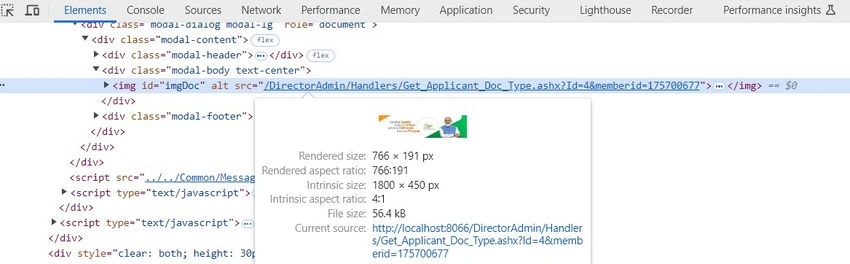
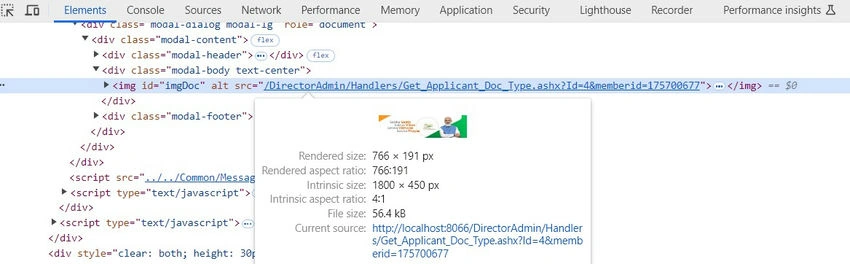
Result with example
Conclusion
By following these steps, you can successfully display images stored as binary data in a database using an HTTP handler in ASP.NET WebForms. This method allows for dynamic retrieval and display of images, making it a robust solution for applications requiring image management.
Join the conversation! Your thoughts help the community grow.