

Introduction
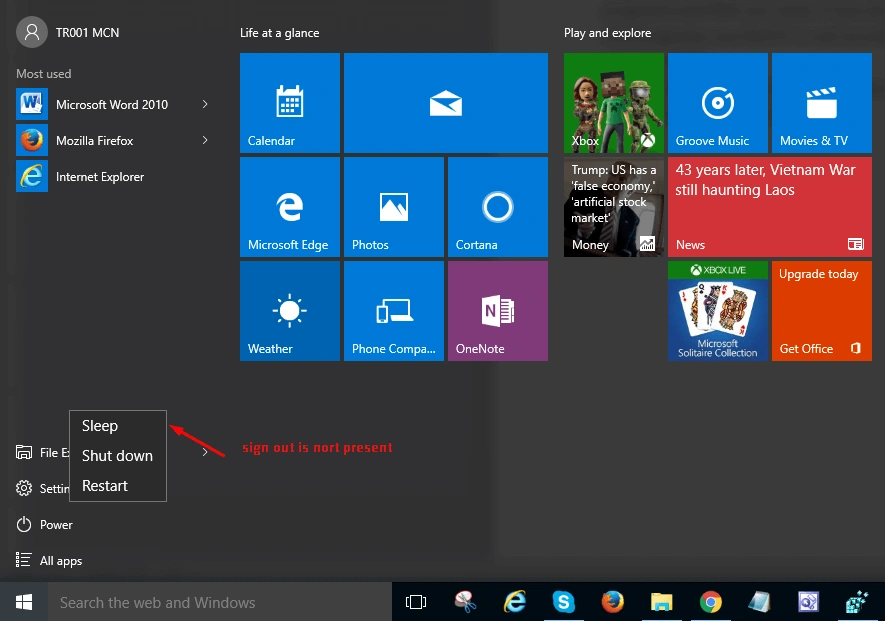
When starting with Windows 10, Microsoft moved the Sign Out option from the Power button to Start Menu.
Method 1
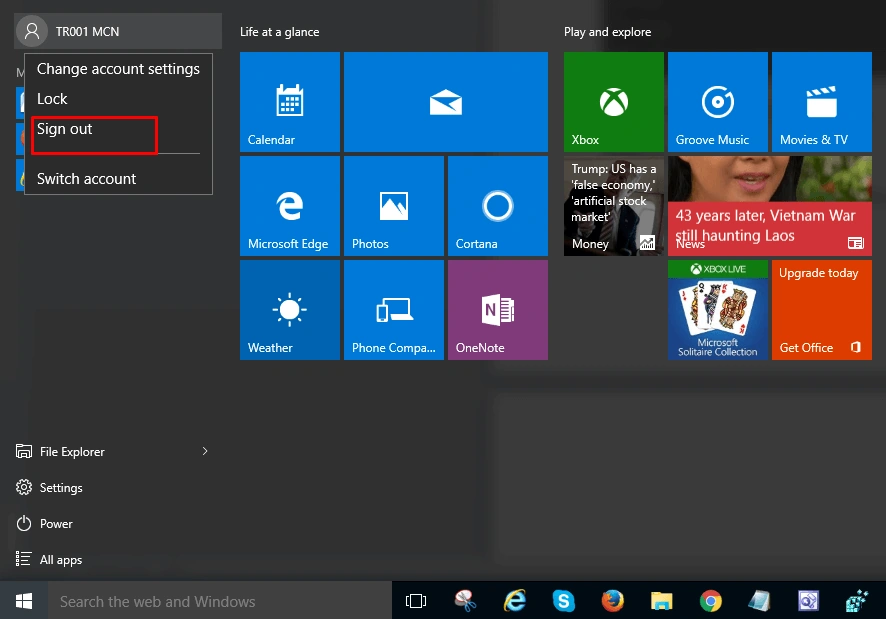
Click on the Start Windows key. The Windows blade will open. Here, locate the account icon and click on the account name. You will get the Sign Out option, as shown in the image. Just Sign Out from there.
Method 2
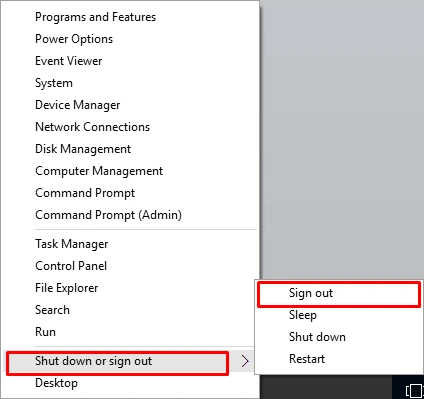
Right-click on the Windows Start button. You will get the blade with a lot of options. Select the Shutdown or Sign Out option. You will get the Sign out option in front of you.
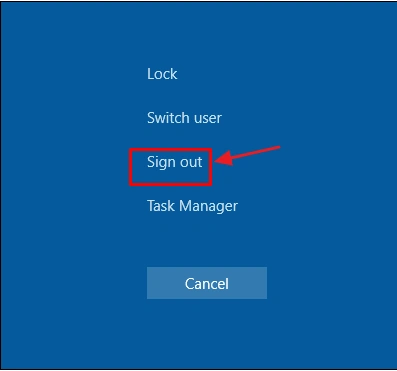
Press ctrl+alt+delete. You will get the Sign out option, as shown in the below image.
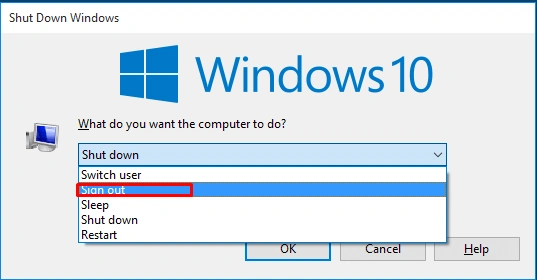
Press alt+f4. In the Shutdown window, you will get the Sign out option.
Summary
You can choose any method to Sign Out from your Microsoft User Account. I hope this article was helpful. Windows 10. Follow C# Corner to learn more new and amazing things about Windows 10.
SubashPosted Sep 13, 2016, 12:06 AM
Nice information
Vignesh ManiPosted Sep 8, 2016, 6:50 PM
Nice