

Introduction
In this article, I will show you how to prevent external sharing of a SharePoint site using power automate. We can archive this using rest API.
We don't need to go each and every site setting to change them; just create power automate for the same.
Steps
Step 1: Create Power Automate Flow.
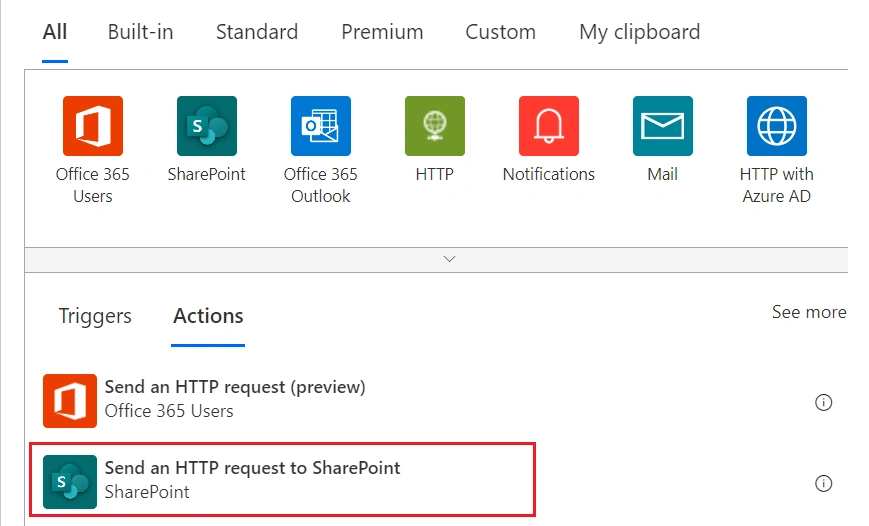
Step 2: Add Send an HTTP request to SharePoint Actions to your flow.
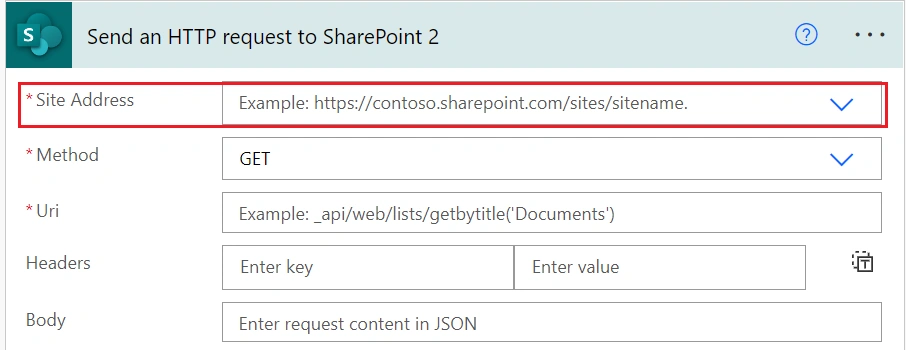
Step 3: Add your SharePoint admin URL to the Site Address.
Example: https://example-admin.sharepoint.com
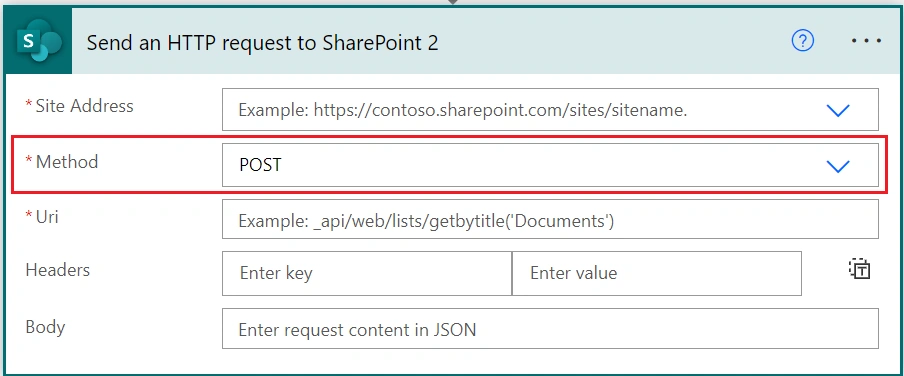
Step 4: Select POST inside the Method box.
Step 5: Pass the below endpoint to Uri box.
Example: _api/Microsoft.Online.SharePoint.TenantAdministration.Tenant/Sites(`Pass your site ID`)
Note: You can get your site id using the phrase below.
https://<tenant>.sharepoint.com/sites/<site-url>/_api/site/id
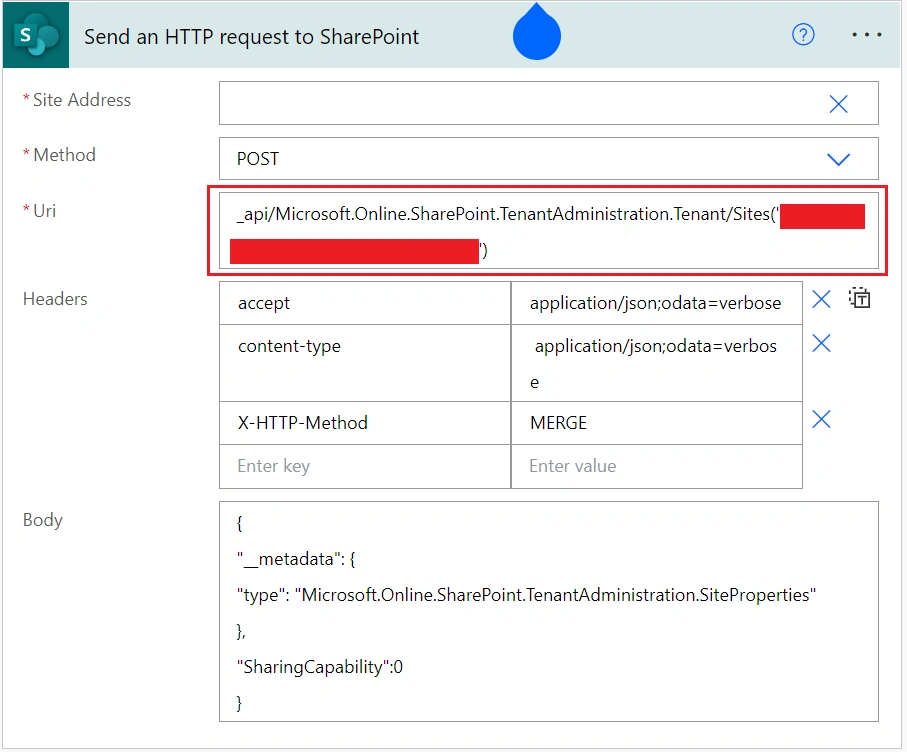
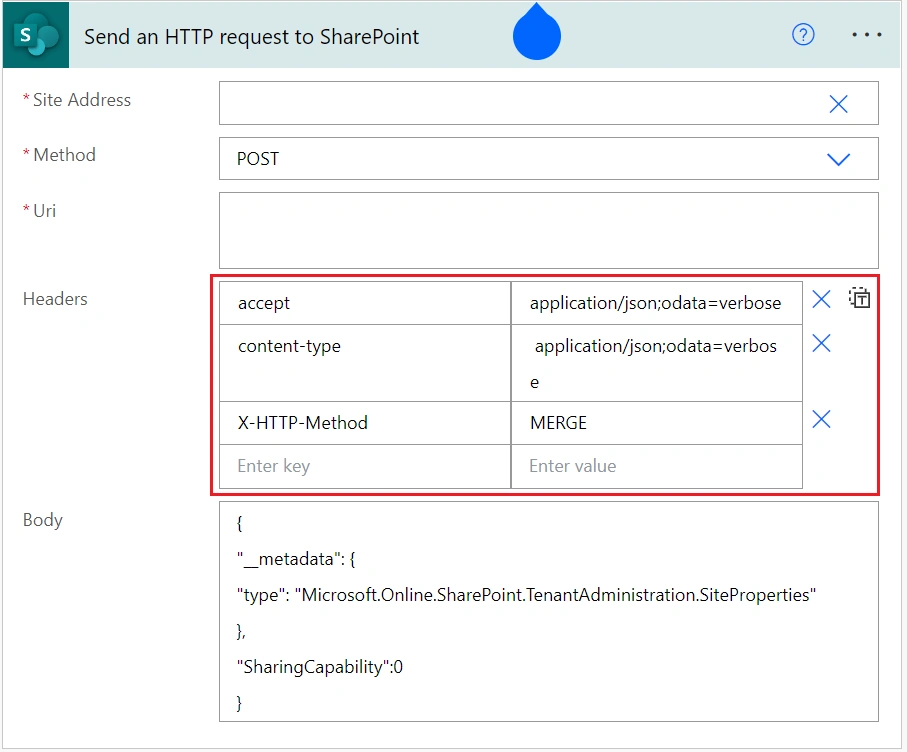
Step 6: Pass header as written below.
{
"accept ": "application/json;odata=verbose",
"content-type": " application/json;odata=verbose",
"X-HTTP-Method": "MERGE"
}
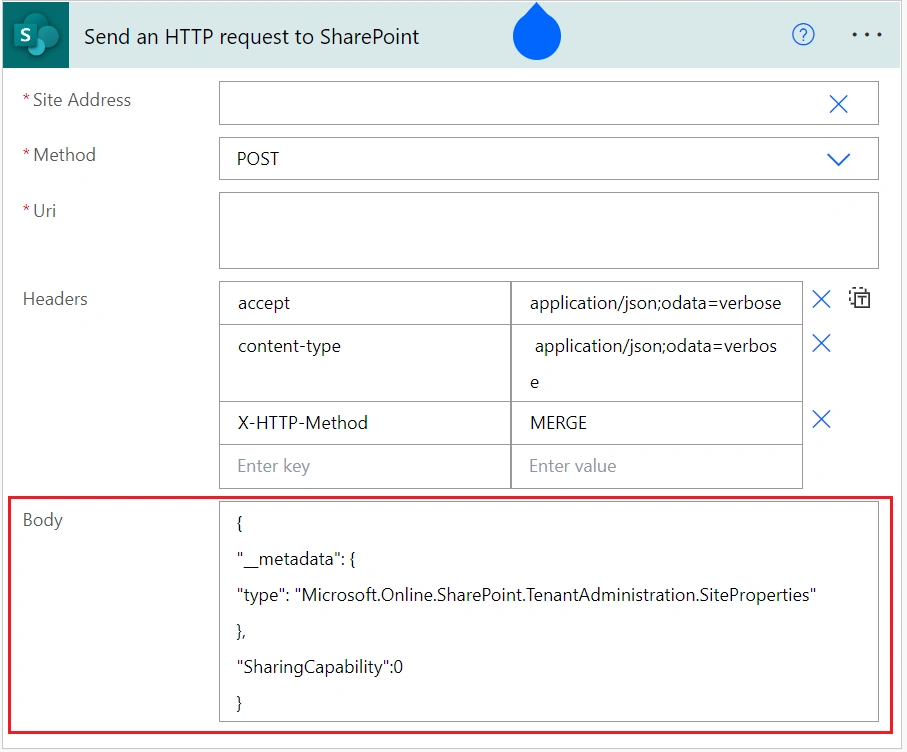
Step 7: Pass body as written below.
{
"__metadata": {
"type": "Microsoft.Online.SharePoint.TenantAdministration.SiteProperties"
},
"SharingCapability":0
}
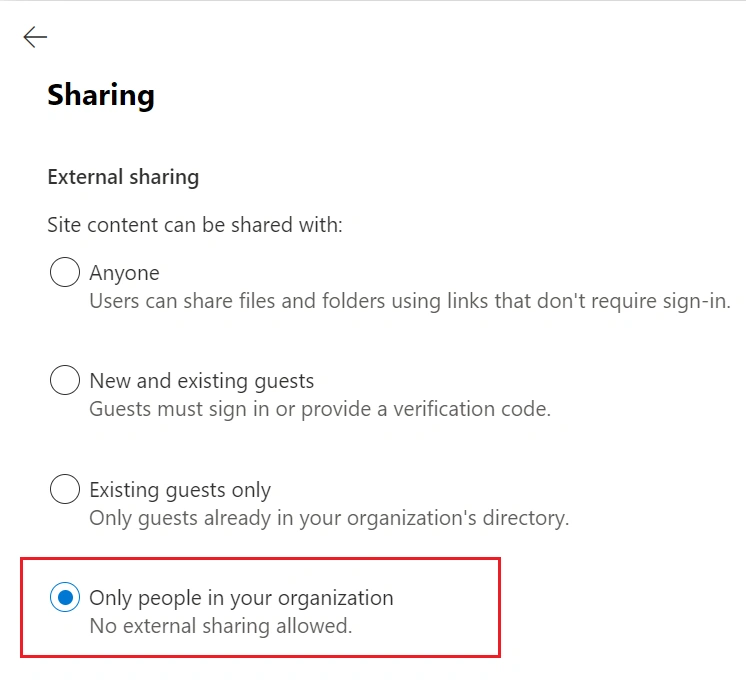
Output
Conclusion
This is how we can easily prevent external sharing of a site using power automate.
Join the conversation! Your thoughts help the community grow.