

So let's see the step by step procedure.
Step 1: Use TextBox, FileUpload, Button and Label controls like:
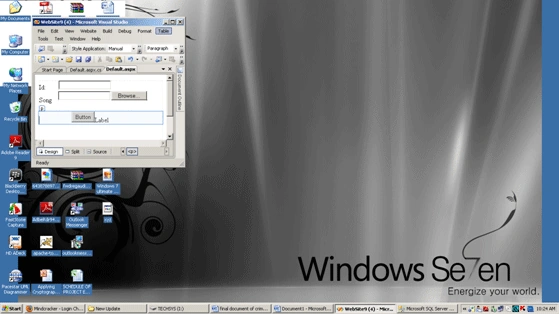
Step 2: Create a table like:
{
CREATE TABLE [dbo].[Audio](
[id] [int] NOT NULL,
[song] [varchar](50) COLLATE SQL_Latin1_General_CP1_CI_AS NULL,
CONSTRAINT [PK_Audio] PRIMARY KEY CLUSTERED
(
}
Step 3: Now write a stored procedure:
{
ALTER procedure Sp_Audio(@id int,@song varchar(50))
As
Begin
insert into Audio(id,song)values(@id,@song)
end
}
}
Step 4: Now double-click on the Button and write the following code:
{
SqlConnection cn = new SqlConnection("Give Path");
SqlCommand cmd = new SqlCommand();
cmd.Connection = cn;
cn.Open();
cmd.CommandText = "Sp_Audio";
cmd.CommandType = CommandType.StoredProcedure;
cmd.Parameters.AddWithValue("@id", TextBox1.Text);
cmd.Parameters.AddWithValue("@song", FileUpload1.FileName);
int i=cmd.ExecuteNonQuery();
if (FileUpload1.HasFile)
{
string fname = FileUpload1.FileName.ToString();
string folderpath = "~/Audio";
string path = HttpContext.Current.Server.MapPath(folderpath);
FileUpload1.PostedFile.SaveAs(path + "\\" + fname);
Label1.Text = "file uploaded successfully";
}
}
}
Step 5: Now run the application.
Sharath kumarPosted Nov 24, 2014, 2:48 AM
hai dinkar.i have worked on this kind of example in inserting image to database by using fileupload control .i am facing some problem in this example when i inserted the audio mp3 song into fileupload control and pressing submit button i am geeting the error like Maximum request length exceeded .can u help me to resolve this problem.
santosh santoshPosted Sep 1, 2011, 7:50 AM
just i am completed by .net course.....i didnt get properly sir....i am facing so confused how to creat the data base and also the form is not visible clearly....
amit singheditedPosted Apr 20, 2011, 6:40 AMEdited Apr 20, 2011, 6:40 AM
thanks,
jaison joyPosted Apr 20, 2011, 1:40 AM
you are not uploading mp3 song or audio file to database. You are just inserting the file name and path.
Abhimanyu K VatsaPosted Apr 19, 2011, 4:29 AM
Looks like Excellent Post!! but being as reader I will not prefer your post because your attachment has no db file. Any fresher reader will face problem here to design db. Upload the complete and working example. Although your post is excellent. I appreciate your hard work here.