

Introduction
In this tutorial, a fast method for uploading a database to GoDaddy servers will be introduced. The database script should be exported to a text file then the contents of that text file (SQL script) will be copied and pasted into the Query Analyzer on GoDaddy to be expected.
Step 1. Download the “Database publishing wizard” and install it.
Step 2. Open the source code of the website and right-click your database, as shown in the figure.
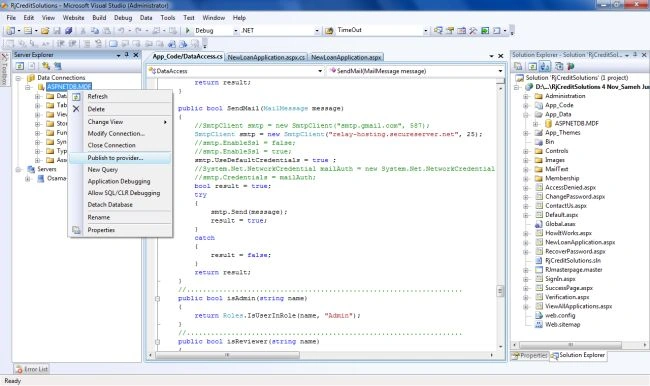
Step 3. Select the “Publish to provider” menu item and follow the instructions.
- Select the database and check "Script all the objects in the database"
- Click "Next >" and the script mode file should be saved onto your hard disk and can be opened with Notepad.
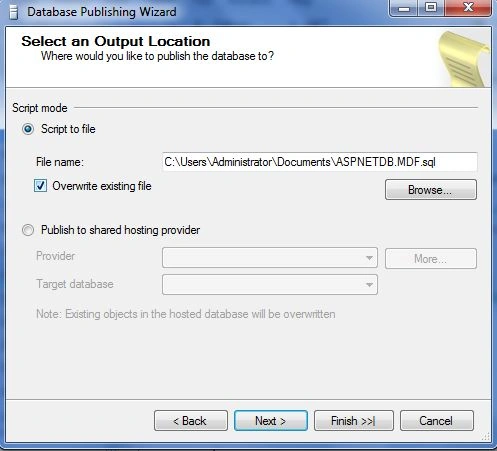
- Click "Next >" and leave the options without change. If you want to upload the schema only or data only, then you shall change the types of data to the publish option.
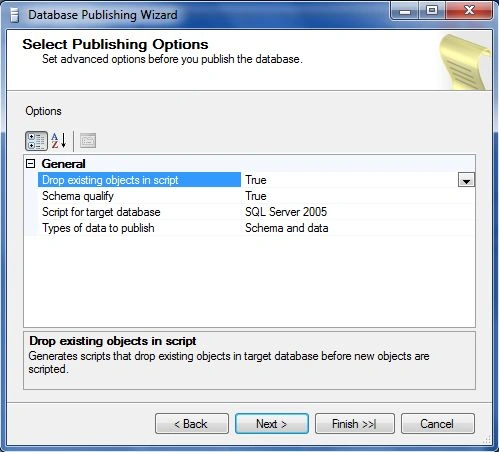
- Click "Next >" to see the summary and then click “Finish >>|”, wait a moment, and the script should be finished and saved to the hard disk.
- This script will be used on the website, so keep it and don’t change its content.
Step 4. Open the GoDaddy website, log in, and click "My account".
- Go to the “My Products” part and click the “Web Hosting” entry.
- You should see the website domain name for example, in my case, “RJCREDIT.COM”, click the corresponding “Launch” button.

- The following page will be opened.
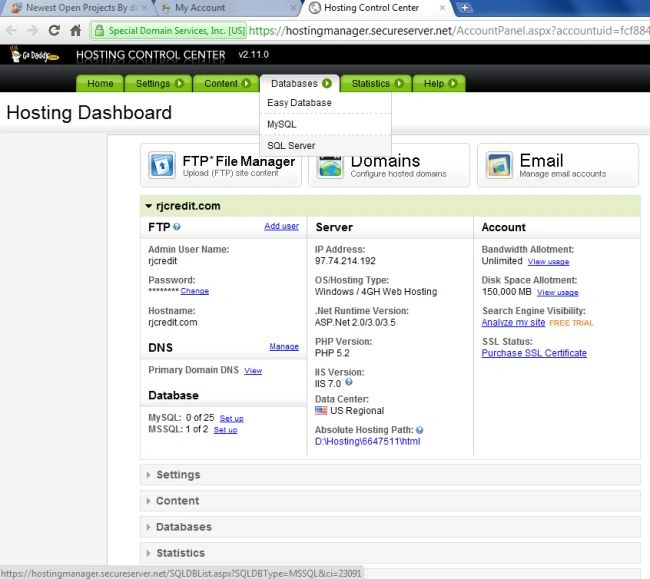
- Select "Databases" -> "SQL Server", and you will see a list like the one shown here.

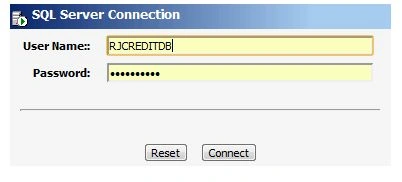
- Click the "Manage via web admin"; this will open a login form for the database administration. Enter the username and password as shown, and then click "Connect".
- The SQL Server web admin page will be opened, open the Query Analyzer as shown in the figure.

- Click the “Open SQL file” button and select the “script file” saved previously from Step 2. Or you can simply open the script file and select all and copy all the script text, then in the Query Analyzer, paste the text.
- Click the “Execute” button. The script execution will remain for a while and then a successful execution message will be displayed.
Soumik MahajanPosted Dec 30, 2020, 10:45 AM
But in my area there is no database type available only MySql(php)
Sunil KumarPosted Mar 17, 2016, 10:18 AM
thanks for sharing how to host that plesk hosting
Abhinandan NimsarkarPosted Feb 2, 2015, 7:32 AM
for sql server 2008 what publishing wizard required or not