

Introduction
Cortana can be used to search the web, and also for files on your PC or phone. You can utilize the application to set arrangements in your date-book, set up updates, make notes, set cautions, play music, and get headings for spots. Cortana will oblige the access to the area settings so as to help you.
Now, let's get started with Cortana. It can be accessed by clicking the search features on the taskbar. 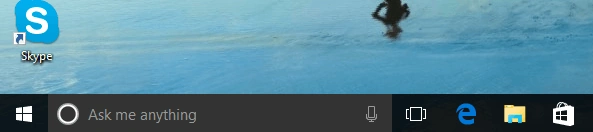
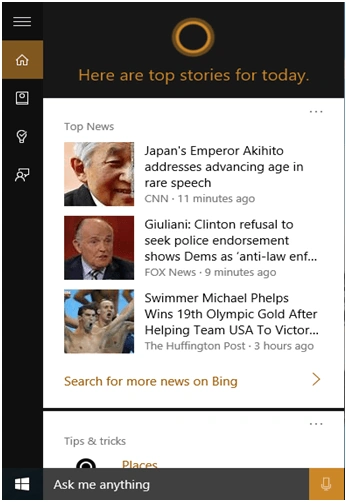 If you want to change the further configuration of Cortana, then left-click on the Notebook icon along the left edge.
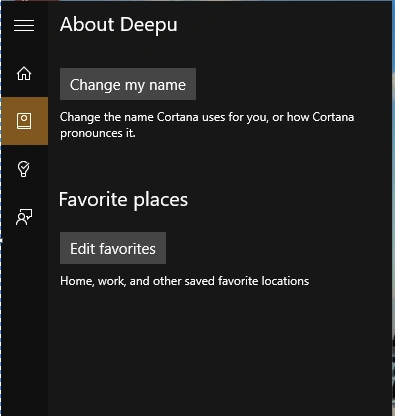
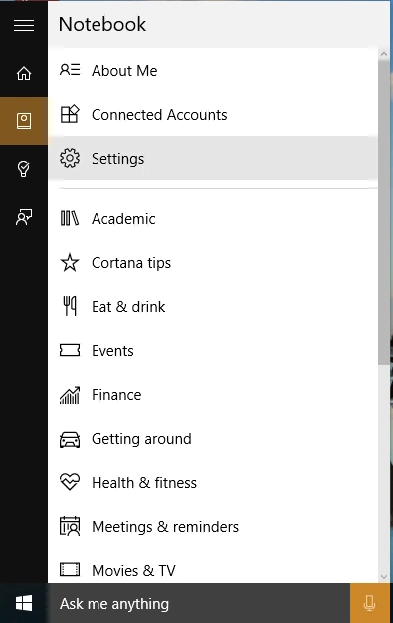 Suppose you want to change the Cortana name and favorite places, Home location, and other saved favorite locations.
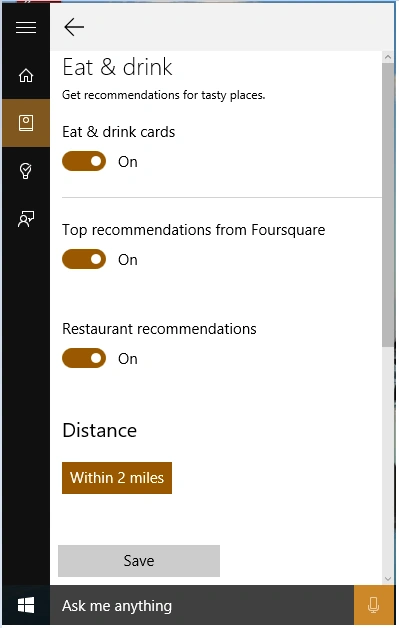
 Some tip cards can be configured and turned On or Off. For example, the “Eat & Drink” card allows you to receive recommendations from foursquare, restaurant recommendations, and so on.
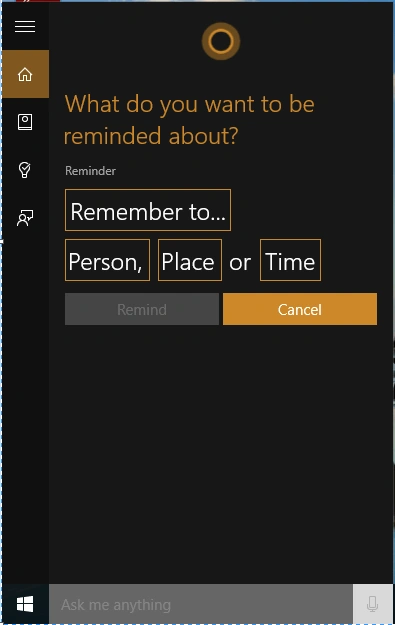
 In Windows 10, Cortana has a powerful built-in reminder feature. Select the Reminder icon or say “Remind me” to create a reminder and Cortana reminds you about the specific time, location, or specific person.
If you want to set the reminder, then click on the Reminder icon along the left edge and select + to add a new reminder.
In Windows 10, Cortana has a powerful built-in reminder feature. Select the Reminder icon or say “Remind me” to create a reminder and Cortana reminds you about the specific time, location, or specific person.
If you want to set the reminder, then click on the Reminder icon along the left edge and select + to add a new reminder.
 If you want to provide your feedback, you can submit your ideas, likes, or dislikes to Microsoft.
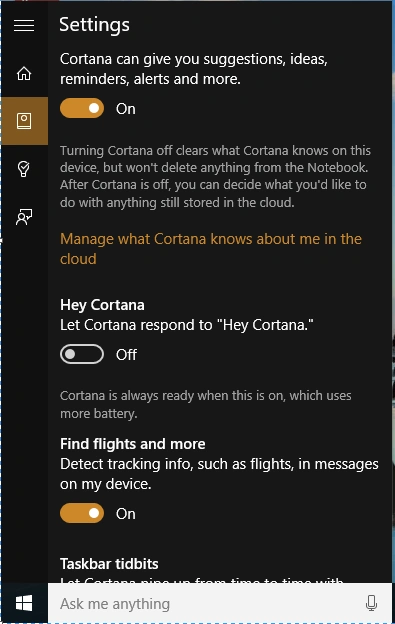
Cortana general settings can be configured from the Notebook tab along the left edge. Select Settings and turn "Let Cortana Respond" On.
If you want to provide your feedback, you can submit your ideas, likes, or dislikes to Microsoft.
Cortana general settings can be configured from the Notebook tab along the left edge. Select Settings and turn "Let Cortana Respond" On.
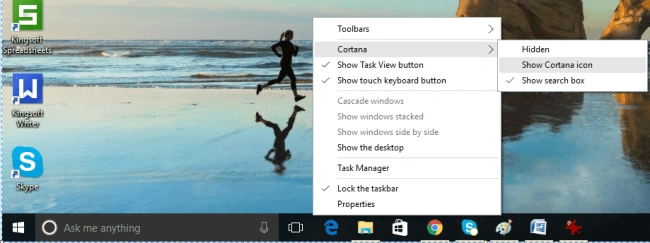
You can adjust the search bar by right-clicking on the taskbar and choosing the style you want.
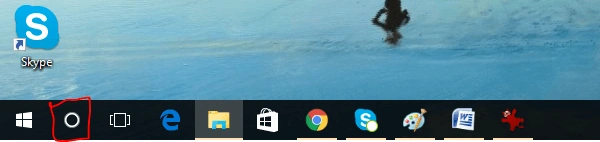
If you choose the "Show Cortana" icon, you will see the new style of the search box in the taskbar.
Now, when you click on the search box, Cortana will pop out and display some information, like News, Current Location, Weather, and some other information based on your interests and hobbies.
Set Reminders
Cortana Settings
Summary
In this article, we learned about How To Use And Configure Cortana On Windows 10.
Avinash ThakurPosted Aug 11, 2016, 12:04 AM
Nice Article Kartik
Ramesh PalaniappanPosted Aug 10, 2016, 10:21 AM
Nice Article.
Prasanna MuraliPosted Aug 9, 2016, 9:13 PM
Nice post...