

Introduction
Microsoft Edge is the latest version of the Web Browser in Windows 10. Microsoft Edge is the updated version of Internet Explorer. It is fast, compatible and built for the modern Web. It is the default Web Browser. Microsoft Edge is designed to work easily and helps you to get things, easy sharing, reading, discovery and more.
 Microsoft Edge gives you better approaches to discover stuff, read and write on the Web and get help from Cortana. Furthermore, now you can add extensions to translate the Websites, block adds, manage your password and lot more.
- Version:3.0
- Date Published: 6/09/2016
- File Name:6053_Microsoft_Edge_WSG_External.docx
- File Size:3.9 MB
System Requirements
| Item | Minimum Requirements |
| Processor | 1 GHz or faster 32-bit x86 or 64-bit x64 |
| Operating System | Windows 10 |
| Peripherals | An Internet connection and a compatible pointing device |

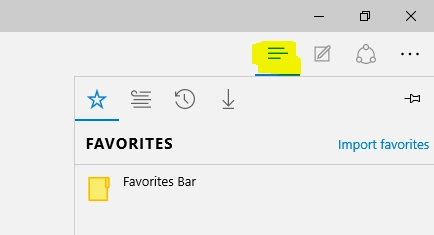
Hub

Private Browsing

Advanced setting

Summary
In this article, we learned about How To Use Microsoft Edge In Windows 10.
Vignesh ManiPosted Aug 17, 2016, 8:06 AM
Nice