

Description: In this article I will just explain how to use Mobile Entree Excel Addin (SharePoint BI) in SharePoint 2010 with sample example.
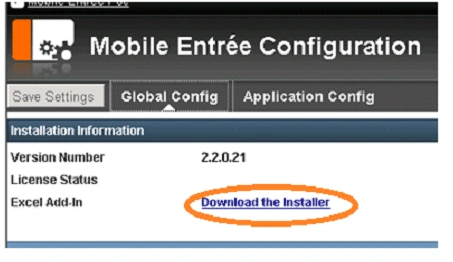
Install Excel Add: To install the Excel AddIn go to the site, click on Mobile Entree Configuration->Global Config
Excel Addin: After installation of Mobile Entree AddIn, we will get an option in Excel under "Insert" section named "Mobile View Configuration". This AddIn will help you to set a view when we open Excel in a mobile browser.

Following are the steps for creating Mobile view in Excel:
Step 1. Create New DashBoard. Give it a name such as "My Dashboard".
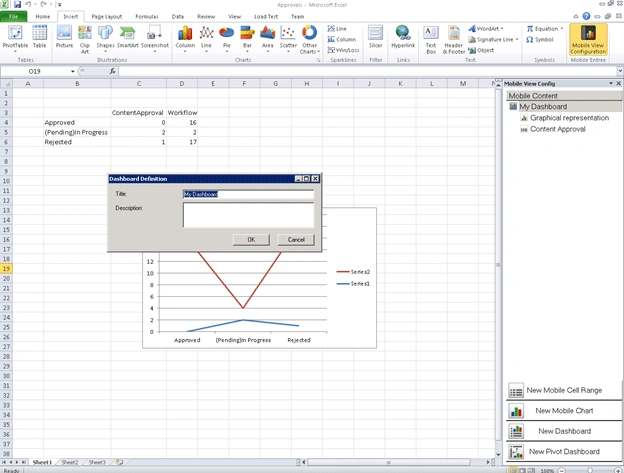
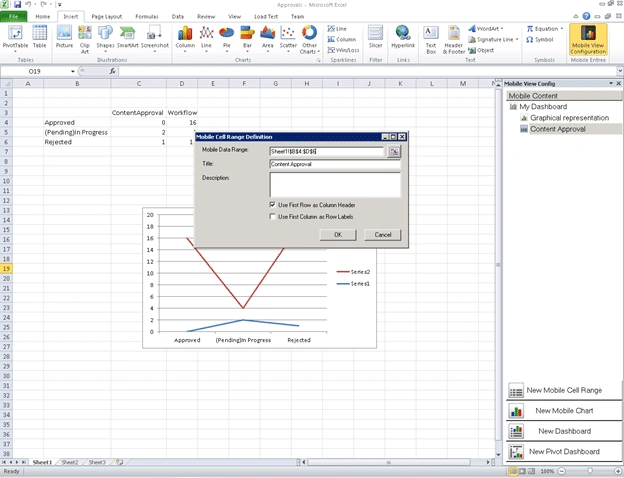
Step 2: Create "New Mobile Cell Range" for displaying the Excel selected column in Tabular format. Drag Cell to select Range.
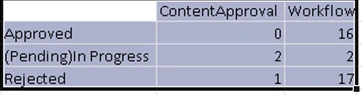
It will come automatically on popup window.
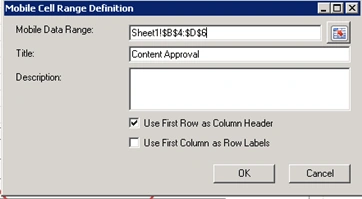
Give some title name like "Content Approval".
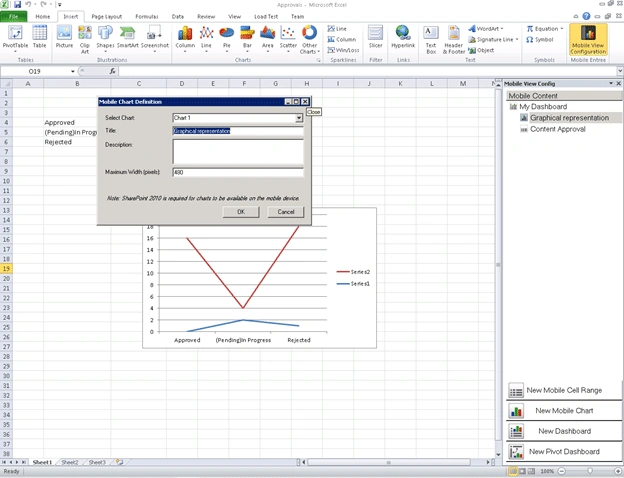
Step 3: Create Chart to see the data in a graphical View. Before using the mobile entree tool, first create Excel chart and then click on "New Mobile Chart". From the popup window, select the chart. Here I have "chart1". Give some title name like "Graphical representation.
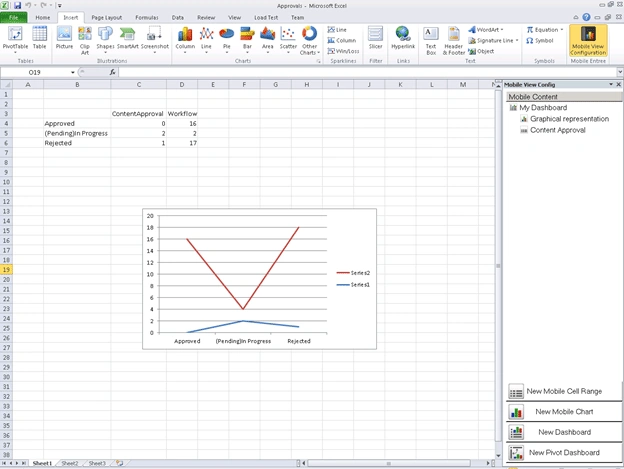
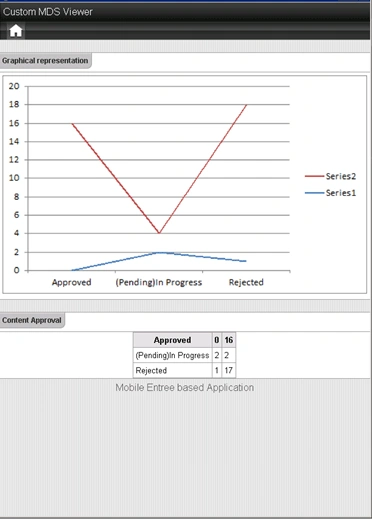
Step 4: Final Chart will look like below.
After the Mobile View Configuration, upload the Excel file to the sharepoint library so that you can access that library inside the sharepoint site. I uploaded my "approval.xls" as a Shared Document.
Follow the steps below for Configuring Excel in Mobile browser:
Step 1: Create MDS viewer application
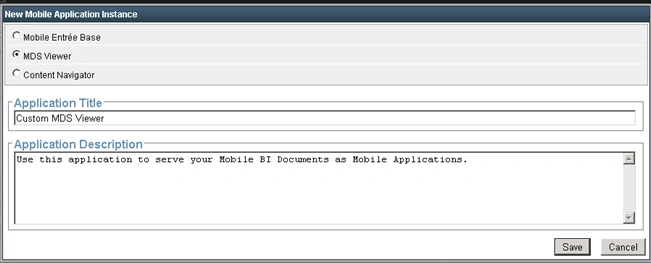
After saving, the application will be ready and will be available for Application configuration.
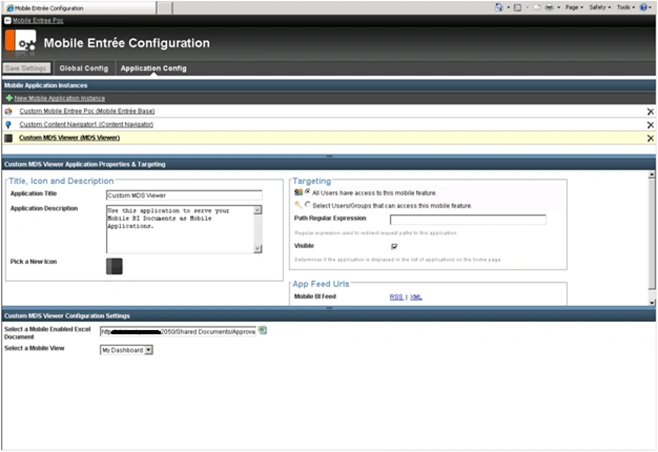
Step 2: Click on Custom MDS View Configuration settings; select the Excel file that we have already uploaded to the document library. Set the view like "My Dashboard".
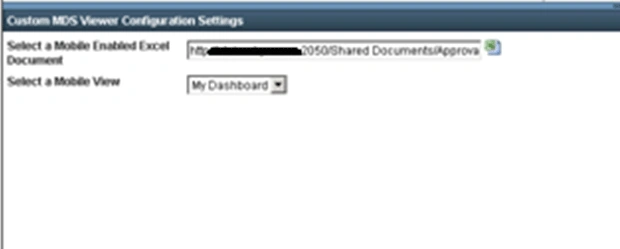
Step 3: Save the settings. Now everything is now ready.
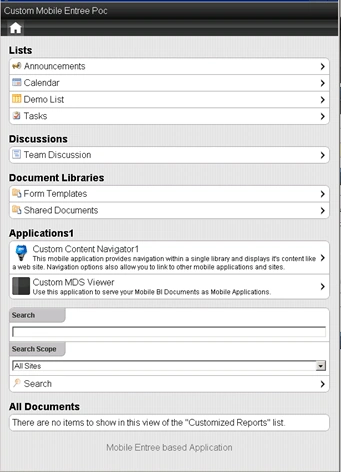
Step 4: Open the mobile browser; click "Custom MDS Viewer" under "Application1" section.
Step 5: The final Output will look like below.
Very few articles are available in the web on this subject so I hope it will help you. Like this article if you found it helpful.
Joe HerresPosted Mar 17, 2011, 8:53 AM
Just by browsing to the document in the document library, Mobile Entree will present the mobile views you had configured in the Excel document. The MDS viewer is an extension to this functionality, much like Excel Services provides the "Excel Web Access" webpart. The MDS Viewer also publishes an app feed that can be used to display your excel content on the home screen of a Base app instance (called a Home Screen View). Very informative article otherwise!