

Introduction
Please go through my first article on Single Level Inheritance in Java:
In this article, we learn about multilevel inheritance using Notepad. A class can be derived from a derived class and that is known as multilevel inheritance.
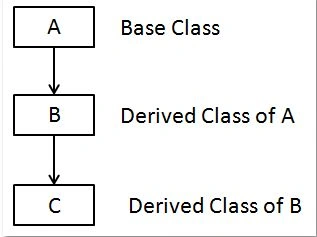
Step 1
Let's open Notepad and write the following code:
- class A
- {
- void disp()
- {
- System.out.println("disp method");
- }
- }
- class Test extends A
- {
- void show()
- {
- System.out.println("show method");
- }
- }
- class demo extends Test
- {
- public static void main(String arg[])
- {
- demo d=new demo();
- d.show();
- d.disp();
- }
- }
Step 2
In this program we use "extends" to inherit all the properties from the base class or the parent's class.
Step 3
Name it "multy.java" and save the file in any location. I saved mine at "c:/kiran/program".
Step 4
Open a command prompt (press Windows + R and write cmd and hit OK).
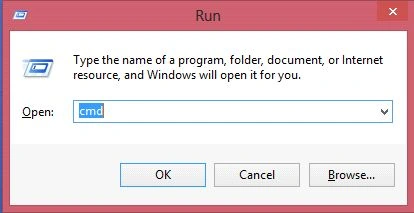
Step 5
Go to "c:/app" using the command prompt.

Step 6
Set the path (path set means where you save your Java file).
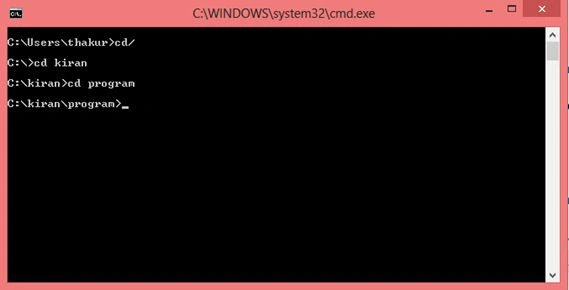
Step 7
Now write the following code for checking whether or not the Java file has compiled.
- javac swap.java
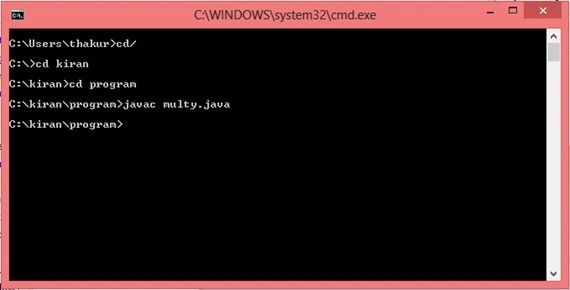
My Java program compiled successfully.
Step 8
Write the following code in the command prompt. Press Enter and see the output.
- java demo
- // demo is a class name which is written in my "swap.java" file.
Output
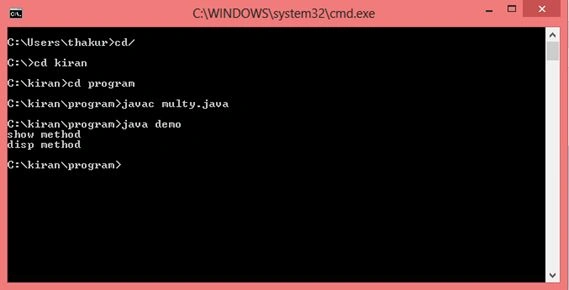
Happy coding.
Kiran ThakurPosted May 12, 2015, 9:42 PM
Thanks for suggestion Abhishek :) Jaiswal.. I will try to explain all these things in my next article or edited version of this article. Your suggestion is valuable for me. So thanks once again...
Sibeesh VenuPosted May 12, 2015, 6:29 AM
Good one
Gopi ChandPosted May 12, 2015, 3:24 AM
Yes absolutely..the detail is very necessary to understand the concept by heart... :)
Abhishek JaiswalPosted May 12, 2015, 3:06 AM
Nice explanation Kiran but still i would like to give some sort of suggestion like, try to add things in your article like- why we need multiple inheritance, advantage of multiple inheritance over other concepts etc. This will increase ur article readability and will be very helpful to beginners as well. Cheers! :)
Santhakumar MunuswamyPosted May 12, 2015, 12:20 AM
Thanks for nice one