
In this article, we will understand the use of the news web part in SharePoint Online. This Web part helps to add announcements or news on the site page.
News Web-part in the Sharepoint Page
1. Open the Site page in edit mode by clicking Edit at the top right of the page and Insert the News Web part in the Section.
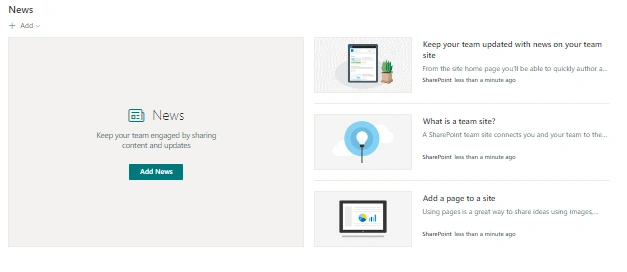
2. Click on the edit button on the left of the web part to open the Web part properties wherein various layouts, news sources, filters, and organizing of news post options can be selected.
- News Source: News can be selected from the following news sources:
- This site
- Select Sites
- Recommended for the current user
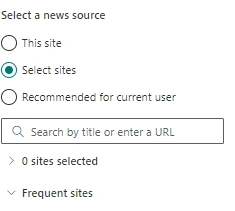
- Layout: Following layouts are available:
- Top Story - Maximum number of news posts displayed - 04
- List- Maximum number of news posts displayed - 08
- Side by Side - Maximum number of news posts displayed - 12
- Hub News - Maximum number of news posts displayed - 12
- Carousel - Maximum number of news posts displayed - 08
- Tiles - Maximum number of news posts displayed - 05
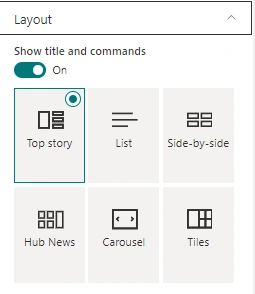
- To hide the title and commands switch the toggle to off under Show title and commands.
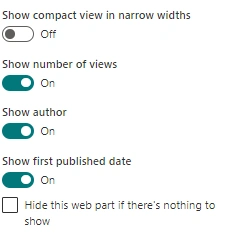
- Various other commands such as Show compact view in narrow widths, Show number of views, Show author, and Show first published dates can be kept on or off as needed.
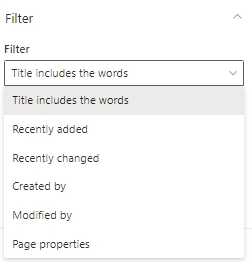
- Filter: News posts can be filtered based on Title including the word, Recently Added, Recently changed, Created by, Modified by, Managed property
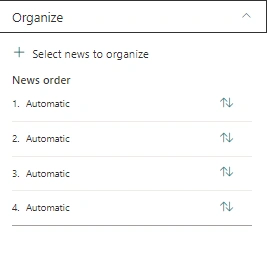
- Organize: News posts can be organized in the desired order by using Organize option
- Once we are done with the necessary editing, Publish the page.
These are the steps to be followed for the use of the News web part in SharePoint Online.
Join the conversation! Your thoughts help the community grow.