

Introduction
Microsoft Windows 10 Cloud has become an important part of Microsoft’s platform. When you want to set up for it, you log in or sign up with a Microsoft account and you will find the storage available in File Explorer.
First, you can left-click on the Start icon and click the Settings icon.
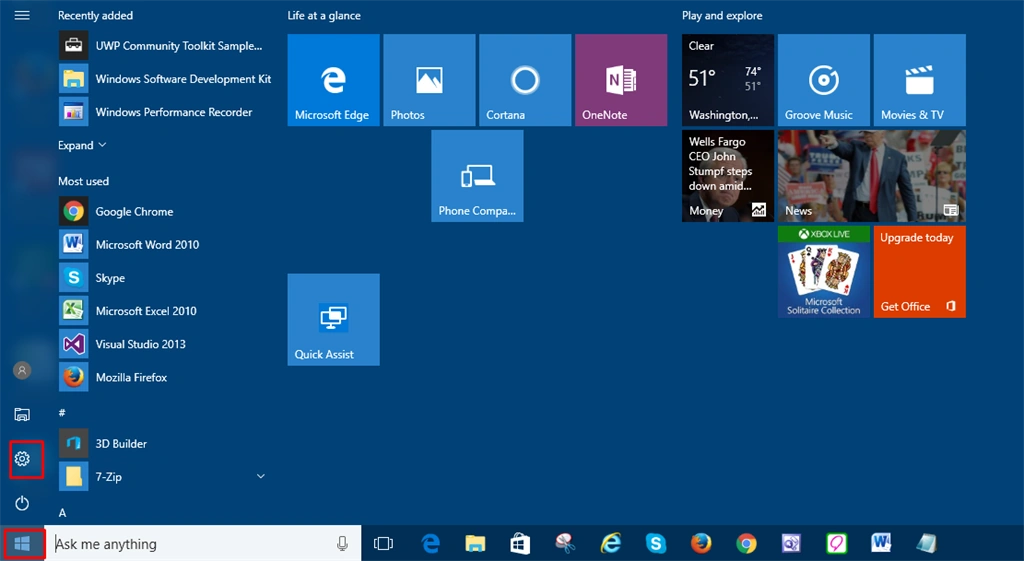
In this step, you will select the “Account” icon.


In this step, Windows requires your Microsoft Account. If you don't have a Microsoft Account, you will also provide an account to create one.

After signing in with a Microsoft Account, you have access to “OneDrive” from your Windows 10. Now, you can select File Explorer from Taskbar. You will see the link “OneDrive “on the left side.

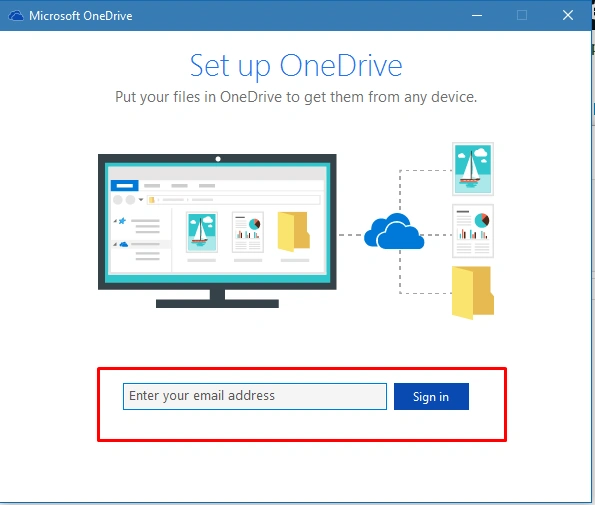
Step 7
In this step, after "signing in" to your account, OneDrive is ready for you to add the files and the other documents.


Summary
Thanks for reading this article.
Joe WilsonPosted Oct 19, 2016, 2:24 PM
Thank you.
Madhanmohan DevarajanPosted Oct 19, 2016, 9:43 AM
Informative and will be useful for most of us..
SubashPosted Oct 19, 2016, 6:12 AM
Is it windows 10 easy to use ?one of my friend feel little difficult to work
SubashPosted Oct 19, 2016, 6:06 AM
Nice share karthik
Prasanna MuraliPosted Oct 19, 2016, 3:47 AM
Nice share...