

Introduction
In this article, we will learn how to use the PnP search filter and search a vertical web part
Prerequisites
Prerequisites
- PnP search result and search box web part added in Modern Page
- To understand better, check out my article on how to use and configure the PnP search Web part
Setup
Below are the steps to use PnP Search Filters and Search Vertical Web part
Step 1
Add PnP Search Filters and Search Vertical Web part to an existing search modern page
Step 2 - Configure the web parts
- PnP Search Filters Webpart
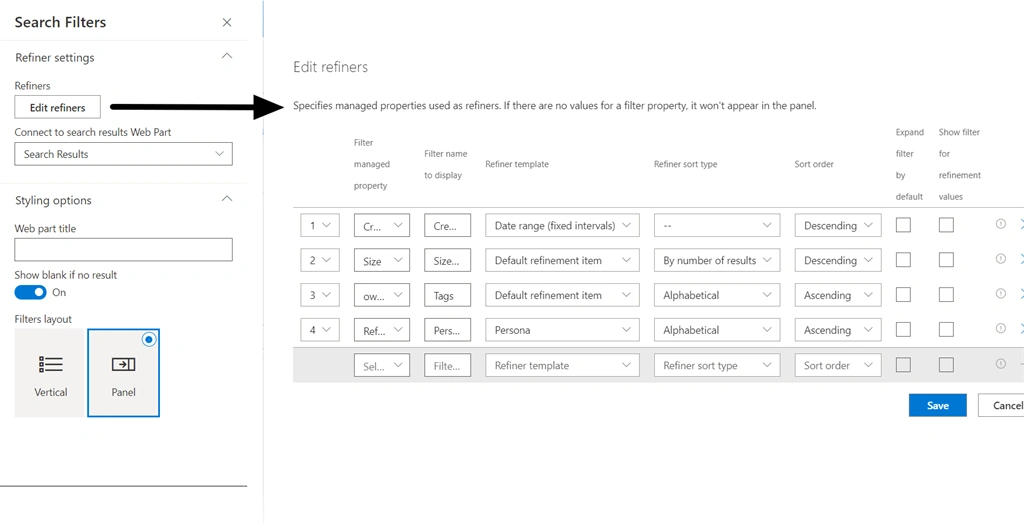
This web part is used for providing a filter to the search result so that the user can drill down their results to fetch their desired result.
- Refiners
We can select the managed property for displaying the search filter. This managed property should be refinable. We can even provide custom labels for the managed property. We can specify the sort type and sort order for the refiner.
- Connect to search results Web Part
The search results from Web Part to use on the current page to get filters.
- Web part title
Displays the web part title we can keep it blank if we do not want to display the title
- Show blank if no result
It would not display any filters if there are no filter results for the search term
- Filter layout
We can choose from the two different layout present
- Vertical - It would display the filter result in the page itself
- Panel - It would open a panel on click of filter icon and we can select the filter result from the panel displayed
- PnP Search Vertical Web part
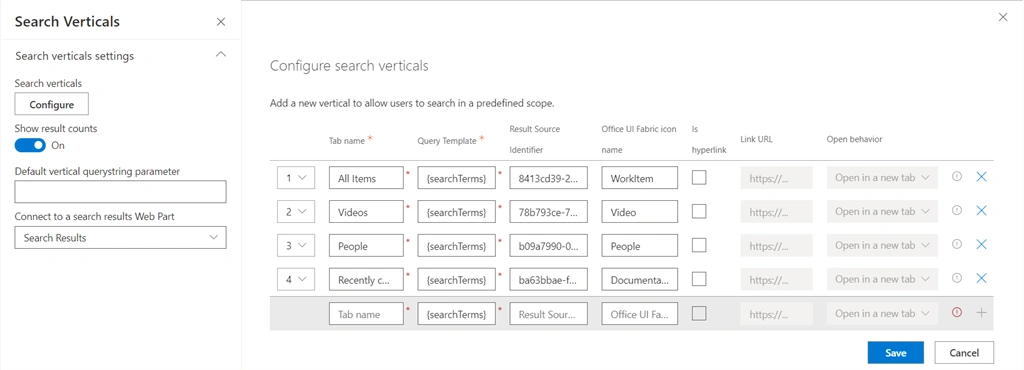
This web part is used for providing different scopes which can be used by users to fetch their desired result
- Search verticals
We can configure different scopes by providing the Tab name(Display name), Query Template, result source identified, Office UI Fabric icon (this icon would be displayed). If we want to open the scope on another page then we can select Is hyperlink and provide the Link URL which would be used for redirecting the user. We can even select open behavior that could be open in a new tab or open in the current tab.
- Show result count
If we want to display the result count against the scope we can toggle it to on
- Connect to a search results Web Part
The search results from Web Part to use on the current page.
Step 3 - Update the Search Result web part wit the below setting
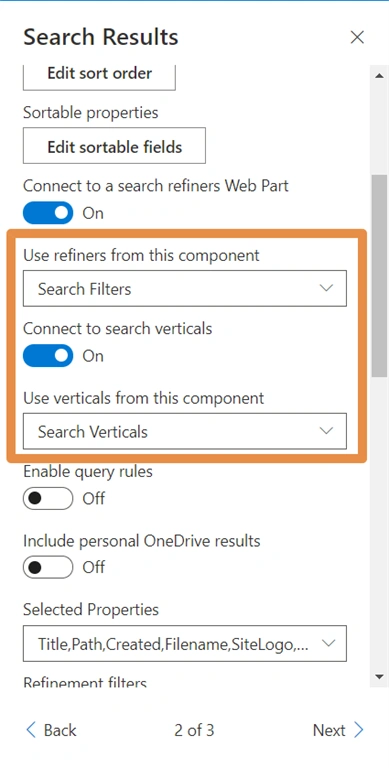
Edit the search result web part and navigate to the second page or section and update the below settings:
- Use refiners from this component
In the dropdown, select the Search Filters so that it would connect to the search filters web part.
- Use verticals from this component
In the dropdown, select the Search Verticals so that it would connect to the search verticals.
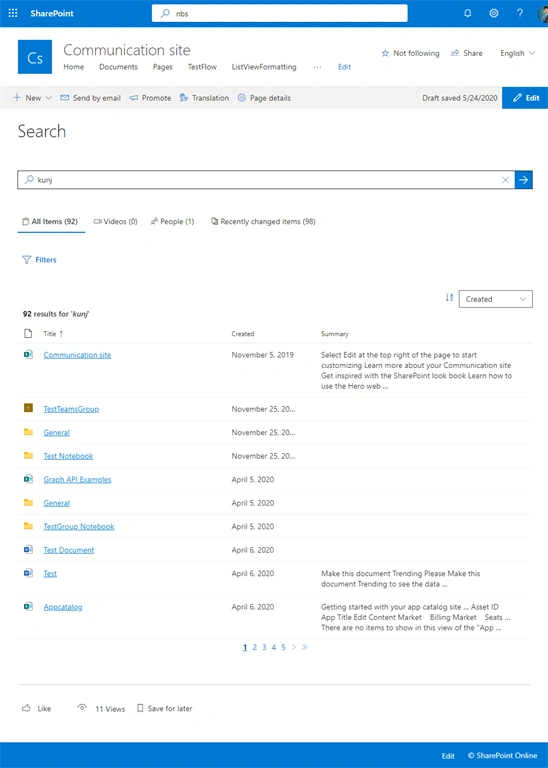
Outcome
Ashwin CHPosted Aug 30, 2022, 8:06 AM
Hello, I have an issue with handbook results that will be rendered. The summary part for handbook shows unique number and those results cannot be opened. Is there a way to resolve that?
Naveen RPosted Dec 17, 2020, 9:03 AM
Thanks for this blog. I have a query where I configured custom Search Verticals like All, Sites, Pages, News and people. Also configured Search Box and Search Results. But in my case, all the search verticals have same display template. How to show different templates for each vertical without page load or creating new pages for each vertical?