
RowCount in SSIS
Step 1: Create variable to store the row count value.
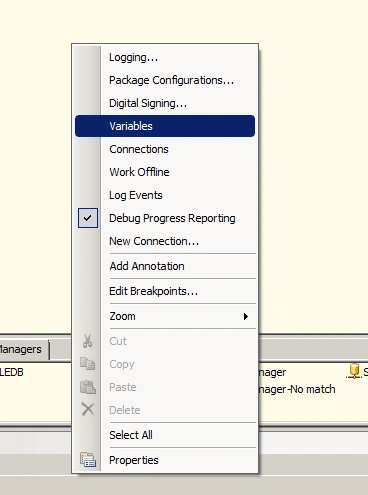
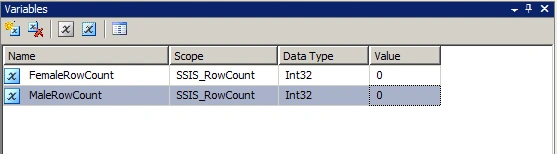
Step 2: Go to DataFlowTask-> Drag & Drop the RowCount component and
connect the input.
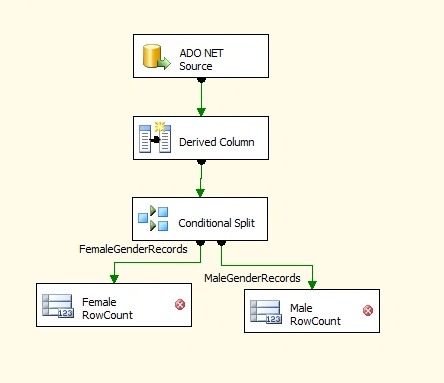
Step 3: Select Female RowCount component -> Edit.
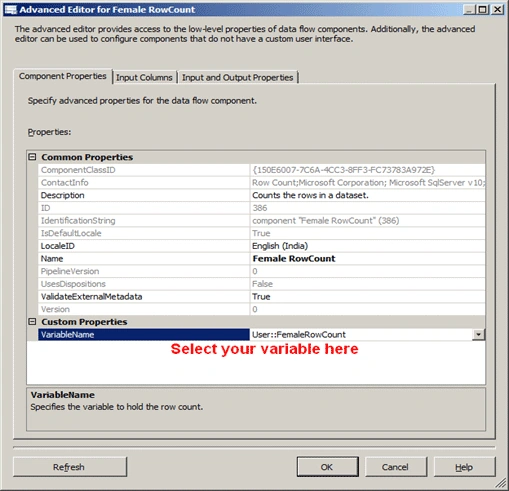
Step 4: Do the step3 for the MaleRowCount variable also.
Step 5: Add a script task in the DataFlowDesigner pane and connect it.
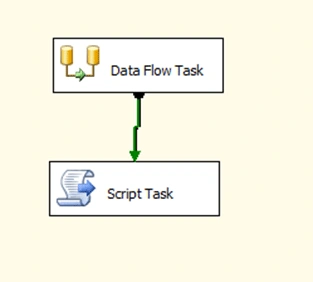
Step 6: Right Click ->Script Task-> Click Edit-> Click -> ReadOnly
Varibles option
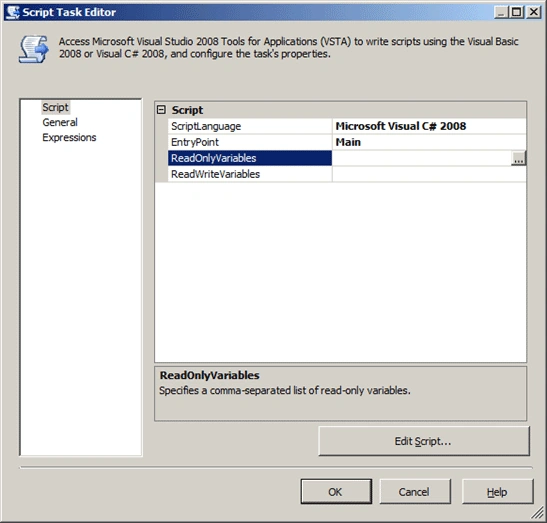
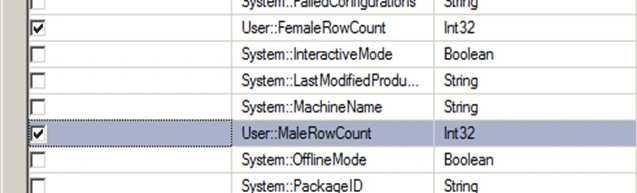
Step 7: Click Edit Script and use the below code in the Main function.

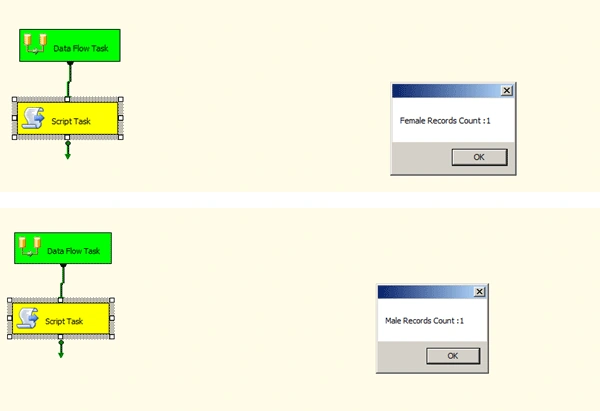
Step 8: Execute the package and you can get the result.
Join the conversation! Your thoughts help the community grow.