

Introduction
- Windows Defender
- Windows Firewall
- User Account Control
Windows Defender
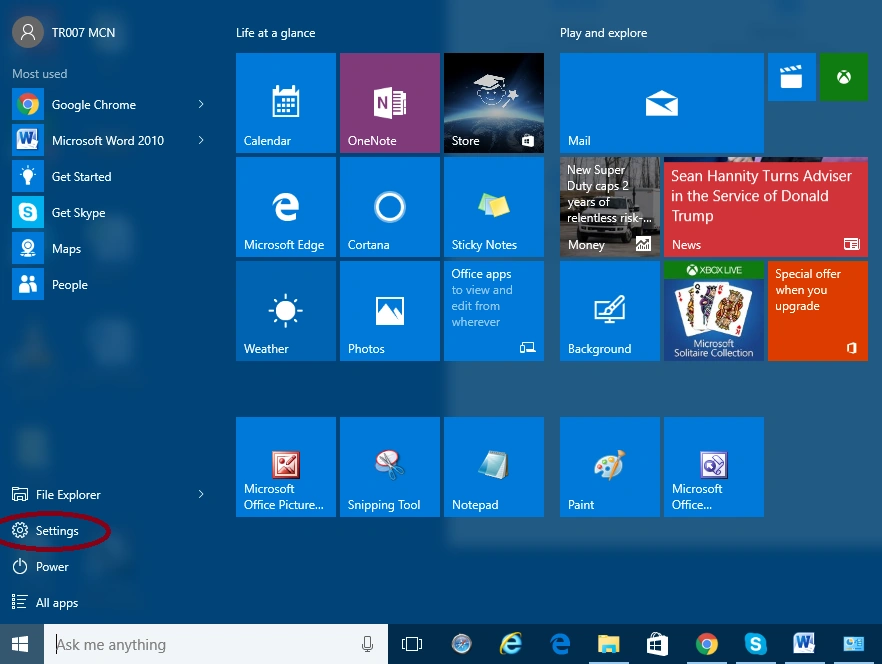
When you click on the settings, the dialogue box opens like:
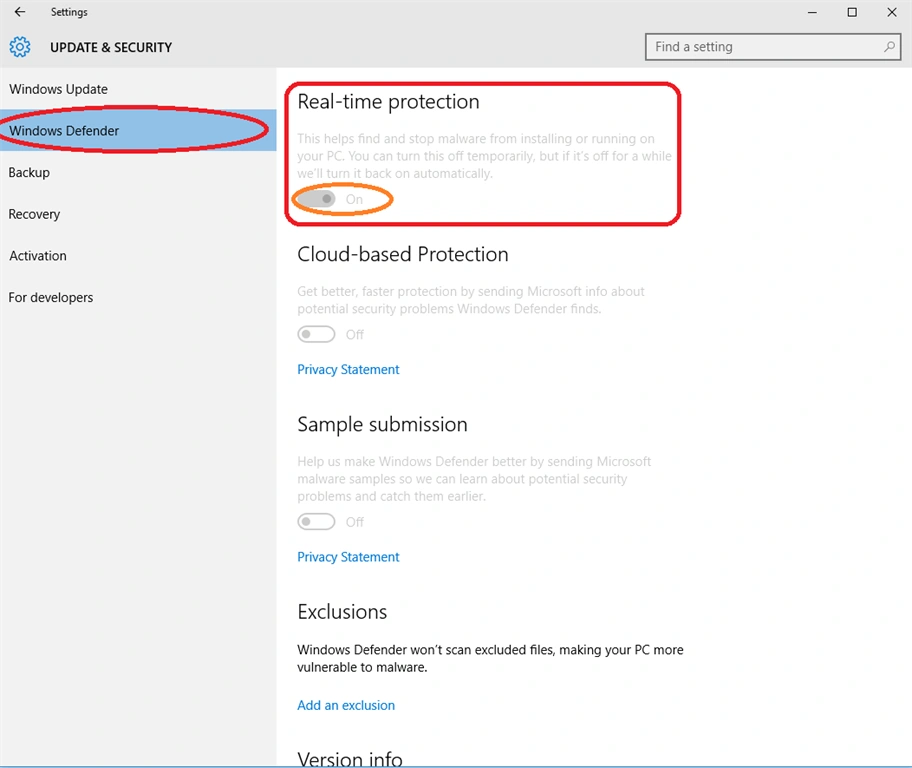
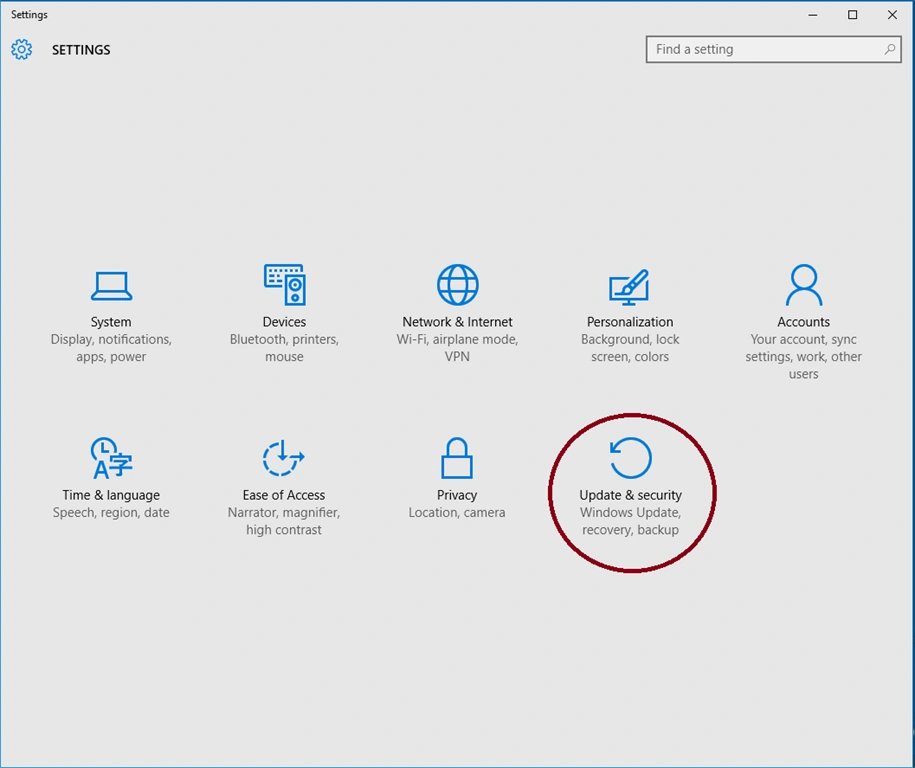 When the dialogue box is open, select the update, security click Windows Defender. You can select on or off button to stop the malware and another type of protection such as Real-time protection, Cloud-based protection, Sample submission, and Exclusions.
Windows Firewall
In Windows 10, Windows firewall security is advanced security. Windows firewall security is a network security system, designed to prevent unauthorized access to or from a private network. It’s protecting your computer and network.
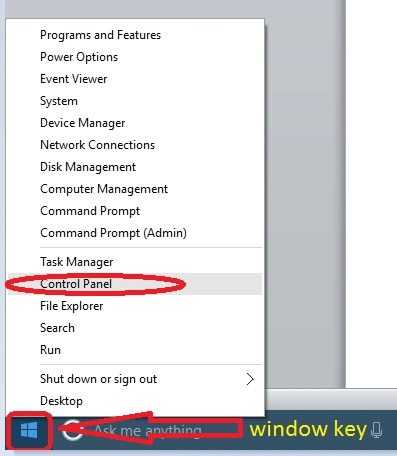
If you want this protection is on, right-click on Windows icon and select Control Panel, as given below:
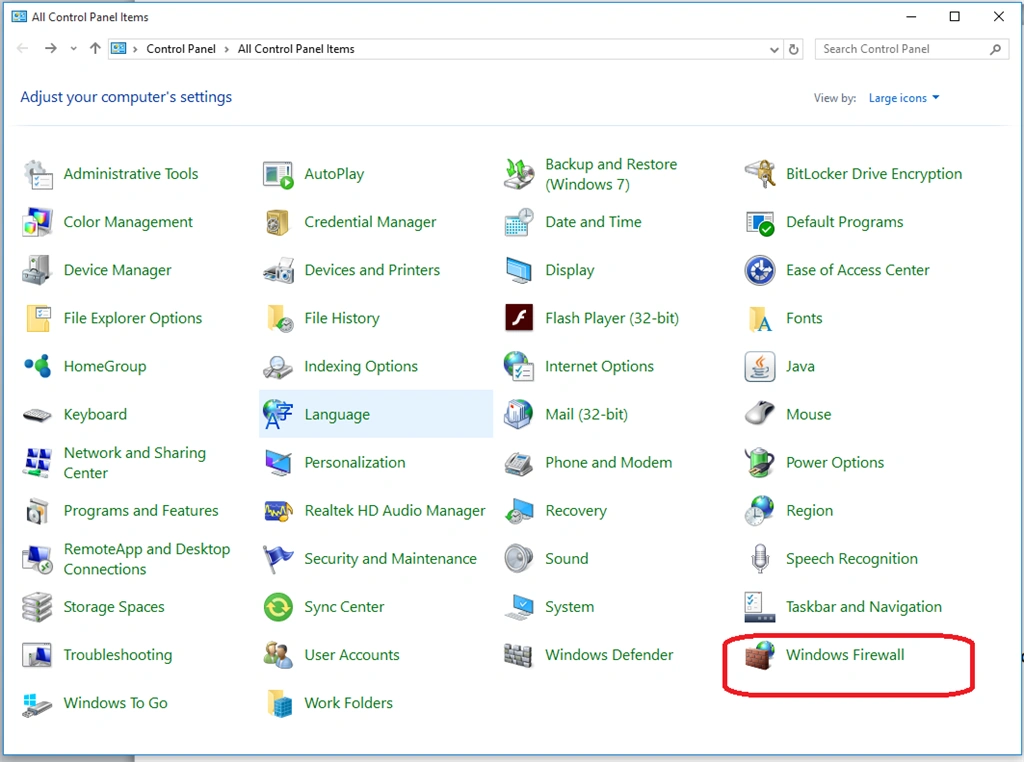
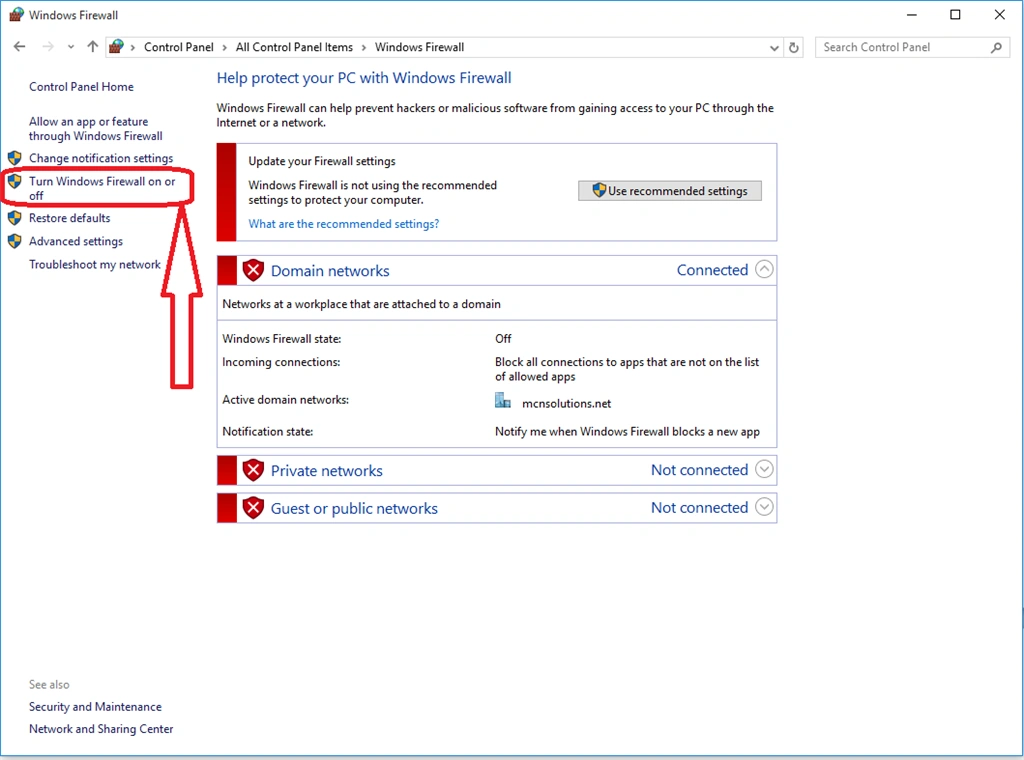
User account control
In Windows 10, User Account Control is set at a moderate to a high level, which means that it will give the notification to you only when an application tries to make changes to your computer. You can change this setting to your desired level by following this. Right-click on Windows key, select Control Panel, open the dialogue box and select the user account like:
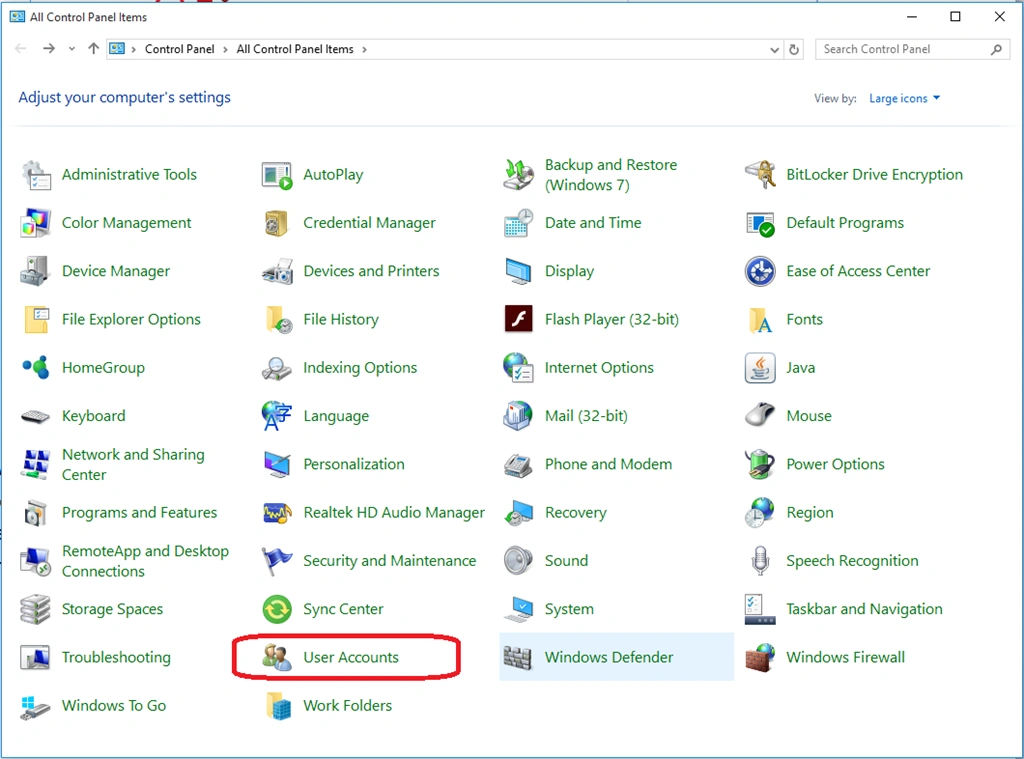
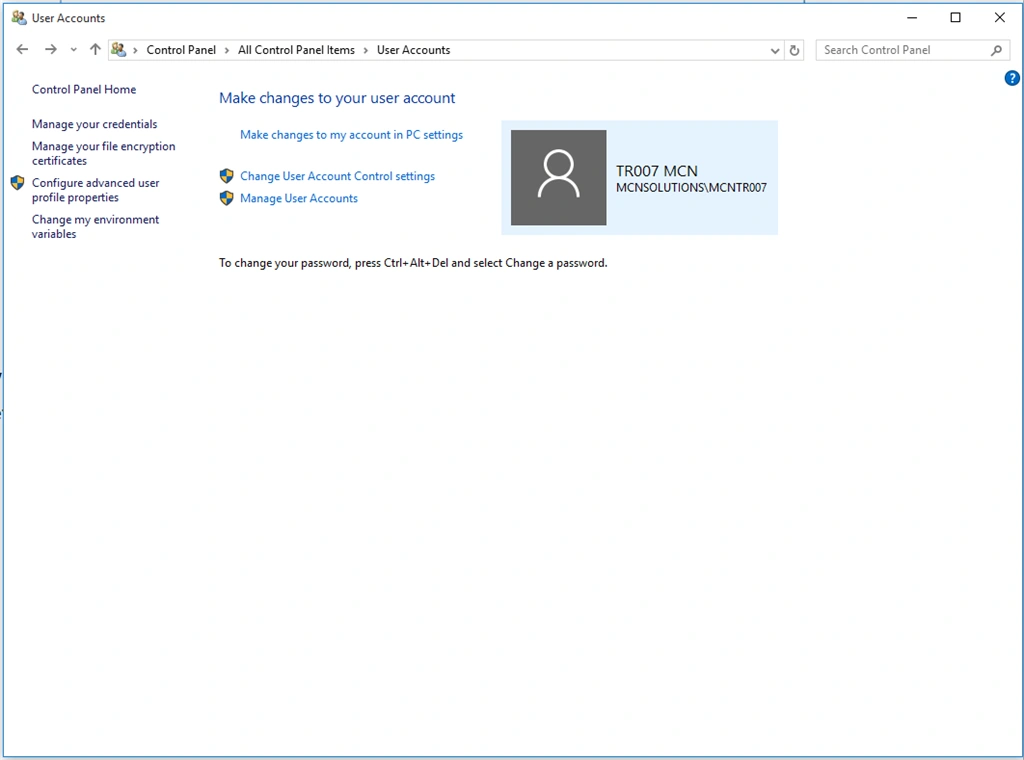
Summary
Thanks for reading this article. Stay tuned with me for more on Windows 10.
Vignesh ManiPosted Aug 25, 2016, 6:29 AM
Nice one