

Introduction
Now, we will first write a program using a "has a relationship " in Single Inheritance.
Step 1
Let's open Notepad and enter the following code.
Code
- class Test
- {
- void show()
- {
- System.out.println("welcome in java method");
- }
- }
- class demo
- {
- public static void main(String arg[])
- {
- Test t = new Test();
- t.show();
- }
- }
Step 2
Name it "hasrel.java" and save the file in any location. I saved at "C:/kiran/program".
Step 3
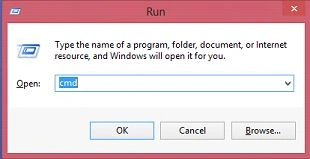
Open a command prompt (press window+R and enter cmd and hit OK).
 Step 4
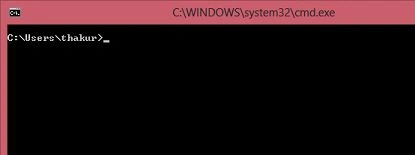
Go to the "command prompt".
 Step 5
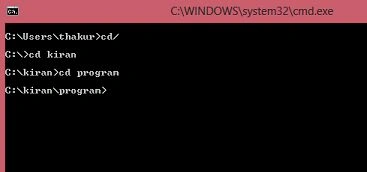
Go to "C:/kiran/program" by cmd.
 Step 6
Now, enter the following code for cheking my Java file is compiled or not.
javac hasrel.java
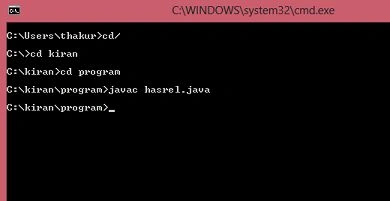 My Java file is compiled successfully.
Step 7
My Java file is compiled successfully.
Step 7
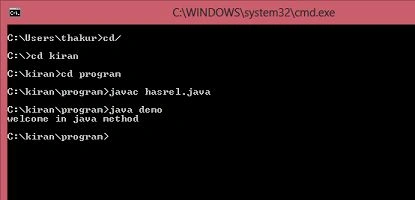
Enter the following code into the command prompt. Press Enter and see the output.
Java demo
//demo is a class name that is written in my "hasrel.java" file
Output
 We will now enter the program using a "is a relationship " in Single Inheritance.
Step 8
We will now enter the program using a "is a relationship " in Single Inheritance.
Step 8
Enter the following code in Notepad.
Code
- class Test
- {
- void show()
- {
- System.out.println("welcome in java method!!!");
- }
- }
- class demo extends Test
- {
- public static void main(String arg[])
- {
- demo d = new demo();
- d.show();
- }
- }
Step 9
Now, enter the following code for cheking my Java file is compiled or not.
javac hasrel.java
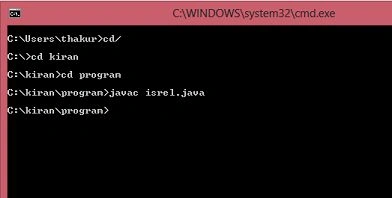 My Java file is compiled succesfully.
Step 10
My Java file is compiled succesfully.
Step 10
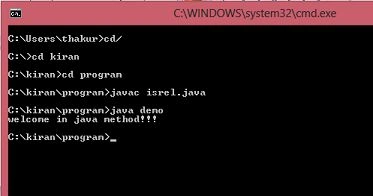
Repeat Step 7.
Output
 I hope you like this Java file.
Happy Codding.
I hope you like this Java file.
Happy Codding.
Abhishek YadavPosted May 9, 2015, 10:32 AM
Good Start Kiran... Welcome to C# Corner Community.... :)
Gopi ChandPosted May 9, 2015, 4:02 AM
Easy explanation...good..welcome to our community..
Santhakumar MunuswamyPosted May 9, 2015, 3:04 AM
Thanks for nice article
Abhishek JaiswalPosted May 9, 2015, 2:23 AM
Nice introduction, welcome to C# corner. Keep going! :)