

Introduction
In this article I will create a Single View application and use the UITableViewController class. To add a UITableViewController class we do the following.
Select any one objective-C class and right-click on it then choose new file -> select objective C class -> click on next -> Choose subclass UITableViewController from the drop down list and enter whatever class name you want. If you want to use xib then you mark on it -> click on next -> select the location where you import the view controller class in the project.
In this article I use one button and one label on First view. When we click on the button we move to the table via navigation. After that when we click on any row of the table we move to UIView where I use an image view from XIB.
Step 1
Open XCode by double-clicking on it.

Step 2
Create a New XCode Project via click on it.
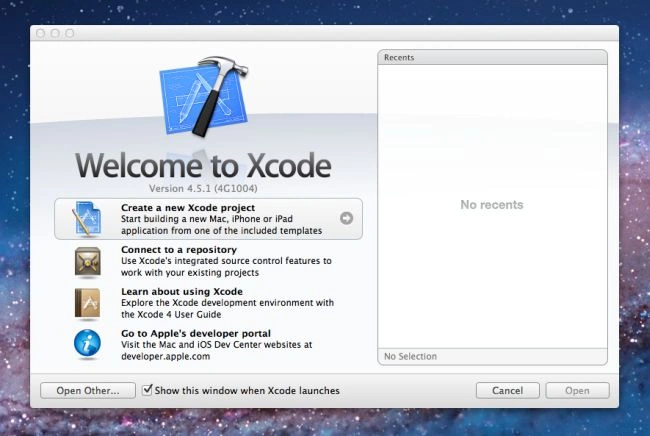
Step 3
Now Select Single View Application and Click on Next.
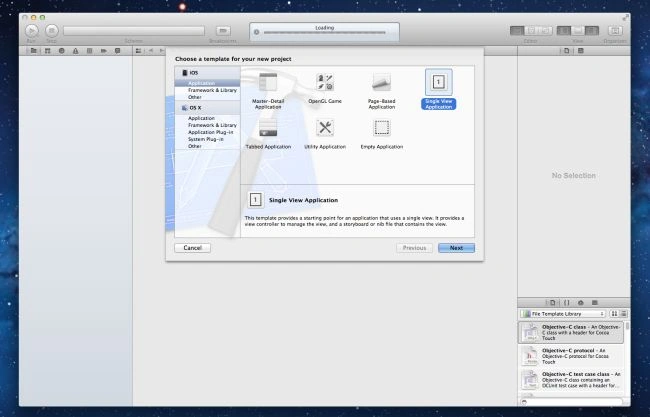
Step 4
Now give your Product Name. Here I use TableView and Company Identifier Mcn Solutions and click on Next.
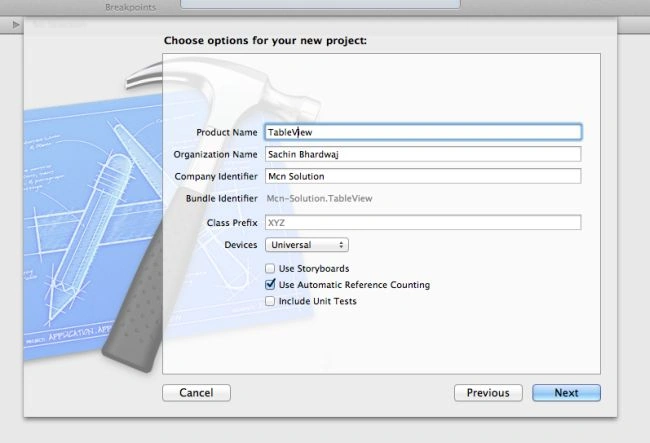
Step 5
Select the location where you want to save your project and click on Create.
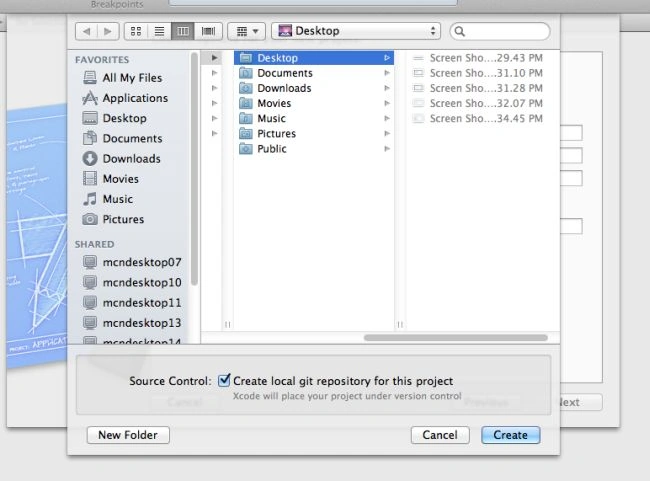
Step 6
Select ViewController.Xib class and right-click on it.
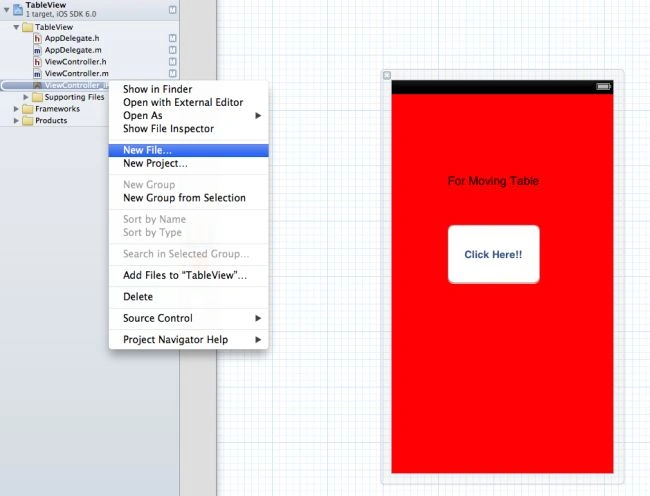
Choose New File..
Step 7
Select the Objective-C class.
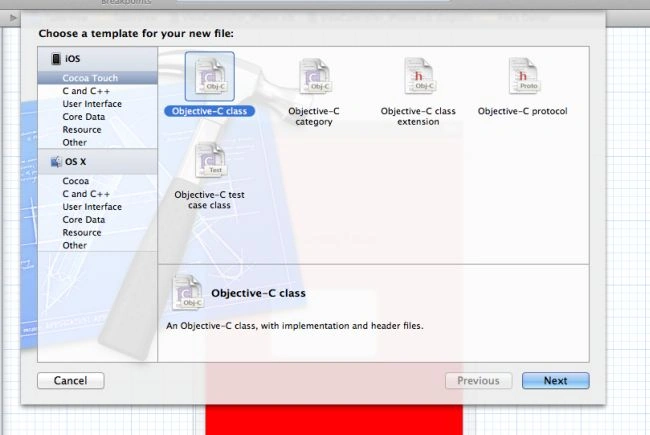
Step 8
Select Subclass of UITableViewController from the drop down list and give it the name DatatableViewController and click on the checkbox with xib to use the interface.
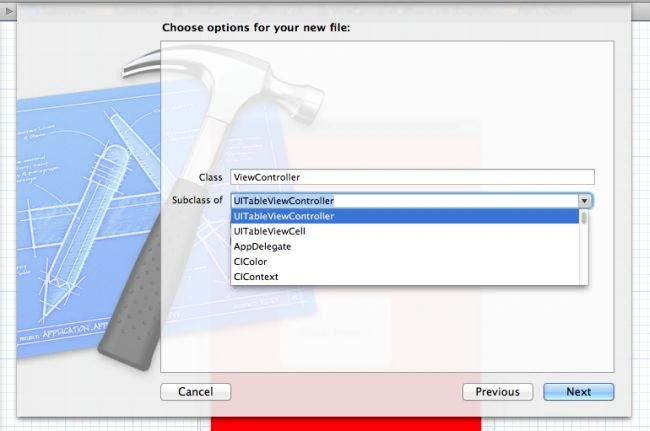
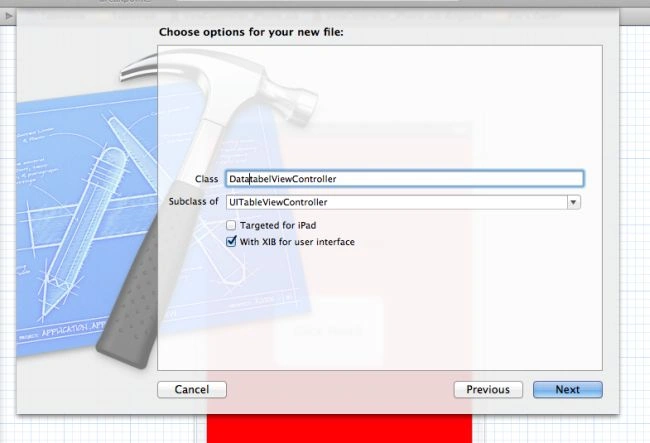
Click on next.
Step 9
Now click on create to import the class to the project.
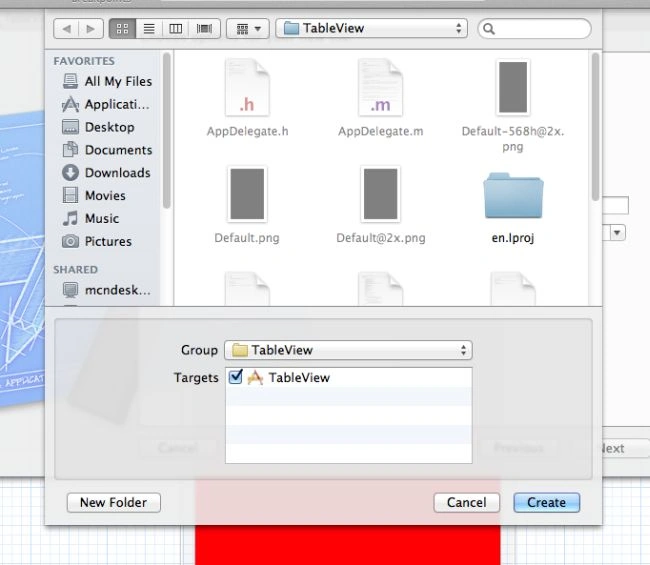
Repeat those steps for adding the UIViewController class but use the name ImageViewController.
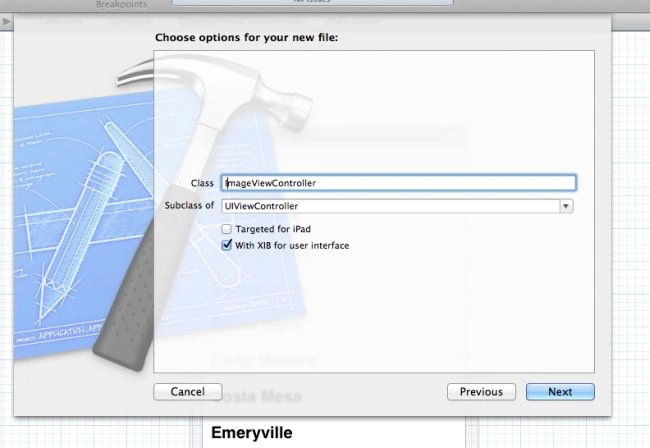
Step 10
After that we select the imageviewcontroller class and add an image view on view from ImageViewController.Xib.
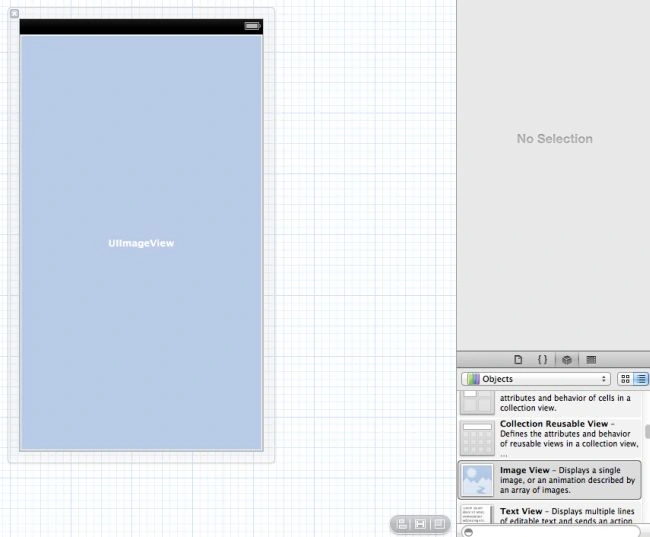
To add an image to UIImageView we select Image view Inspector.

Step 11
Now select which Platform you want to see output for.

Output
Output 1 in iPhone:

Output 2 in iPhone:

Output 3 in iPhone:

Table view controllers are broadly used in iPhone application development.
Join the conversation! Your thoughts help the community grow.