

This configuration assists the users in reviewing timer job status in Central Administration. This will notify you when the timer job is about to run and even the timer job’s history or which job is running.
How?
Let’s open Central Admin of SharePoint on your machine. On your Windows desktop screen, click Start >> Administrative Tools >> SharePoint 2013 Central Administration.
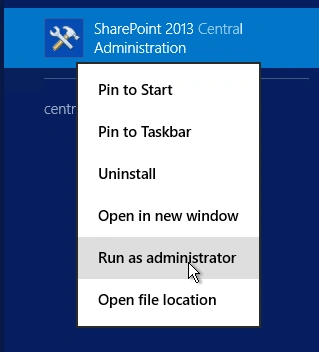
- Run it as an administrator to have the elevated privileges.
- You will see the screenshot given below.
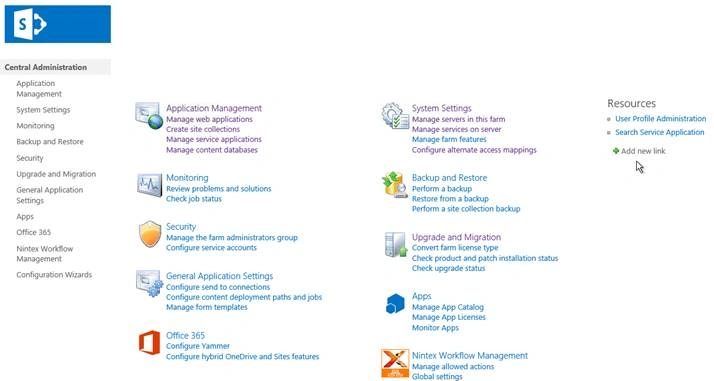
- Central Admin is configured under the categories given above.
- Click Monitoring.
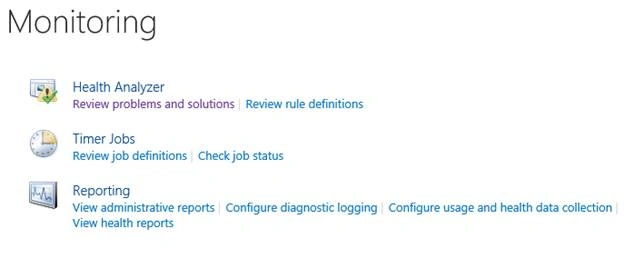
- Go to Monitoring.
- Click Check job status under Timer Jobs.
- You will see the screen below.
Configure
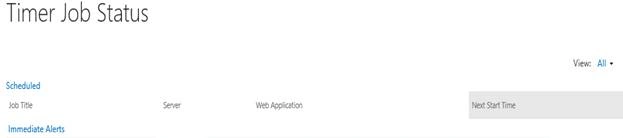
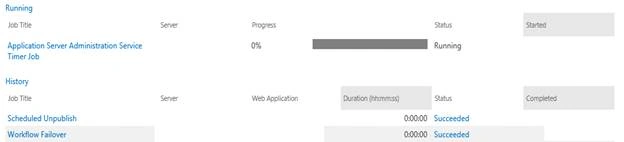
As you can see from the screen above, we have a view, where the jobs can be seen including which is scheduled, jobs which are running and jobs which have already executed.
This provides the information on the Server, Web Application, its progress, status and the next schedule in which it is going to run.
This configuration helps you to know when the timer job is about to run and even the timer job’s history or which job is running.
You can define the timer jobs and configure them.
- Click on any of them and you will see the screen given below.
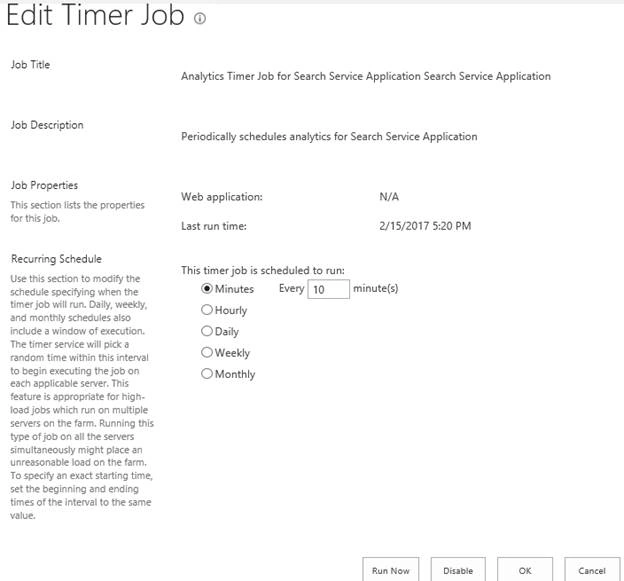
- Job Title
You will see the title of the timer job. - Job Description
The purpose of the job. - Job Properties
It will show which Web Application; it is attached to, if it has and when was it run last. - Recurring Schedule
It will show you when to run the timer job, every minute, hourly, daily, weekly or monthly.
- You can also disable them through here or run the Service without waiting for the scheduled run.
In this article, we learned about timer job status in SharePoint 2013 Central Admin. There are more articles to come on Central Administration. Until then, keep reading and keep learning.
anil kumarPosted Aug 12, 2019, 4:47 AM
Where These timer Jobs will be stored in Sharepoint?