

Introduction
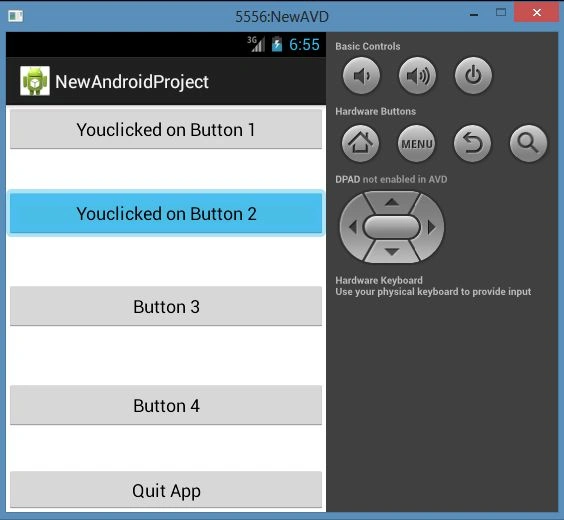
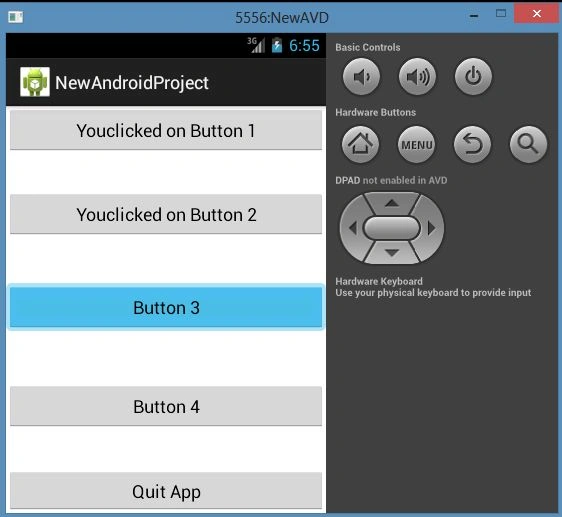
In this article I will tell you about the "onClick()" method that is available in the event listener interface. This method will be called by the Android framework to see that the listener that has been registered is triggered by user interaction with the item in the UI. When we want to use many buttons or views in our project can use the "android:onClick="oncClick" attribute in the XML file for every view. And in the Java file, we can use "onClick( View view)" on every view without set "onclickLitener" using get the id of every button or view, as described in the following.
Step 1
Create new a project as "File" -> "New" -> "Android Application Project" as shown below:

Step 2
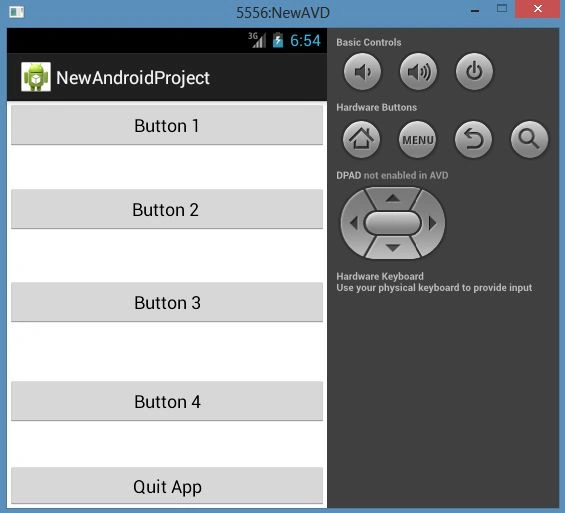
Now open the XML file as "res/layout/activity_main.xml" and update it as in the following code.
- <RelativeLayout xmlns:android="http://schemas.android.com/apk/res/android"
- xmlns:tools="http://schemas.android.com/tools"
- android:layout_width="match_parent"
- android:layout_height="match_parent"
- tools:context=".MainActivity" >
- <Button
- android:id="@+id/button1"
- android:layout_width="wrap_content"
- android:layout_height="wrap_content"
- android:layout_alignParentLeft="true"
- android:layout_alignParentRight="true"
- android:layout_alignParentTop="true"
- android:onClick="onClick"
- android:text="Button 1" />
- <Button
- android:id="@+id/button2"
- android:layout_width="wrap_content"
- android:layout_height="wrap_content"
- android:layout_alignParentLeft="true"
- android:layout_alignParentRight="true"
- android:layout_below="@+id/button1"
- android:layout_marginTop="36dp"
- android:onClick="onClick"
- android:text="Button 2 " />
- <Button
- android:id="@+id/button3"
- android:layout_width="wrap_content"
- android:layout_height="wrap_content"
- android:layout_alignParentLeft="true"
- android:layout_alignParentRight="true"
- android:layout_below="@+id/button2"
- android:layout_marginTop="45dp"
- android:onClick="onClick"
- android:text="Button 3" />
- <Button
- android:id="@+id/button4"
- android:layout_width="wrap_content"
- android:layout_height="wrap_content"
- android:layout_alignParentLeft="true"
- android:layout_alignParentRight="true"
- android:layout_below="@+id/button3"
- android:layout_marginTop="51dp"
- android:onClick="onClick"
- android:text="Button 4" />
- <Button
- android:id="@+id/button5"
- android:layout_width="wrap_content"
- android:layout_height="wrap_content"
- android:layout_alignParentLeft="true"
- android:layout_alignParentRight="true"
- android:layout_below="@+id/button4"
- android:layout_marginTop="38dp"
- android:onClick="onClick"
- android:text="Quit App" />
- </RelativeLayout>
Lajapathy ArunPosted Apr 24, 2013, 7:20 AM
What is the software and addon required for android programming ????