

The following procedure shows how to add and modify a view in Microsoft CRM 2015.
Step 1
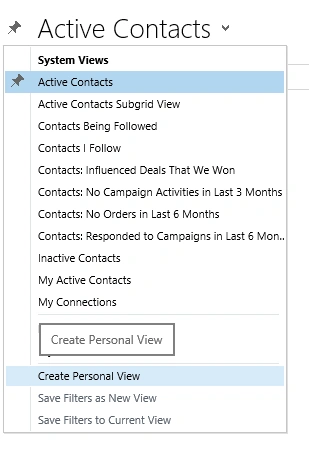
Create a personal view. Click on the view drop down and choose the option to create a personal view as shown.
Create a personal view. Click on the view drop down and choose the option to create a personal view as shown.
Step 2
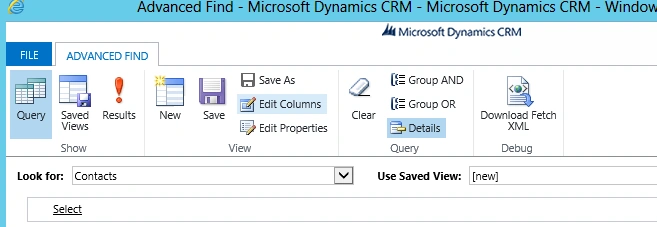
Click on Edit Columns. It will show the details to add, columns and edit column properties.
Click on Edit Columns. It will show the details to add, columns and edit column properties.
Step 3
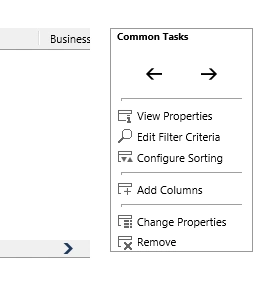
Click on Add Columns from this menu.
Click on Add Columns from this menu.
Step 4
Choose the columns you desire for the view. 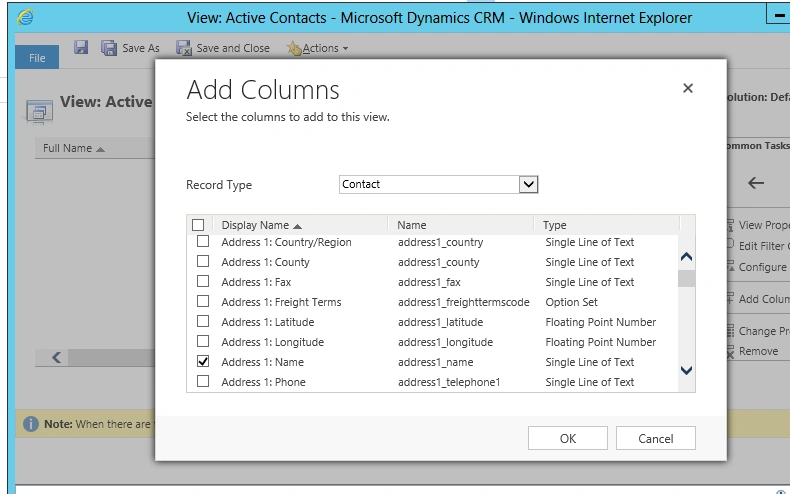
Step 5
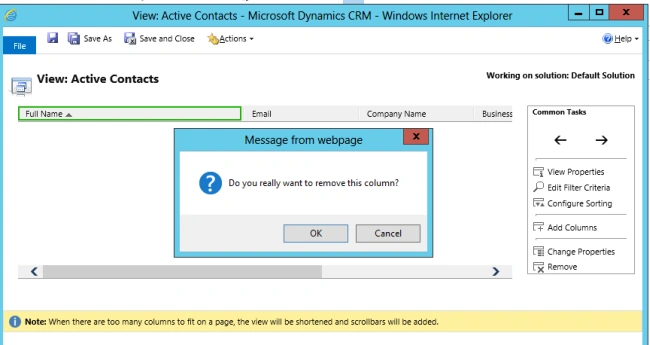
Click on OK. You can also remove columns that you do not want in the view. Click on the column header and click on Remove Column.
Click on OK. You can also remove columns that you do not want in the view. Click on the column header and click on Remove Column.
Step 6
Save this view with a unique and meaningful view name. 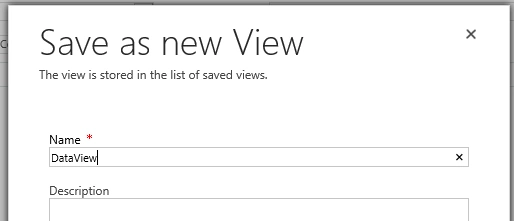
The view is saved and is available from the drop down for future use.
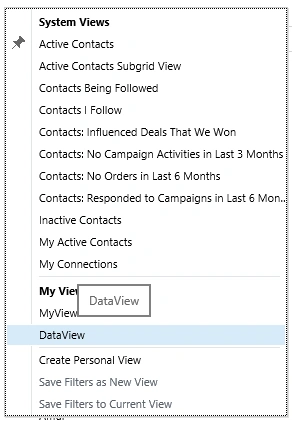
Step 7
How to modify the view it is not such a very clear cut menu. You need to again the click on the Create Personalized View and click on Saved Views.
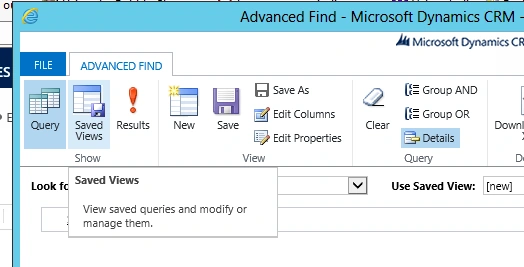
It will display a list of already available views. You can modify the views from here. You can even modify the views for data to be displayed. For example do not show the results where the Full Name column does not contain data.
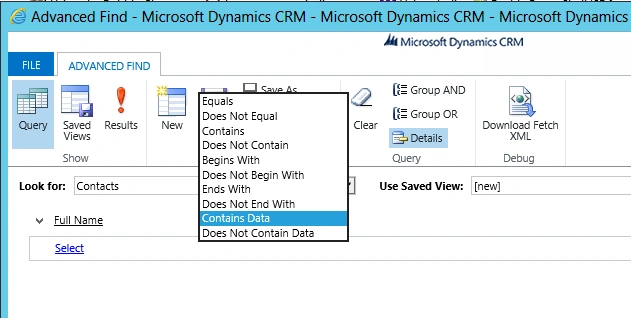
Step 8
You can also modify the column names of a view. Please note that not all the properties are modifiable.
You can also modify the column names of a view. Please note that not all the properties are modifiable.
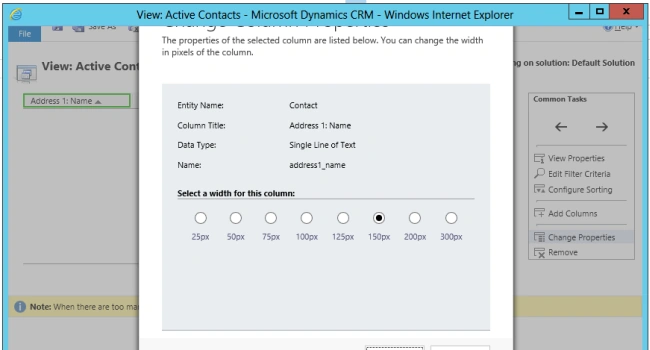
Step 9
In case you want to just filter data and not create views, there is a search box on the top that you can use to filter the data. For example filter data for all the Full Name columns starting from "sa".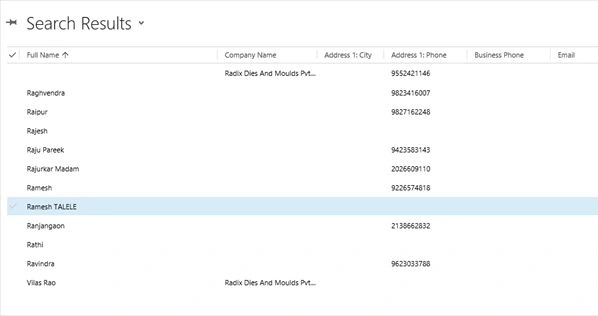
You can make your personal views as public so that even other users in the organization can benefit from it.
Vithal WadjePosted Dec 30, 2014, 9:45 PM
nice