

Introduction
Unit testing is testing a small module, or unit of our code in order to validate that the code is working as expected. Sometimes we throw a specific exception manually in our code and we have to write a unit test to validate that exception. In this article, we are going to explore how to write a unit test for exception and console log in C#.
xUnit
- .NET platform supports different unit test frameworks. Still, xUnit is the most popular unit test framework for the .NET platform.
- xUnit.net is a free, open-source unit testing tool for the .NET Framework. xUnit.net is the latest technology for unit testing C#, F#, VB.NET, and other .NET languages.
Sample Program
- First, I have created a simple program with the class "Calculator.cs". The class contains the "Division" method which is used to divide the two numbers.
- There are two inputs (num1 and num2) for this method. In this method, first checking num2 is 0 or not. If the value of num2 is zero, then throw the ArithmeticException otherwise perform the division operation and return the result.
Calculator.cs
public class Calculator
{
    public int Division(int num1, int num2)
    {
        if (num2 == 0)
            throw new ArithmeticException("Divide By Zero Error");

        return num1 / num2;
    }
}
We are going to write a unit test for both positive and negative (exception) cases of the "Division" method.
How to Create xUnit Test Project
Follow the below steps to create xUnit Test Project,
Step 1
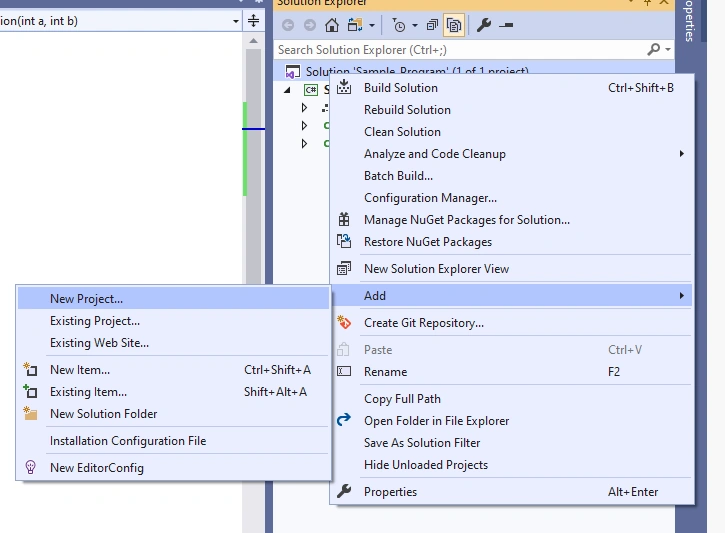
Right-click the Solution in Solution Explorer Window. Select Add -> New Project.
Step 2
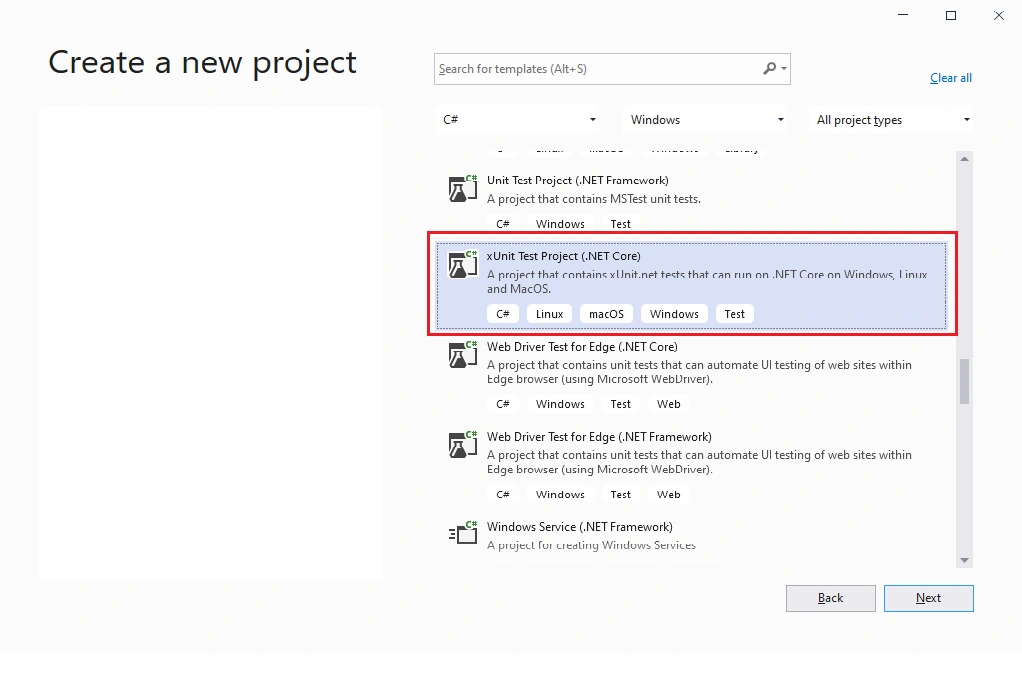
Find the project type "xUnit Test Project (.NET Core)". Select it, then click "Next".
Step 3
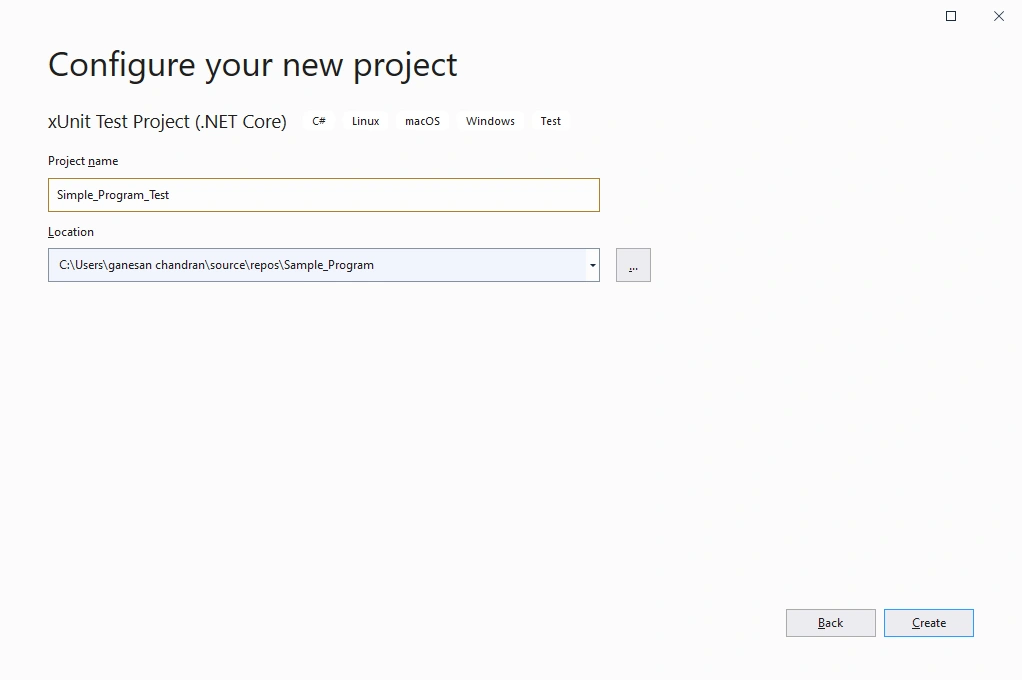
Enter Project Name is "Simple_Program_Test" and click "Create".
Test for Positive case using xUnit
We are going to test the below positive cases,
- Both num1 and num2 are non zero number
- num1 is zero and num2 is a non-zero number
In the positive cases, we are going to call the "Division" method with two input values and checks if the expected value is equal to the actual value (the result of the Division method) or not using Assert.
| Test Case | Inputs | Expected Output |
| Both num1 and num2 are non zero number | num1 = 10 num2 = 2 |
5 |
| num1 is zero and num2 is non-zero number | num1 = 0 num2 = 2 |
0 |
CalculatorTest.cs
[Fact]
public void Check_Divide_By_Non_Zero_Number()
{
    var num1 = 10;
    var num2 = 2;
    var expectedValue = 5;

    Calculator calculator = new Calculator();
    var res = calculator.Division(num1, num2);

    Assert.Equal(expectedValue, res);
}

[Fact]
public void Check_Divide_By_Non_Zero_Number_1()
{
    var num1 = 0;
    var num2 = 2;
    var expectedValue = 0;

    Calculator calculator = new Calculator();
    var res = calculator.Division(num1, num2);

    Assert.Equal(expectedValue, res);
}
Test for Exceptions using xUnit
- Assert.Throws<T> is used to capture the exceptions in the xUnit unit test.
- We need to provide Assert.Throws<T> with an exception type, and an Action which is supposed to throw an exception.
- In our case, If num2 is zero then, capture the "ArithmeticException".
- We are going to test the below cases,
- num1 is non-zero and num2 is zero
- Both num1 and num2 are zero
| Test Case | Inputs | Expected Output |
| num1 is non-zero and num2 is zero | num1 = 1 num2 = 0 |
"ArithmeticException" Exception Thrown |
| Both num1 and num2 are zero | num1 = 0 num2 = 0 |
"ArithmeticException" Exception Thrown |
CalculatorTest.cs
[Fact]
public void Check_Divide_By_Zero()
{
    var num1 = 1;
    var num2 = 0;
    string expectedErrorMessage = "Divide By Zero Error";

    Calculator calculator = new Calculator();
    var ex = Assert.Throws<ArithmeticException>(() => calculator.Division(num1, num2));

    Assert.Equal(expectedErrorMessage, ex.Message);
}

[Fact]
public void Check_Divide_By_Both_Zero()
{
    var num1 = 0;
    var num2 = 0;
    string expectedErrorMessage = "Divide By Zero Error";

    Calculator calculator = new Calculator();
    var ex = Assert.Throws<ArithmeticException>(() => calculator.Division(num1, num2));

    Assert.Equal(expectedErrorMessage, ex.Message);
}
How to Run the Unit Test
Go to 'Test' menu -> Select 'Test Explorer'.
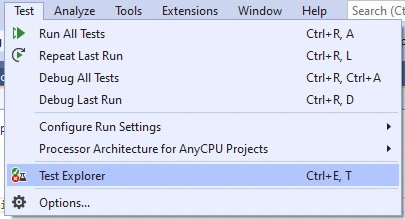
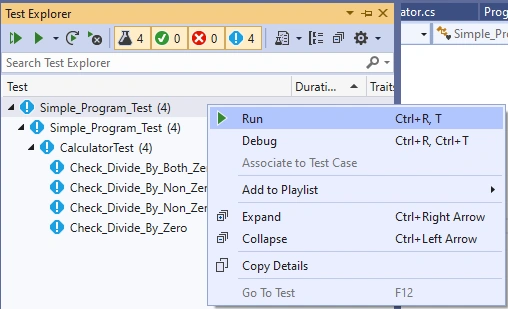
In the 'Test Explorer window, we can run either all test cases or a particular test case.
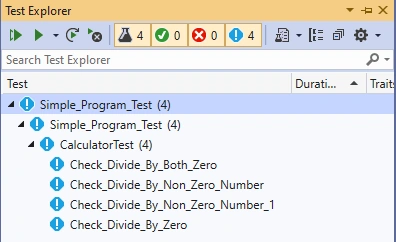
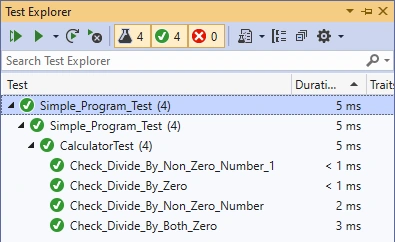
Now we are going to run all test cases and the results are shown below.
Test for Console.log
- I have created one more class called "logger.cs" which contains the "Log()" method.
- Log() method is used to print the exception message in the console.
Logger.cs
public class Logger
{
    public void Log(Exception ex)
    {
        Console.WriteLine("Error Message: " + ex.Message);
        Console.WriteLine("StackTrace: " + ex.StackTrace);
    }
}
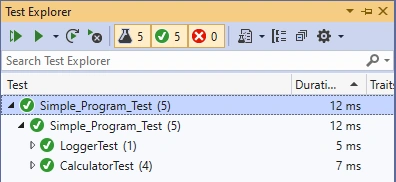
We are going to write a unit test for capturing the console output and validate the expected value with the console value.
In the test, we are using Console.SetOut with the fake writer (for example StringWriter) to check the console value.
LoggerTest.cs
[Fact]
public void Log_Test()
{
    Logger logger = new Logger();
    var output = new StringWriter();
    Console.SetOut(output);
    var expectedValue = "Error Message: Test Exception";
    logger.Log(new Exception("Test Exception"));
    Assert.Contains(expectedValue, output.ToString());
}
Summary
We can validate exceptions and console values using the xUnit framework for .NET. I hope you have liked it and know about how to write a unit test for exception and console log in C#.
Join the conversation! Your thoughts help the community grow.