

Introduction
In this article we will describe how to create a downloadable Web API. Since we know that an API is a framework that can help to create HTTP services to provide the responses of the client request. HTTP services reaches a broad range of clients and also includes the browsers and mobile services. Here we describe the calling of the API application from the browser.
Step 1
Create the Blank Solution
- Open Visual Studio 2012
- Select "File" -> "New" -> "Project...".
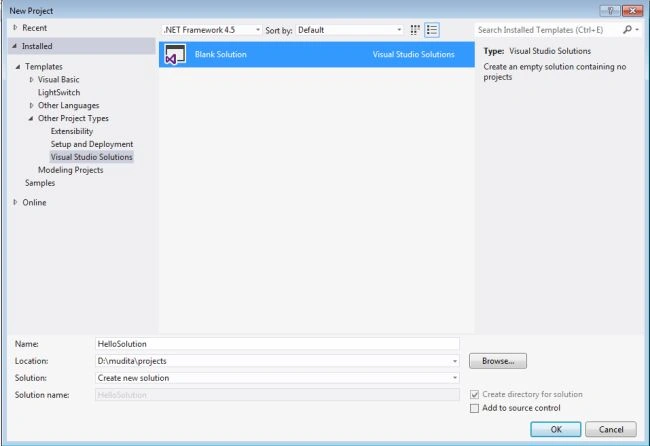
- On the template window select "Installed" > "Template" > "Other Project Type" > "Visual Studio Solution".
- Now choose "Blank Solution" and change the name of this solution to "HelloSolution".
- Now click on the "OK" button.
Create ASP. Net MVC Web API application
After creating the blank solution we can now add an ASP.Net Web API project.
- Right-click on the solution "HelloSolution" in the Solution Explorer.
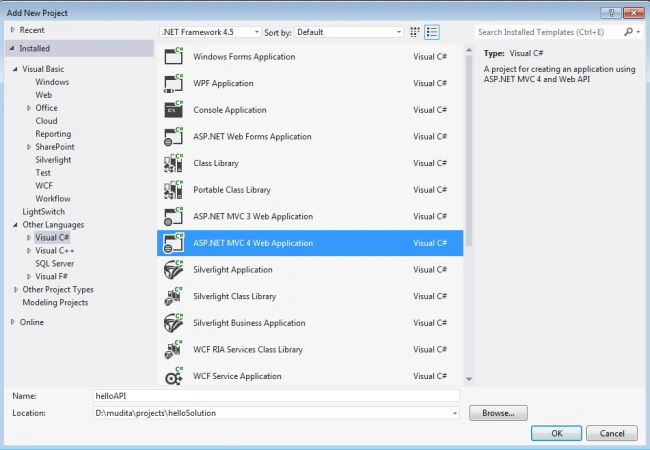
- Select "Add" > "New Project..."
- In the Installed Templates expand the "Visual C#" node and select "ASP. Net MVC 4 Application".
- Click on "OK" button.
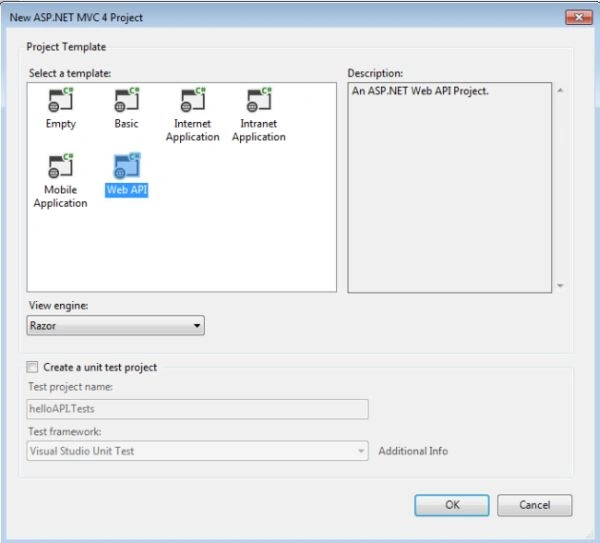
- Select the Web API from the New ASP.Net Web API.
Solution Explorer image
Step 3
Add the Controller
Now use the following procedure to create the Controller:
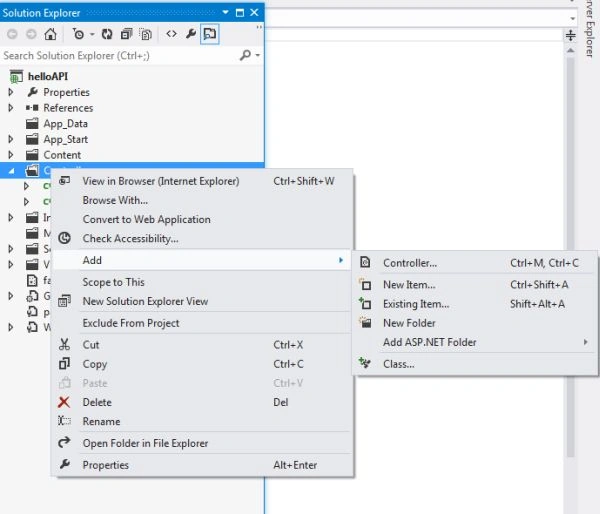
- Right-click on the Controller Folder in the Solution Explorer. Select "Add" > "Controller".
- In the controller window change the name to "helloController".
- And in the template select Empty API controller.
- Click on the "Add" button.

Step 4
Write the following code in the helloController.cs:
- using System;
- using System.Collections.Generic;
- using System.Linq;
- using System.Net;
- using System.Net.Http;
- using System.Web.Http;
- namespace helloAPI.Controllers
- {
- public class helloController : ApiController
- {
- public string Get()
- {
- return "Mudita Rathore";
- }
- public string Get(string Id)
- {
- return "Mudita " + Id;
- }
- }
- }
Step 5
Now to call the Web API from the browser.
For calling the Web API, first we debug the code, then the result will look like this:
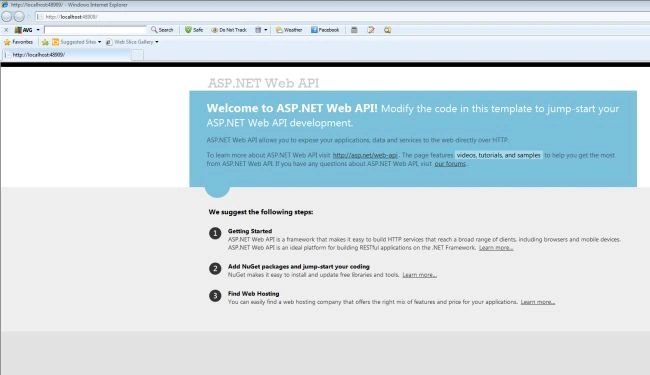
Now we access the URL "http://localhost:48909/api/hello".
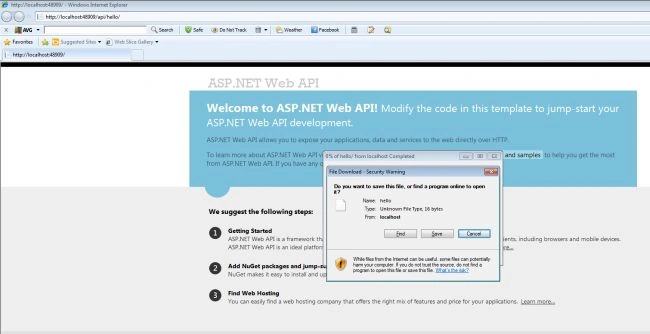
Now we click on "Open" and select the browser to access the Web API.
Output
The result will look like this in the Mozilla Firebox browser:

Sandeep SharmaPosted Jun 3, 2013, 11:11 AM
nice article..
Preeti ZutshiPosted May 6, 2013, 9:12 AM
well explained..................