

In this article we can explore HP Sizer, a Capacity Planning tool for SharePoint 2010 deployments. This tool helps in building optimized configurations for SharePoint deployment.
Who is the owner of the Tool?
HP Alliances and Performance Lab is the owner of the tool. It is a collaboration between HP and Microsoft.
What is the purpose of the Tool?
The tool addresses the Capacity Planning & Performance Requirements for SharePoint 2010 server. The tool helps in finding optimized configurations based on the Usage Parameters.
Download
You can download the tool from the following location:
http://tinyurl.com/sp2010-hpsizer
After installation, start the tool from Start Menu > Programs > Hewlett-Packard > HP Sizer for Microsoft SharePoint 2010 as shown below: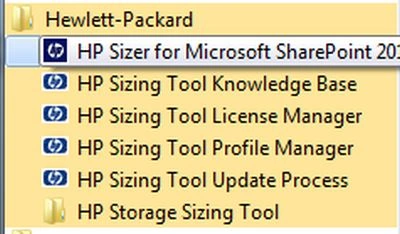
On executing the tool you will get the following application: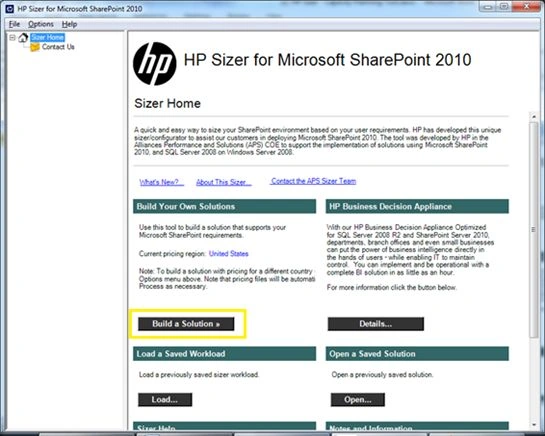
For finding an optimized configuration click on the Build a Solution button as highlighted above. You will get the following wizard. The wizard pages are self-explanatory to give assistance to the user.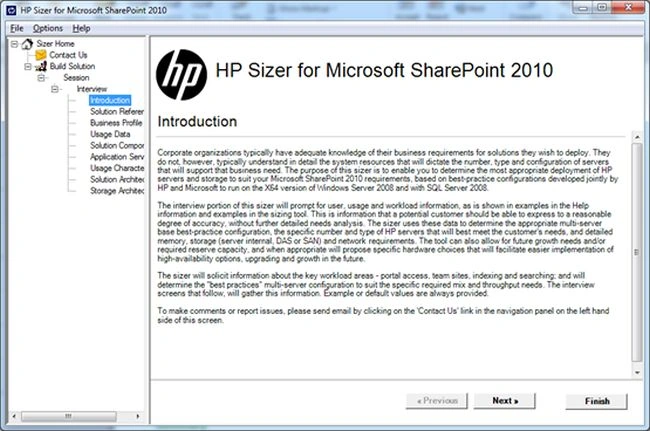
Click the Next button to continue. In the page that appears enter a name for the solution.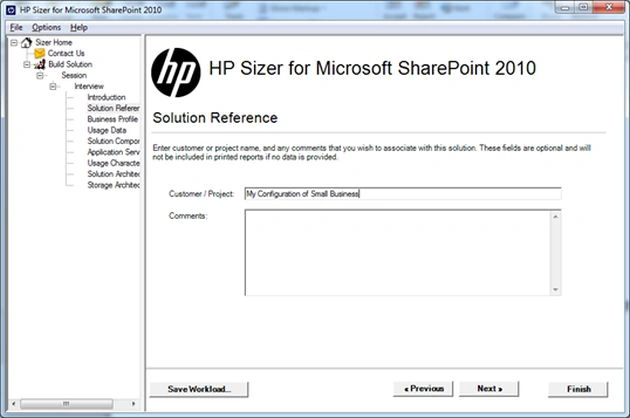
In the next page choose the Business Profile. Depending on the selection the next pages will load the most appropriate parameters. For the time being choose SMB (Small Business) and click the Next button.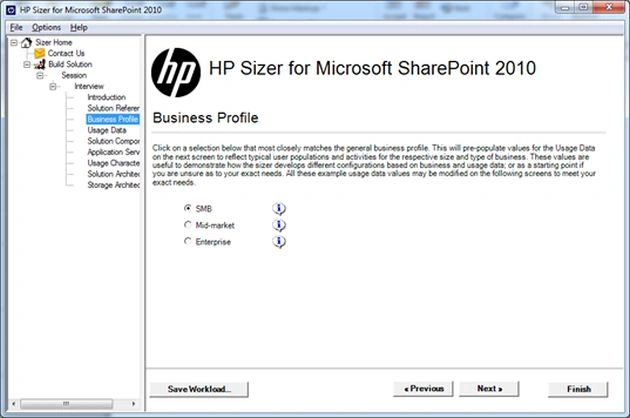
You will get the following Usage Data page.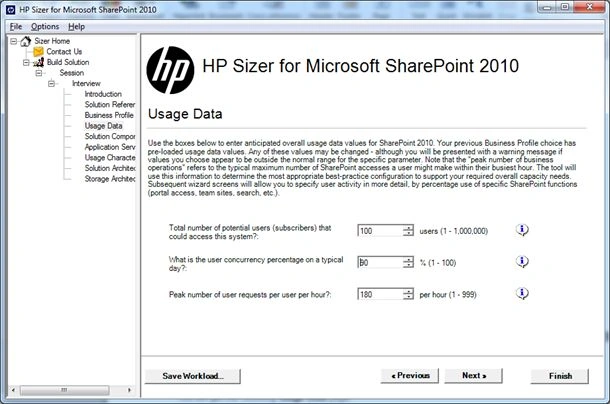
The page is automatically populated with the following parameters:
- Number of Users: If there are 50 users in the organization, you can enter the value here.
- Number of Users Concurrent on a Day: On a typical day if 90% of the users are present then enter 90 here.
- Maximum Number of User Requests per hour: The number of user requests per hour.
Join the conversation! Your thoughts help the community grow.