

HTML5 for Visual Studio 2010 SP1
I thought of starting my first article in HTML5, but before I do I would like to share this new extension that was released last week.
So this blog shows how to use HTML5 extensions with Visual Studio 2010 (Finally, a Web Standards Update for Visual Studio 2010 SP1).
Now we can directly use HTML5 standards in Visual Studio Editor and develop sites using HTML5.
Download and Install
Download and install the extension from Web Standards Update for Microsoft Visual Studio 2010 SP1.
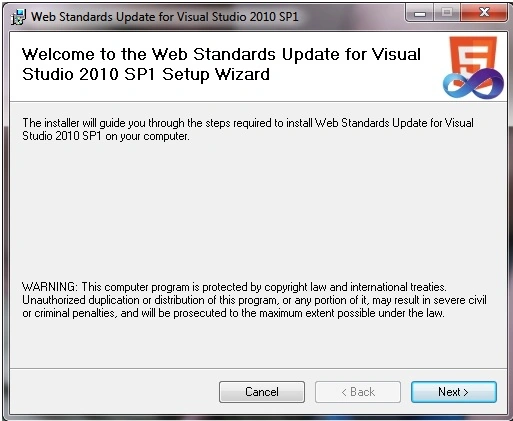
The installation takes some time; after a successful installation starts Visual Studio 2010.
Before starting the development of a new site, we need to change the HTML standards validation target to HTML5.
Click on Debug, Option, and Settings, under Text Editor, HTML, Validation change the Target to HTML5.
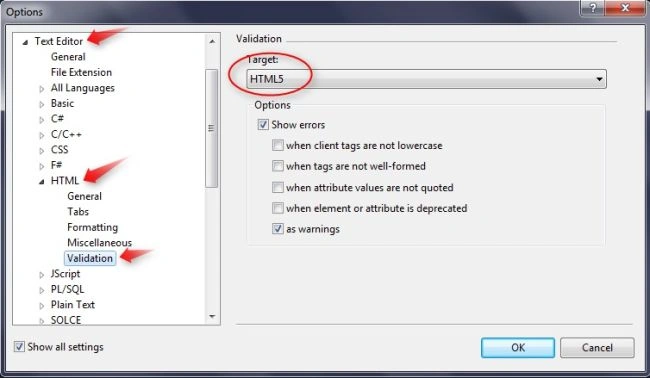
That's it!
I have created some samples by referring to HTML5 Tutorials.

Audio Player looks like the following image.

Look at the top of the page; see <!DOCTYPE html> which means "this page is written in HTML5".
From the above example, it simply shows an audio or video on a website using HTML5.
I think it's better to grab an HTML5 book to start with all these new stuff available like audio, video, canvas, etc.
Conclusion
Hope you all got an idea about the new extension for Visual Studio 2010, try it at your end.
Sr KarthigaPosted Jul 7, 2016, 6:51 AM
Good explanation
Sr KarthigaPosted Jul 7, 2016, 6:51 AM
Nice one
kalu singh raoPosted Jul 4, 2016, 2:17 AM
Nice...
ketan italiyaPosted Aug 26, 2013, 4:03 AM
article is so helpful for learning about html5 controls
ketan italiyaPosted Aug 26, 2013, 4:03 AM
thanks sir,
Alok UniyalPosted May 4, 2013, 12:55 AM
Thankyou Sutish Sir. This article is really helpful
Suthish NairPosted May 3, 2013, 11:44 AM
Thanks Jack ...
Jack OwensPosted May 1, 2013, 6:40 PM
FYI - Link to HTML5 is changed to "http://www.w3schools.com/html/html5_intro.asp"
Neal BeditedPosted Mar 6, 2012, 1:27 PMEdited Mar 6, 2012, 1:29 PM
This article has the description "This article shows how to use HTML5 with Visual Studio 2010" but doesn't actually ever tell you HOW-to-do-anything (except change your VS2010 settings). Then the author simply referrs readers to an outside website which doesn't even use Visual Studio at all. (WTF?) Was the author just trying to get some sort of "points" for submitting an article, otherwise why would he waste everyone's time with this pointless post? -Annoyed.
David CPosted Dec 4, 2011, 11:02 AM
Html5 support seems to be limited to the code view only. If I add a canvas, it doesn't appear in the design view. Try this: <canvas...> your browser does not support HTML5 canvas </canvas>
Mahesh ChandPosted Jun 22, 2011, 3:58 PM
What tool did you use to create screen shots? I like the arrows.