
Introduction
In this article, you will see the use of the thead,
tfoot and tbody tags of HTML5.
HTML <thead> Tag
The table heading code within the thead element will appear on each page above the table body. The HTML <thead> tag is used for adding a header to a table. The <thead> tag
is used in conjunction with the <tbody> tag and the <tfoot> tag in determining
each part of the table (header, footer, body).
HTML5 did not allow <td> tag inside of <thead> tag.
Syntax
<table>
<thead> ... </thead>
</table>
<thead> ... </thead>
</table>
HTML <tfoot> Tag
The <tfoot> tag is used to create a table footer in
HTML. The <tfoot> tag is used in
conjunction with the <thead> tag and the <tbody> tag in determining each part of
the table (header, footer, body). <tfoot> must appear before <tbody> within a
table, so that a browser can render the foot before receiving all the rows of
data.
Syntax
The syntax of the <tfoot> tag is as:
<tfoot>
<tr>
<td>...</td>
<td>...</td>
</tr>
</tfoot>
<tr>
<td>...</td>
<td>...</td>
</tr>
</tfoot>
HTML<tbody> Tag
The HTML <tbody> tag is used for grouping table
rows. The <tbody> tag is used in conjunction with the <thead> tag and the
<tfoot> tag in determining each part of the table (header, footer, body).
Browsers can use this information to enable scrolling of the table body independently of the header and footer - particularly useful for large tables.
The <tbody> tag can contain zero or more <tr> elements.
Syntax
The syntax of the <tfoot> tag is as:
<tbody>
<tr>
<td>...</td>
<td>...</td>
</tr>
<tr>
<td>....</td>
<td>....</td>
</tr>
<tr>
<td>....</td>
<td>....</td>
</tr>
</tbody>
<tr>
<td>...</td>
<td>...</td>
</tr>
<tr>
<td>....</td>
<td>....</td>
</tr>
<tr>
<td>....</td>
<td>....</td>
</tr>
</tbody>
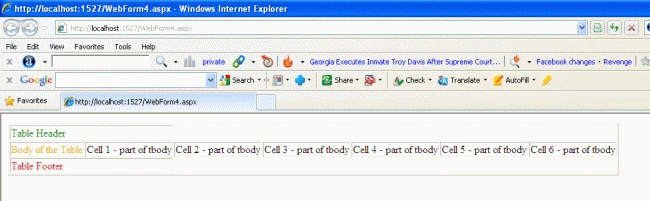
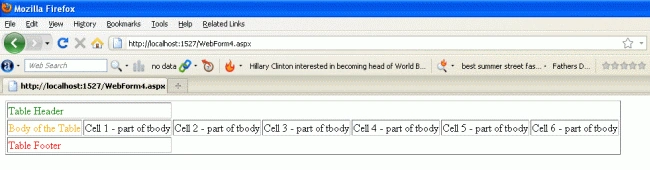
Now we create a table and use the tbody, thead and
tfoot tags.
Creating a table with tbody, thead, and tfoot tag
For Example
Former memberPosted Oct 11, 2012, 8:14 AM
Hi This is really nice article . Please check the below more simple article as same.http://www.dotnetpools.com/Article/ArticleDetiail/?articleId=35&title=FieldSet%20Tag%20In%20HTML5