

Introduction
Everyone loves the internet and on the internet what they love most is web access, and programmers and developers like to develop these websites and related things using many functionalities and languages.
The most used and loved language in this scenario is HTML, because of its simplicity.
What will happen if HTML is made easier, more precise and functionally stronger?
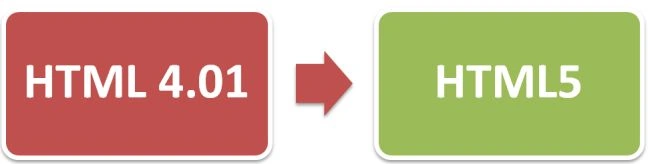 Yes, changes are already being made in the old HTML4.01 that gives birth to HTML5, a language that is easier, stronger and better. It can change the entire development scenario.
This article will compare a little bit between the old and the new, on some basis.
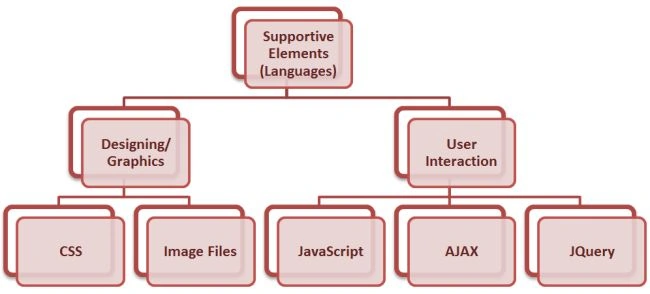
HTML5 impacts simplicity, organization, and construction to increase the efficiency and the simplicity of designing or working on any website's framework. The actual markup required to manage or build a page depends on the globally used W3C standards. This standard believes in linking or binding all required supportive elements (languages), like CSS, JavaScript, AJAX, XML and so on.
Yes, changes are already being made in the old HTML4.01 that gives birth to HTML5, a language that is easier, stronger and better. It can change the entire development scenario.
This article will compare a little bit between the old and the new, on some basis.
HTML5 impacts simplicity, organization, and construction to increase the efficiency and the simplicity of designing or working on any website's framework. The actual markup required to manage or build a page depends on the globally used W3C standards. This standard believes in linking or binding all required supportive elements (languages), like CSS, JavaScript, AJAX, XML and so on.
HTML5 | Introduction
HTML5 | Requirement
Features that can be done include:
- User-Friendly
- Ease Of Access
- More Reliable
- Modified Framework
- Supportive Tags
- Decreases Programming work
HTML5 | Solving Challenges
HTML5 | Saving Time
1. HTML4.01 vs. HTML5
In HTML4.01 we specify a Doctype element like this
<! Doctype html ”-//W3C//DTD HTML4.01 Transitional//EN”>
But in HTML5 we declare this element as
<!Doctype html>
2. HTML4.01 vs. HTML5
In HTML4.01 we generally need to mention a complete referenced tag line for enabling the functionality of JavaScript or External CSS.
For example: For enabling JavaScript functionality we do
<script type=”text/javascript” src=”abc.js”>
</script>
But for HTML5 we only specify a source, not the type, as in
<script src=”abc.js”>
</script>
HTML5 | Tags
HTML5 makes our work easier and more precise using several new tags, these tags directly work without any link or reference.
For example
For including a structuring element and navigation or any other section in our HTML page we need to create divisions or the margins for that so that these can work properly in HTML4.
Like
- <html>
- <head>
- <title></title>
- </head>
- <body>
- <div class="header">
- <div class="nav">
- <ol class="nav-list">
- <li><a href="cshub.somee.com" title="Cshub" alt="Cshub">IT Encyclopedia </a></li>
- <li><a href="picmaniac.brinkster.net" title=" Picmaniac" alt=" Picmaniac">Pic Maniac
- </a>
- </li>
- <li><a href="jaiswalabhishek.blogspot.in" title="Google Says" alt=" Google Says">Google
- Says </a>
- </li>
- </ol>
- </div>
- </div>
- </body>
- </html>
- <html>
- <head>
- <title></title>
- </head>
- <body>
- <header>
- <nav>
- <ol id="nav-list">
- <li> <a href ="cshub.somee.com" title="Cshub" alt="Cshub"> IT Encyclopedia </a></li>
- <li><a href ="picmaniac.brinkster.net" title=" Picmaniac" alt=" Picmaniac"> Pic Maniac </a></li>
- <li> <a href ="jaiswalabhishek.blogspot.in" title="Google Says" alt=" Google Says"> Google Says </a></li>
- </ol>
- </nav>
- </header>
- </body>
- </html>
Join the conversation! Your thoughts help the community grow.