

Introduction
- Database First
- Model First
- Code First
Database First
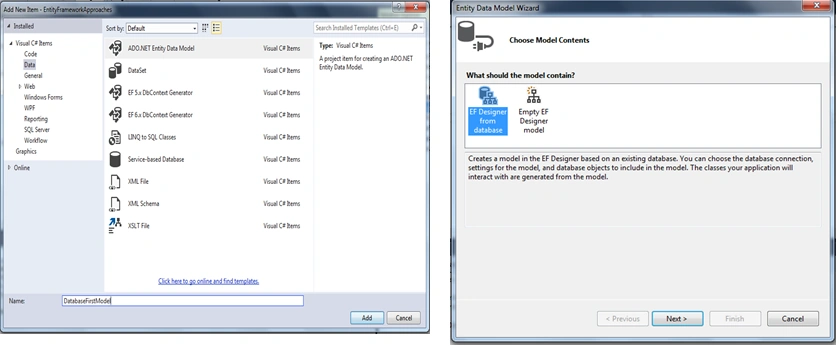
Create the ADO.Net entity data model using the "Generate from Database" option.
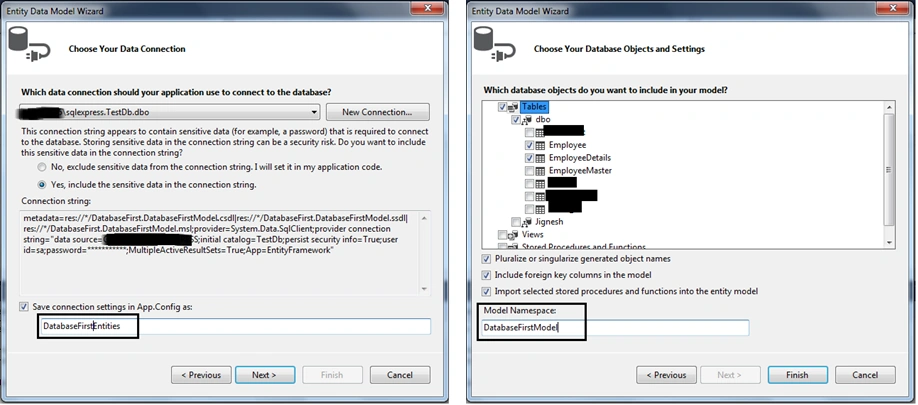
Select an existing connection or create new connection from "Choose Your Data Connection" windows and after this select database object (such as table, view and Stored Procedure) that are required into the project.
- This approach is very popular when we have an existing database
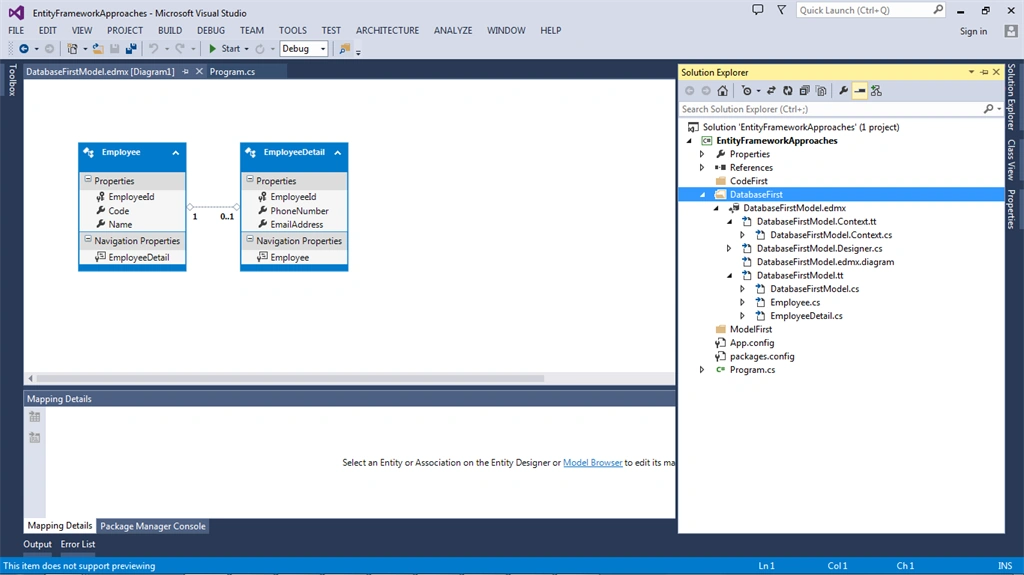
- The EDM wizard creates the entities and their relationships automatically
- Extensibility is possible using a partial class or T4 templates
- We need to write less code and put less effort into creating the entity model
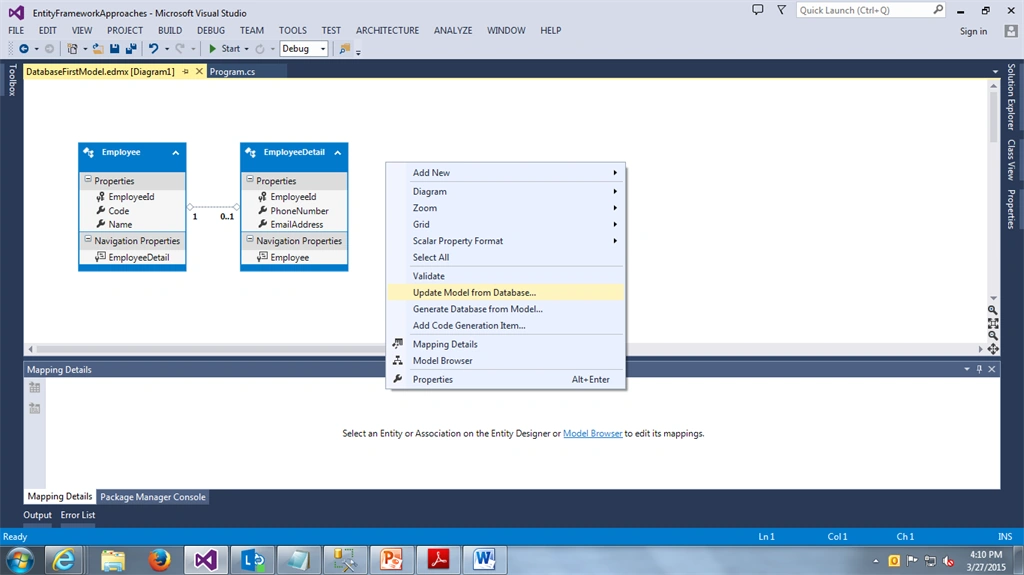
- Easy update if any changes are made to the database
- Very difficult to maintain a complex model
- Model customization is very difficult. In other words, if we don't have a foreign key in the database and we need an association in the conceptual layer then we must create it manually and it is very difficult to maintain when we update the model from the database.
Model First
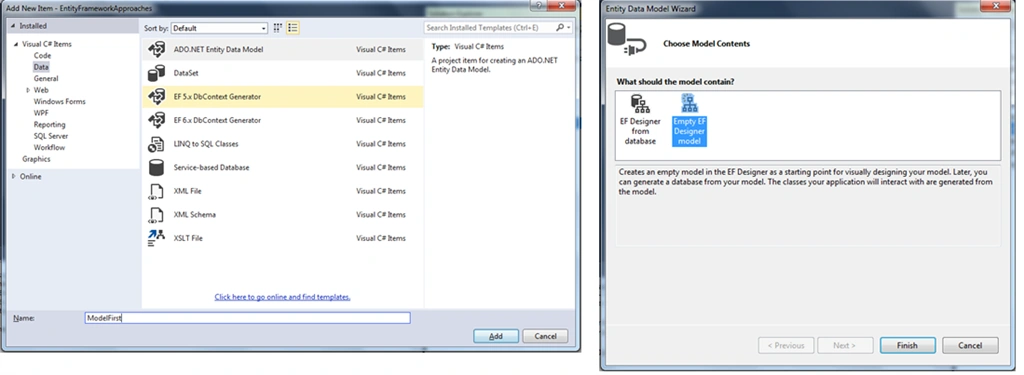
Create the ADO.net entity data model using the "Empty EF Designer Model" option.
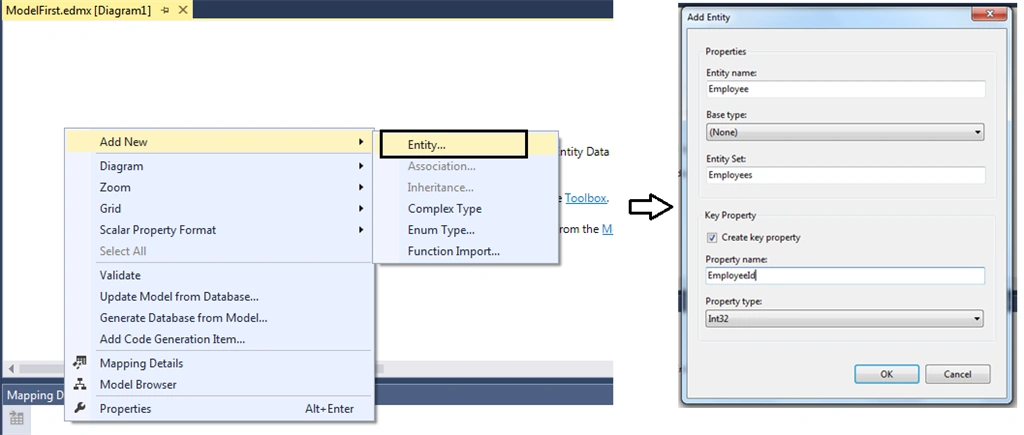
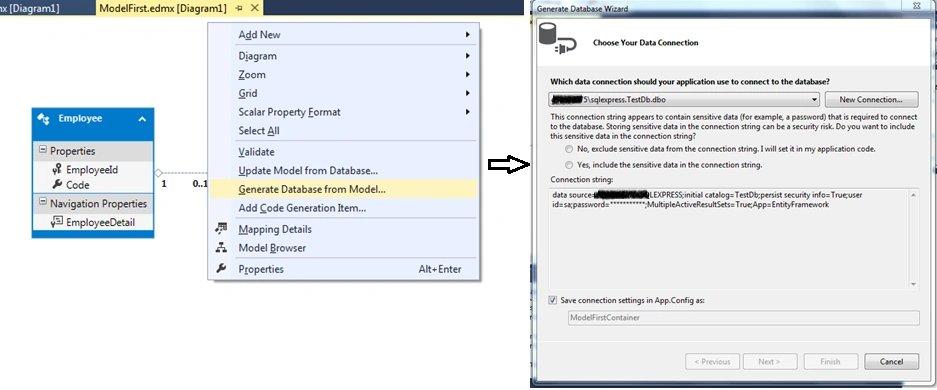
Now create the entity. Step 1 created the empty entity model. To add a new entity just right-click on the diagram and select “Add new” and the entity option. Fill in the entity name and database table name and primary key information.
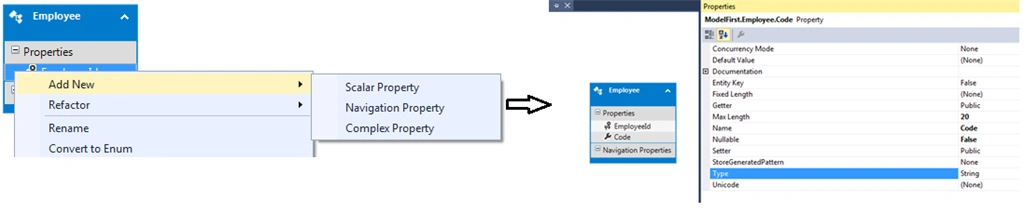
Now to add properties to the entity.
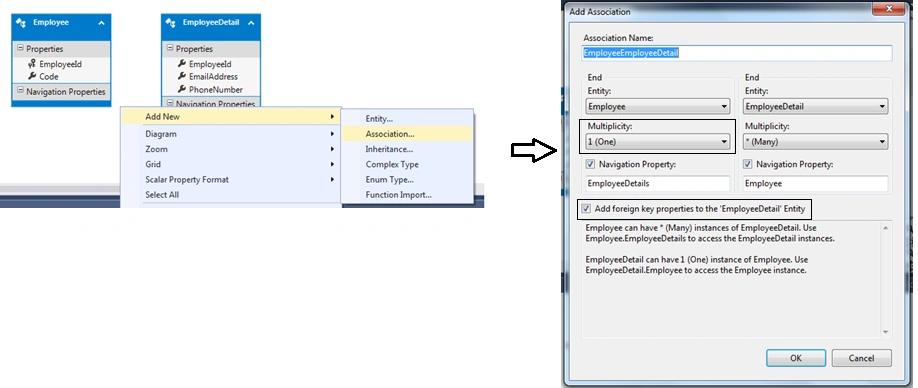
Add associations (relation among entities) if any.
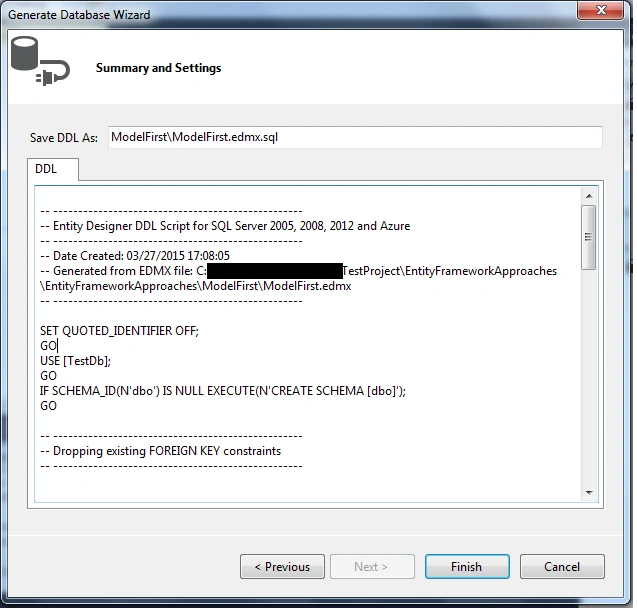
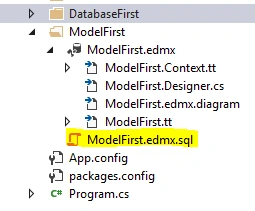
Once the entity model design is completed, we can generate the database from this model using the "Generate Database from model" context menu option. Here we can select any existing database connection or create a new database connection to create the database from a model.
- Visual designer to create a database schema
- Model diagram can be easily updated when the database changes
- Entity Framework generates the Code and database script
- Extensibility is possible using a partial class
- When we change the model and generate SQL to sync the database then this will always result in data loss because the tables are dropped first.
- We don't have much control on entities and database.
- Requires a good knowledge of Entity Framework to update the model and database
Code First
- public partial class Employee
- {
- public int EmployeeId { get; set; }
- [StringLength(10)]
- public string Code { get; set; }
- [StringLength(50)]
- public string Name { get; set; }
- public virtual EmployeeDetail EmployeeDetail { get; set; }
- }
- public partial class EmployeeDetail
- {
- [Key]
- [DatabaseGenerated(DatabaseGeneratedOption.None)]
- public int EmployeeId { get; set; }
- [StringLength(25)]
- public string PhoneNumber { get; set; }
- [StringLength(255)]
- public string EmailAddress { get; set; }
- public virtual Employee Employee { get; set; }
- }
- public partial class CodeFirst : DbContext
- {
- public CodeFirst() : base("name=CodeFirst")
- {
- }
- public virtual DbSet<Employee> Employees { get; set; }
- public virtual DbSet<EmployeeDetail> EmployeeDetails { get; set; }
- protected override void OnModelCreating(DbModelBuilder modelBuilder)
- {
- }
- }

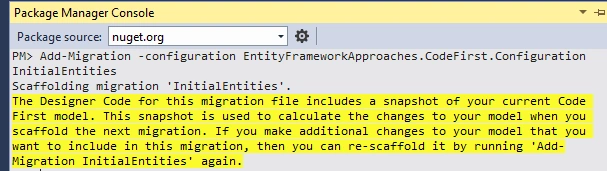
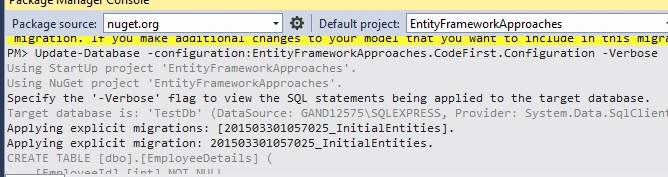
- There is full control of the model from the code. There is no EDMX/designer and no auto-generated code
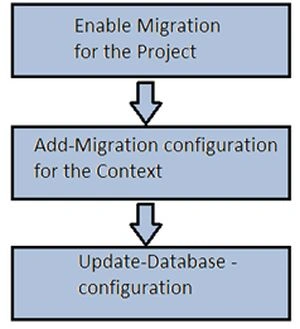
- It supports database migrations, so it is very easy to sync various databases
- We have more customization options and more control
- We can also use Code First to map our model to an existing database; to learn more click here
- It is very difficult to maintain a database compared to a visual design tool
- Requires a good knowledge of C# and data annotation
Comparing Approaches
| Feature | Entity Framework Approaches | ||
| Code First | Model First | Database First | |
| Support ORM designer tool (visual creation of data model) |
No.
No EDMX support hence there are no any support of visual creation ofdata model.
|
Yes.
|
Yes.
|
|
Generates code and database scripts
|
Yes.
|
Yes.
|
NA
In this approach, we already have database and from the database wecreate model.
|
|
Extensible through partial classes
|
NA
In this approach, all are POCO classes,
|
Yes.
|
Yes.
|
|
Full control over model from code
|
Yes.
|
No.
|
No.
|
|
Manual changes to the database are possible?
|
Yes.
|
Yes.
|
Yes.
|
|
Easy to modify the model?
|
Yes.
|
Yes.
|
Yes.
|
|
An existing database can be used?
|
Yes.
To know more click here.
|
NA
|
Yes.
|
- Code First supports database migrations.
- Much simpler to synchronize databases among developers and different versions of the application.
- More control over the Model. In other words, we have more control over how the entities and associations are created and how they work.
Anant DhasPosted Jul 17, 2017, 5:56 AM
Very well explained "Selecting Right Approach"..thanks for that.
Vithal WadjePosted Apr 8, 2015, 2:54 PM
nice
NitinPosted Apr 8, 2015, 4:13 AM
Good one
Gowtham RajamanickamPosted Apr 7, 2015, 5:58 AM
neat presentation
Gowtham RajamanickamPosted Apr 7, 2015, 5:57 AM
great
Sandeep Singh ShekhawatPosted Apr 7, 2015, 1:14 AM
Thank you for sharing this. I am big fan of code first approach :)
Sam HobbsPosted Apr 6, 2015, 6:58 PM
One more thing that I think would help in this article or a separate article is what to do when we already have an entity model (using the Model First or Database First approach) and want to use it in code. For beginners it would help to understand that we need to find the corresponding DbContext class. The Class View is useful for that. I hope you understand.
Sam HobbsPosted Apr 6, 2015, 6:54 PM
For the Model First approach, I think it would help to describe Step 3 and Step 4 in more detail. Perhaps someone could write another article. When I tried the Model First approach I could not figure out how to create fields and associations. When we create a table using the Server Explorer in VS we get a grid for specifying fields and data types. The Model First approach works differently with different terminology and it would have helped me to have an article explaining things and I did not find anything that made it clear.
Sam HobbsPosted Apr 6, 2015, 6:47 PM
Thank you for this. I know this will be very useful. I think that for other articles, instead of each article describing how to create an entity model, other articles can reference this article so the reader can choose how to create an entity model and the other articles do not need to include instructions.