

Introduction
There are many ways to create an Image Rotator in JavaScript.I have written two simple examples of how to create an Image rotator in JavaScript.
My First Program
Step 1. First, we create an image(img1) with the help of <img> tag. and place it in the <body> tag.
<body onload="show()">
    <h3>Image Rotator in JavaScript</h3>
    <img id="img1" width="120px"/>
</body>
Note. Here, we call a js function(show()) on the onload event.
Step 2. Create a javascript function(show()) in the <head> tag.
<script language="javascript">
      function show() {
        document.getElementById('img1').src = 'images/img1-.jpg';
        setTimeout('show2()', 1000);
      }
      function show2() {
        document.getElementById('img1').src = 'images/img2-.jpg';
        setTimeout('show3()', 1000);
      }
      function show3() {
        document.getElementById('img1').src = 'images/img3-.jpg';
        setTimeout('show4()', 1000);
      }
      function show4() {
        document.getElementById('img1').src = 'images/img4-.jpg';
        setTimeout('show()', 1000);
      }
</script>
Output
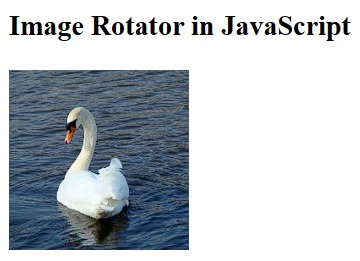
Here, we get the ID of the image(img1) with the help of getElementById (The getElementById() method accesses the element with the specified id). and sets the source(src) of the img1. Here, we create many functions and call them with the help of the setTimeout Method of JavaScript. In my second Program, Here, we set the image based on the onmouseover event of the particular Table's Text and set the image and its description based on it.
Step 1. First, We create a table in the <body> tag and set an image(img1) and multiple <p> tags in the table rows.
<body onload="show()">
    <table style="border: 1px solid Black">
      <tr>
        <td>
          <table>
            <tr>
              <td>
                <img id="img1" src="images/img1-.jpg" width="120px" />
              </td>
            </tr>
            <tr>
              <td>
                <p id="pmain"></p>
              </td>
            </tr>
          </table>
        </td>
        <td>
          <table style="width: 140px">
            <tr>
              <td
                id="td1"
                align="center"
                style="border: 1px solid Black"
                onmouseover="show1()"
                onmouseout="hide1()"
                <p id="p1">Image1</p>
              </td>
            </tr>
            <tr>
              <td
                id="td2"
                align="center"
                style="border: 1px solid Black"
                onmouseover="show2()"
                onmouseout="hide2()"
                <p id="p2">Image2</p>
              </td>
            </tr>
            <tr>
              <td
                id="td3"
                align="center"
                style="border: 1px solid Black"
                onmouseover="show3()"
                onmouseout="hide3()">
                <p id="p3">Image3</p>
              </td>
            </tr>
            <tr>
              <td
                id="td4"
                align="center"
                style="border: 1px solid Black"
                onmouseover="show4()"
                onmouseout="hide4()">
                <p id="p4">Image4</p>
              </td>
            </tr>
          </table>
        </td>
      </tr>
    </table>
</body>
Here, we set the style and call functions on the onmouseover and onmouseout events.
Step 2. Create javascript functions in the <head> tag.
<script language='javascript'>
      function show1()
      {
      document.getElementById('img1').src="images/img2-.jpg";
      document.getElementById("p1").style.fontStyle="italic";
      document.getElementById("td1").style.background="Red";
      document.getElementById("pmain").innerHTML="Image1";
      }
      function hide1()
      {
      document.getElementById("p1").style.fontStyle="normal";
      document.getElementById("td1").style.background="White";
      document.getElementById("pmain").innerHTML="";
      }
      function show2()
      {
      document.getElementById('img1').src="images/img3-.jpg";
      document.getElementById("p2").style.fontStyle="italic";
      document.getElementById("td2").style.background="Red";
      document.getElementById("pmain").innerHTML="Image2";
      }
      function hide2()
      {
      document.getElementById("p2").style.fontStyle="normal";
      document.getElementById("td2").style.background="White";
      document.getElementById("pmain").innerHTML="";
      }
      function show3()
      {
      document.getElementById('img1').src="images/img4-.jpg";
      document.getElementById("p3").style.fontStyle="italic";
      document.getElementById("td3").style.background="Red";
      document.getElementById("pmain").innerHTML="Image3";
      }
      function hide3()
      {
      document.getElementById("p3").style.fontStyle="normal";
      document.getElementById("td3").style.background="White";
      document.getElementById("pmain").innerHTML="";
      }
      function show4()
      {
      document.getElementById('img1').src="images/img5-.jpg";
      document.getElementById("p4").style.fontStyle="italic";
      document.getElementById("td4").style.background="Red";
      document.getElementById("pmain").innerHTML="Image4";
      }
      function hide4()
      {
      document.getElementById("p4").style.fontStyle="normal";
      document.getElementById("td4").style.background="White";
      document.getElementById("pmain").innerHTML="";
      }
</script>
Output
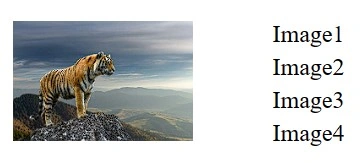
Here, we set the src property of image(img1) with the help of id and set the style of <td> and <p> tags and the innerHTML property of <p> tag on the basis of Id. Here, we get the Id with the help of getElementById (The getElementById() method accesses the element with the specified id).
Conclusion
In this article, we learned how to create an Image Rotator in JavaScript, and we take some examples from this article.
Anurag SarkarPosted Apr 24, 2013, 3:19 AM
Please do attach some screen shots.
CrishPosted May 12, 2010, 9:15 AM
hi you have provided good example for Image rotate using javascript cheers!!