

Introduction
In this article we will create a simple Image Slider in which the image can be scrolled in both directions (X and Y) with the slider like this:
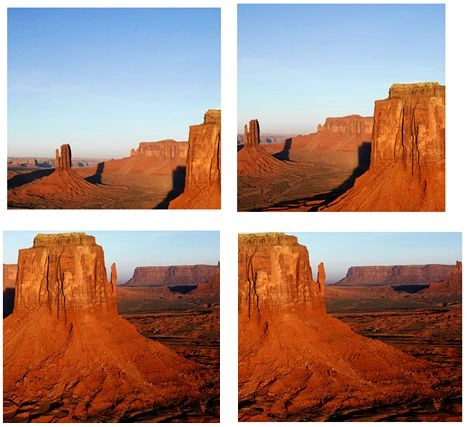 In this example, we will use a Canvas, that will be used as a container of our images in the Image Slider. Here we will use the drawImage() method that is used to draw our Image in the Canvas.
Step 1: So first we will create a Canvas using the <canvas> tag like this:
In this example, we will use a Canvas, that will be used as a container of our images in the Image Slider. Here we will use the drawImage() method that is used to draw our Image in the Canvas.
Step 1: So first we will create a Canvas using the <canvas> tag like this:
- <canvas id="myCanvas" width="1200" height="800"></canvas>
Step 2: Now we will use the Images for our Image Slider:
- <img id="img1" src="Desert.jpg" style="display:none;" />
- <img id="img2" src="Hydrangeas.jpg" style="display:none;" />
- <img id="img3" src="Jellyfish.jpg" style="display:none;" />
- <img id="img4" src="Koala.jpg" style="display:none;" />
- <img id="img5" src="Lighthouse.jpg" style="display:none;" />
- <img id="img6" src="Penguins.jpg" style="display:none;"/>
- <img id="img7" src="Chrysanthemum.jpg" style="display:none;"/>
- <img id="img8" src="Tulips.jpg" style="display:none;" />
Here we will set the display property of the images so it can't be visible.
Step 3: Now we will write the JavaScript function Show():
- <script language="javascript">
- var i = 1, x = 100, y = 100, j = 0;
- var img = new Image();
- var imgsrc;
- function Show() {
- var canvas = document.getElementById('myCanvas');
- var context = canvas.getContext('2d');
- }
- </script>
Here we will declare some variables like x is used to increase the values in the x-direction and y is used to increase the values in the y-direction. canvas is used for the canvas. And context is used to draw on the canvas.
Now we start the loop where we decrease the value of the variable that scrolls the images for a specific amount of time, like this:
- if (j == 0) {
- j = 400;
- }
- else {
- j = j - 5;
- }
- if (j == 10) {
- var a = "img" + i;
- imgsrc = document.getElementById(a).src;
- x = 0;
- y = 0;
- if (i < 8) {
- i = i + 1;
- }
- else {
- i = 1;
- }
- }
- var a="img"+i;
- img.onload = function () {
- var sX = x;
- var sY = y;
- var sWidth = 500;
- var sHeight = 400;
- var dWidth = sWidth;
- var dHeight = sHeight;
- var dX = canvas.width - dWidth - 400;
- var dY = canvas.height / 2 - dHeight / 2 - 100;
- context.drawImage(img, sX, sY, sWidth, sHeight, dX, dY, dWidth, dHeight);
- };
- img.src = imgsrc;
- x = x + 6;
- y = y + 3;
Here we will assign the values in the variables, that will be used in the drawImage() method. Here we will increase the x and y, it will be helpful to increase the values of the x and y coordinates in our program.
Step 5: Now we use the setTimeout() method to call our Show() function after a specified time.
- setTimeout("Show()", 5);
Gowtham RajamanickamPosted Mar 13, 2015, 2:16 AM
great and simple...