

What is Impersonation?
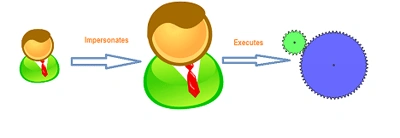
Impersonation is the security feature that enables control of the Identity under which code is executed. Impersonation gives the following advantages:
- Run a high privilege code through a low privilege user
- Record changes in the account of another user
What are the Impersonation methods in SharePoint 2010?
SharePoint 2010 provides the following methods of Impersonation:
- RunWithElevatedPrivileges to impersonate as System Account user
- Passing User Token inside SPSite to impersonate as a particular user
- Using Windows API
Note: System Account (SHAREPOINT\system) is the application pool user of SharePoint. If you are using Developer Installations on client operating systems (Windows 7 / Vista) the account name will be different.
Now let us see how to use the above methods.
- RunWithElevatedPrivileges
This is the most commonly used method to impersonate.
SPSecurity.RunWithElevatedPrivileges(() =>
{
// Your code here
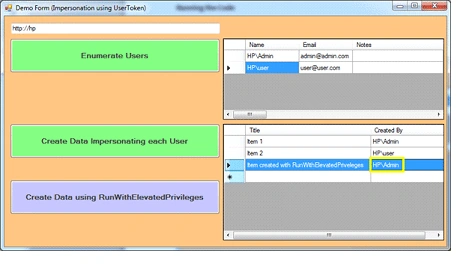
});Note: In the case of RunWithElevatedPrivileges the System Account is used to perform the activity.
- Passing User Token
SPUserToken is the server model which we use for the purpose. Each user's token can be represented by this class. The User Token is actually a byte array.
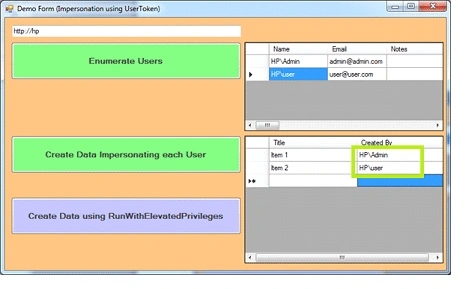
The SPUser class contains the property named UserToken. Passing SPUserToken instance into the SPSite constructor impersonates the particular user.
Eg: new SPSite(UrlText.Text, user.UserToken);
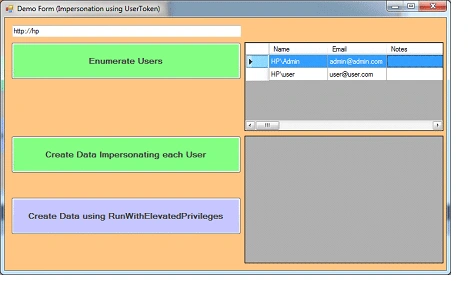
For enumerating all the users of a site the web.Users property can be used.
Eg: web.Users
Running the Code
The attached source contains the following samples:
Join the conversation! Your thoughts help the community grow.