

Introduction
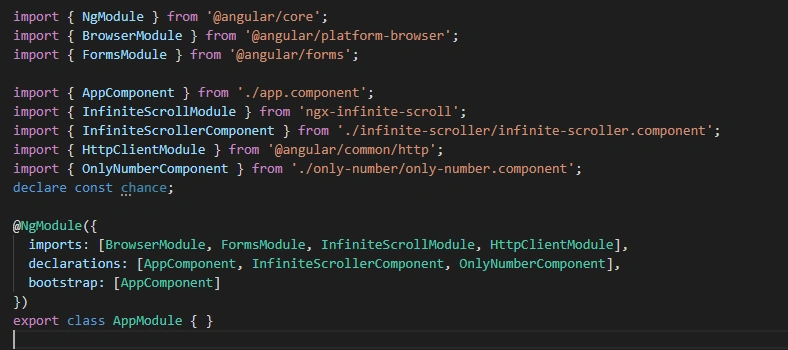
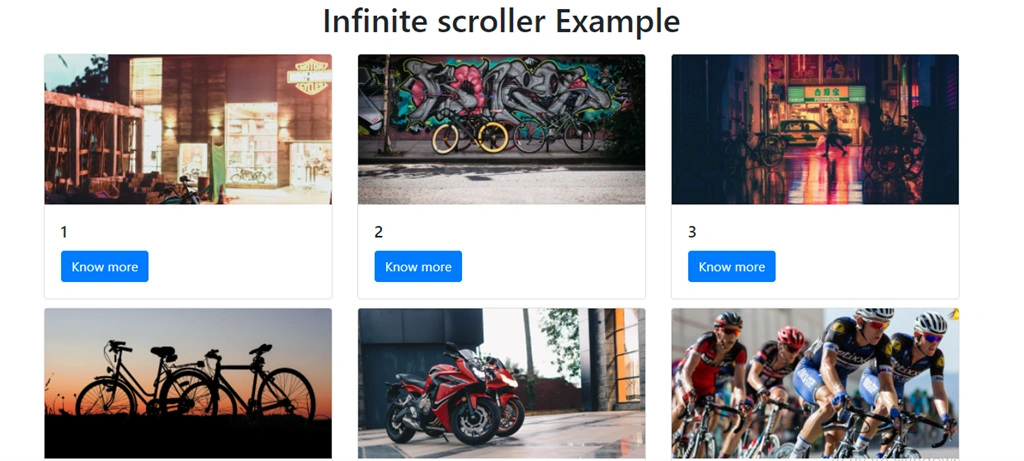

In this article, we will integrate an infinite scroller. In this example when we scroll down, only a few items will show on the screen. After scrolling to the bottom, it will load the next data and it will be attached to the screen. To implement this, we need to install the Ngx-infinite scroller package from the node package manager.
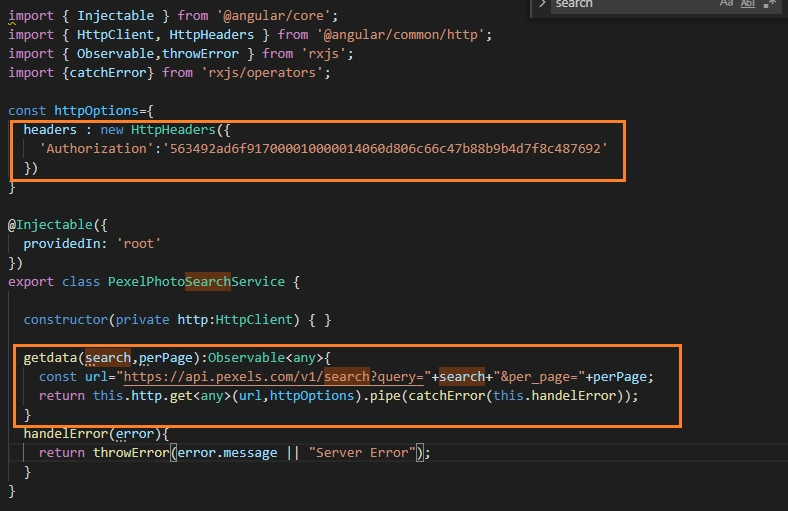
For this example I am using the Google Pixel photo search API, which I have already implemented the search example which I am using in this example just to show how infinite scroller works, you can find its link here.
Prerequisites
- Basic knowledge of Angular
- Visual Studio Code must be installed
- Angular CLI must be installed
- Node JS must be installed
Create an Angular project
Step 1
Create a new Angular project using the following NPM command:
ng new infiniteScrollerExample
Step 2
Open the newly-created project in Visual Studio code and install ngx-infinite-scroll using the below command:
npm install ngx-infinite-scroll
Step 3
Now, let's create a new component, by using the following command.
ng g c infinite-scroller
Step 4
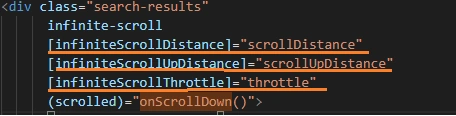
Now open infinite-scroller.component.html file and add the following code:
- <h1 align='center' >Infinite scroller Example</h1>
- <div class="search-results"
- infinite-scroll
- [infiniteScrollDistance]="scrollDistance"
- [infiniteScrollUpDistance]="scrollUpDistance"
- [infiniteScrollThrottle]="throttle"
- (scrolled)="onScrollDown()">
- <div class="container">
- <div class="row">
- <div *ngFor="let pic of array;let i=index" class="col-sm-4">
- <div style="margin-top: 10px;" class="card">
- <img class="card-img-top" [src]="pic.src.landscape" alt="Card image cap">
- <div class="card-body">
- <h5 class="card-title">{{i+1}}</h5>
- <a href="#" class="btn btn-primary">Know more</a>
- </div>
- </div>
- </div>
- </div>
- </div>
- </div>
Step 6
The next step is to open infinite-scroller.component.ts file and add the following code:
- import { Component, OnInit } from '@angular/core';
- import { PexelPhotoSearchService } from '../pexel-photo-search.service';
- @Component({
- selector: 'app-infinite-scroller',
- templateUrl: './infinite-scroller.component.html',
- styleUrls: ['./infinite-scroller.component.css']
- })
- export class InfiniteScrollerComponent implements OnInit {
- array = [];
- sum = 10;
- throttle = 300;
- scrollDistance = 1;
- scrollUpDistance = 2;
- direction = "";
- modalOpen = false;
- photos: any;
- start: number = 0;
- constructor(private pexelPhotoSearchService: PexelPhotoSearchService) {
- }
- ngOnInit() {
- this.getPhoto();
- }
- getPhoto() {
- this.pexelPhotoSearchService.getdata('bikes', this.sum).subscribe((response: any) => {
- this.photos = response.photos;
- this.addItems(this.start, this.sum);
- }, (error) => {
- console.log(error);
- })
- }
- selector: string = '.main-panel';
- addItems(index, sum) {
- for (let i = index; i < sum; ++i) {
- debugger
- this.array.push(this.photos[i]);
- console.log(this.array);
- }
- }
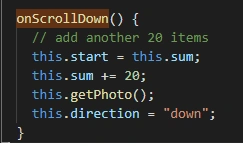
- onScrollDown(ev) {
- // add another 20 items
- this.start = this.sum;
- this.sum += 20;
- this.getPhoto();
- this.direction = "down";
- }
- }
Marwan YadriPosted May 25, 2021, 5:21 PM
Does it save the page state so when you go backward it scrolls you to where you left ?