

Overview
This article explains how to implement a Favorite icon in a web application.
Favorite Icons
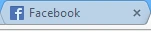
A Favicon (short form of Favorite icon) is an icon associated with a webpage. These are also commonly known as a shortcut icon, web site icon, tab icon and so on. Favicons are displayed in some browser's address bar (like IE), and in most of the browsers it is shown next to the page's title. A few examples of some very common websites are displayed below.

MSDN:

Facebook:

Implementing Favicon
A Favicon is commonly of the size 16 x 16 pixels. We can create or rather convert any image into Favicon format or else we can directly download it from many websites available for free. The image can contain text like "g" for Google, "f" for Facebook and so on or just an image as used in our very own C# Corner. A Favicon used for any web application should be named “favicon.ico”. The ICO file format is an image file format to display computer icons.
Here is an example of a Favicon that I created on http://faviconist.com/. Once we create a Favicon by specifying the text we want to display and other color combinations, styles and so on and click on “Save Favicon” button, this website generates a link tag that we can directly add to our web app.
Once we have the Favicon ready, we need to wrap it with a "link" tag (as we do for images) and specify rel as “shortcut icon”.
- <link rel="shortcut icon" href="http://faviconist.com/icons/d4030b0a9eb3cda58232fa83b92c405c/favicon.ico" />
Guest UserPosted Nov 25, 2014, 7:53 AM
thanks Rahul!
Guest UserPosted Nov 25, 2014, 1:58 AM
Hi Rahul, I just place favicon.ico file in folder without adding in HTML, and it works for me.