

Introduction
Microsoft Azure Arc is a service that extends Azure management and services to any infrastructure, allowing you to project your on-premises and multi-cloud resources into Azure Resource Manager. This capability simplifies governance, delivers consistent management across your environments, and provides a unified platform for running data services in Kubernetes anywhere.

Prerequisites
Before beginning the integration process, ensure you meet the following requirements
- An active Microsoft Azure subscription.
- On-premises servers running supported operating systems.
- You need sufficient permissions to create resources in your Microsoft Azure subscription and to install and configure agents on the on-premises servers.
Operating System Support for Azure Arc
Azure Arc continues to evolve, providing comprehensive support for various operating systems across Windows and Linux platforms. Performance is reflected in the support for only 64-bit (x86-64) architectures, ensuring optimal performance and compatibility. Azure Arc does not extend support to 32-bit (x86) or ARM-based architectures due to the specific demands and capabilities of the Azure Connected Machine agent.
The following is a detailed list of the supported operating systems that can leverage the full capabilities of Azure Arc.
- AlmaLinux: Version 9
- Amazon Linux: Versions 2 and 2023
- Azure Linux (CBL-Mariner): Versions 1.0 and 2.0
- Azure Stack HCI: Fully supported
- CentOS Linux: Versions 7 and 8
- Debian: Versions 10, 11, and the newly supported 12
- Oracle Linux: Versions 7 and 8
- Red Hat Enterprise Linux (RHEL): Expansive support across Versions 7, 8, and the latest Version 9
- Rocky Linux: Versions 8 and 9, ensuring continued support for the growing Rocky Linux user base
- SUSE Linux Enterprise Server (SLES): Versions 12 SP3-SP5 and 15, catering to a broad spectrum of enterprise needs
- Ubuntu: Long-term support (LTS) versions 16.04, 18.04, 20.04, and the most recent 22.04 LTS
- Windows 10 and 11: Inclusive of client operating system guidance for a seamless user experience
- Windows IoT Enterprise: Specifically tailored for IoT applications and devices
- Windows Server: Comprehensive support spanning Versions 2008 R2 SP1, 2012, 2012 R2, 2016, 2019, and the latest 2022 release. Azure Arc is compatible with Desktop and Server Core experiences, enhancing users' flexibility and choice.
- Azure Editions on Azure Stack HCI: This is fully supported, ensuring that Azure Stack HCI users can fully leverage Azure Arc capabilities.
Guidance for Client Operating Systems
When utilizing the Azure Arc service and Azure Connected Machine Agent, it's crucial to understand the supported environments, particularly concerning client operating systems such as Windows 10 and 11. However, there's a vital caveat to consider: these operating systems are supported exclusively within a server-like setup. Let's delve into what this entails.
- Your computer must maintain a constant connection to the internet.
- It's imperative to keep your device connected to a reliable power source.
- The computer should remain powered on consistently.
Network Requirements Overview
When setting up connectivity for Azure Arc services, adhere to the following principles.
- The Azure Connected Machine agent for Linux and Windows systems communicates securely outbound to Azure Arc over TCP port 443.
- By default, the agent leverages the default internet route to reach Azure services, but you can configure it to use a proxy server if necessary.
- Note that using proxy servers doesn't enhance the security of the Connected Machine agent since the traffic is already encrypted.
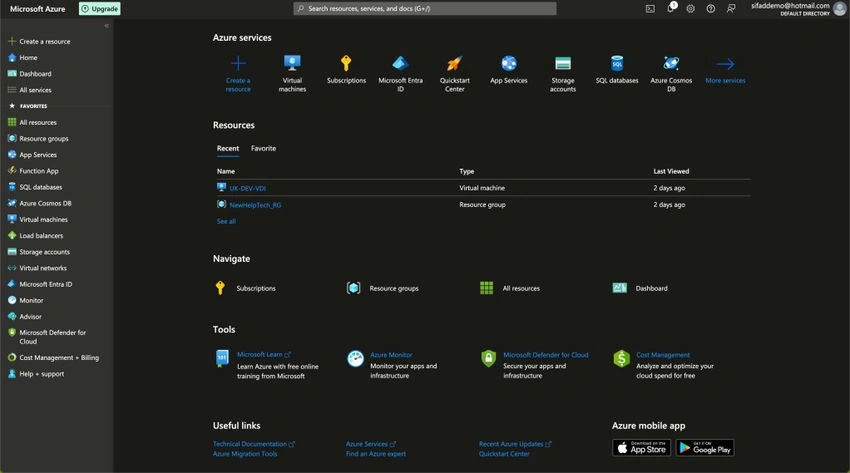
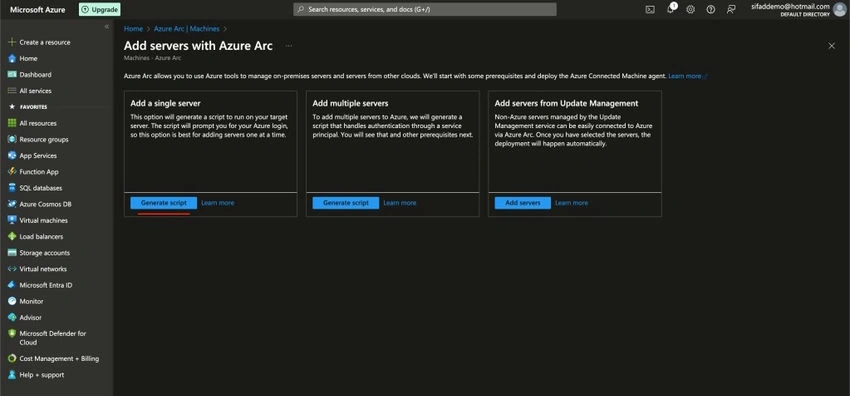
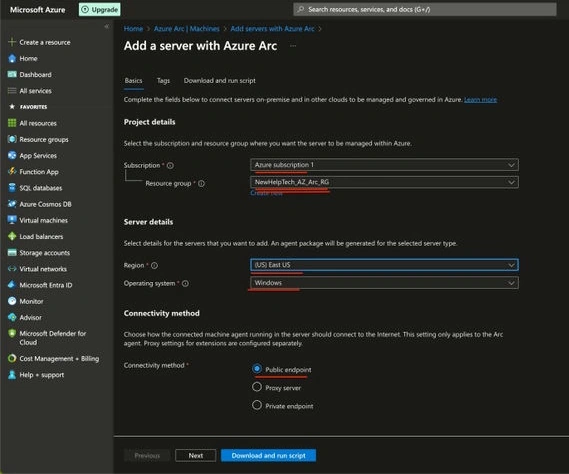
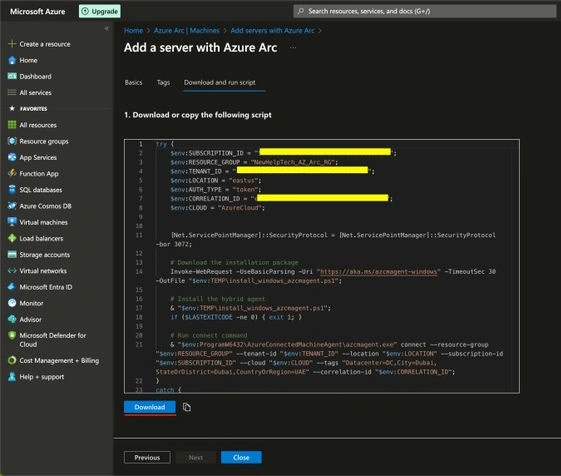
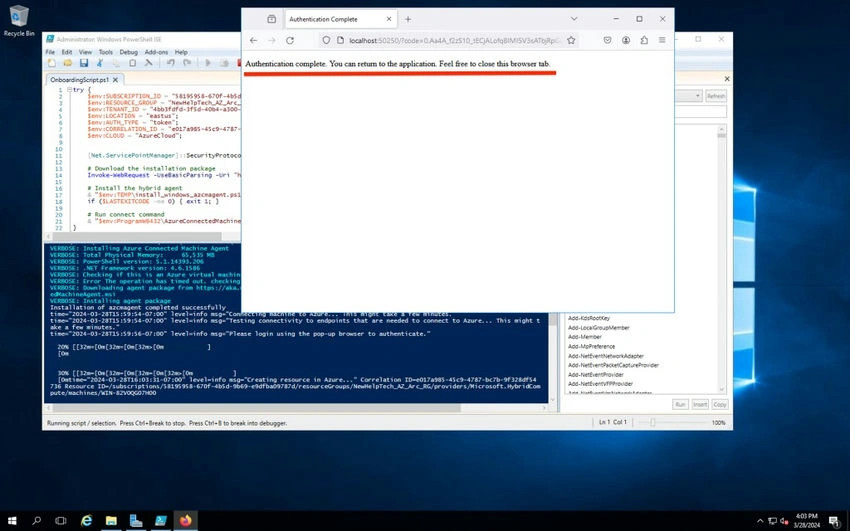
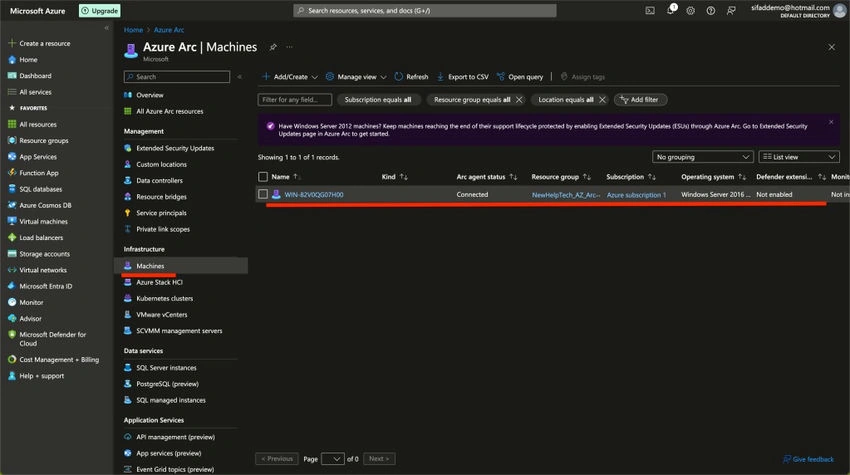
Step 1. Go to the Microsoft Azure portal (https://portal.azure.com/).



Join the conversation! Your thoughts help the community grow.