

Here in this article I will show you how to import excel sheet data to SQL Server database table.
Here I have my excel sheet.
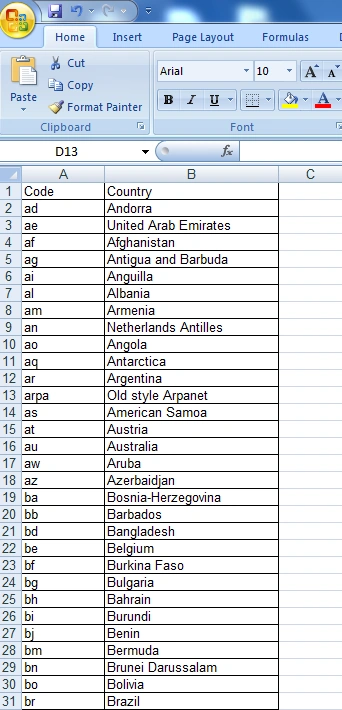
Now I will load this data to my (tbl_country) table which I created in "Employee" database.
Here is the database.

And here is my table which I created in the database.

To import the excel data to this table here are the steps.
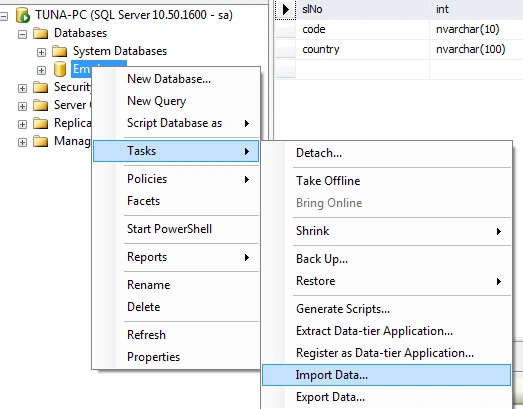
STEP 1: Right click on database, click on Task, then ImportData.
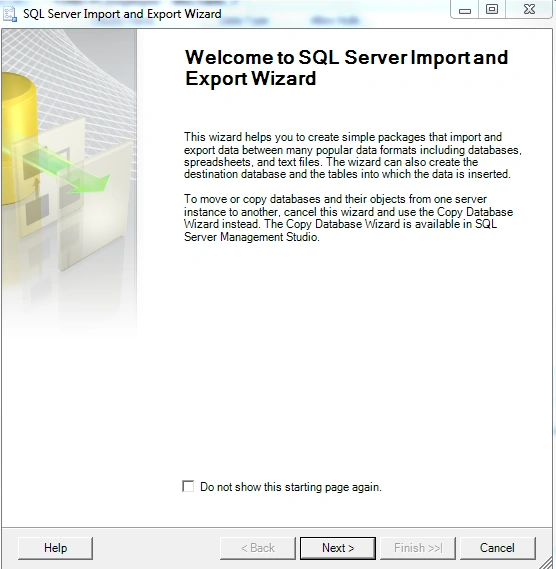
STEP 2: Now the SQL Server Import wizard will come now. Click the Next button.
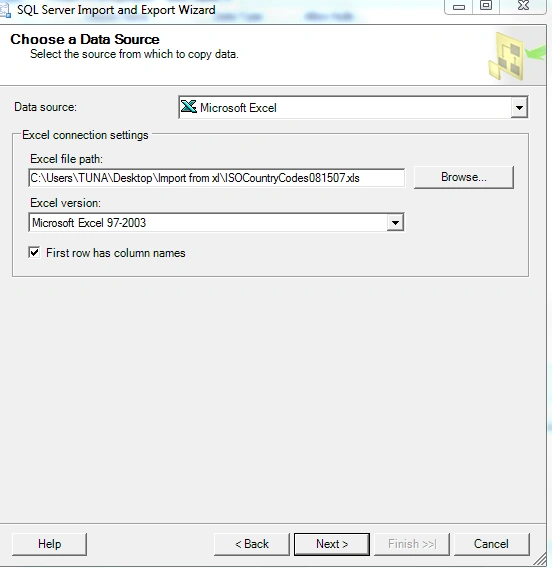
STEP 3: Now it will ask the details of source (excel sheet).
STEP 4: Now it will ask for destination details. Give all the required information.
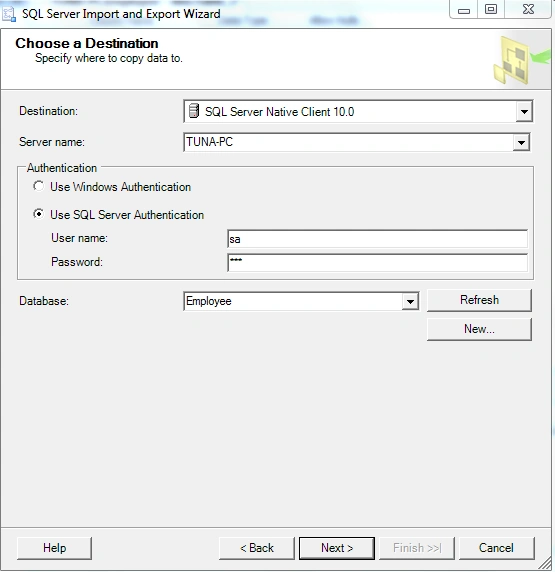
STEP 5
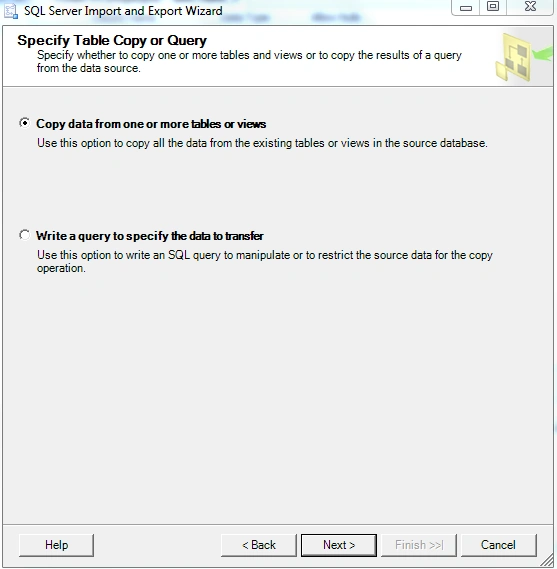
STEP 6: Select the first option and click next.
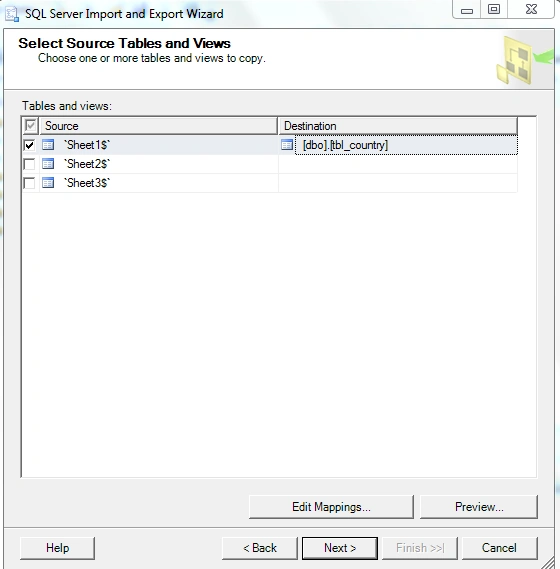
Here it will show all the sheets are present in the Excel. Just select the sheet where the original data is present. On the right hand side select the destination table where you want to save all the records.
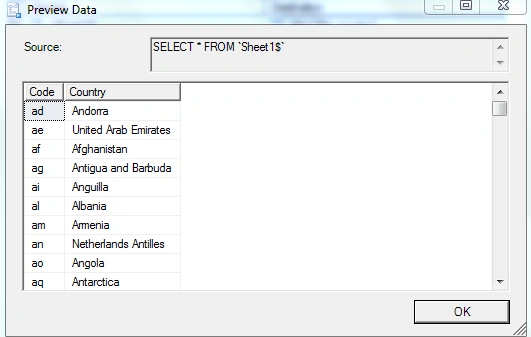
If you want the records you can check by clicking preview.
STEP 7: click ok and Next
STEP 7: click ok and Next
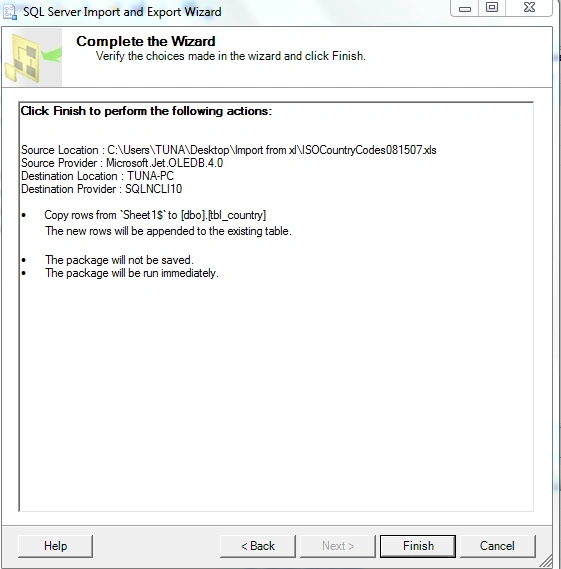
STEP 8: Click finish here.

STEP 9: Click finish here.
And check the tbl_country, you will find all the data from the excel sheet which have been imported to the table.
STEP 10

Thus in this way we can import the excel sheet data to SQL server.
Nilofers ShaikhPosted Oct 25, 2017, 3:10 AM
How can we do this by coding in C#
Perry WhittlePosted Oct 27, 2016, 3:32 AM
What if you do not want to import the data as Unicode data
Omid NasriPosted Nov 27, 2015, 2:32 PM
In my website i share this article with persian language + reference, Thank you.
Santhakumar MunuswamyPosted Oct 18, 2015, 2:17 AM
Good one
Priyaranjan K SPosted Oct 17, 2015, 1:22 PM
Good One
Mukesh KumarPosted Oct 16, 2015, 2:18 PM
Good Job
Sujeet SumanPosted Oct 16, 2015, 9:23 AM
Nice Article..................
Yashwant VishwakarmaPosted Oct 16, 2015, 9:17 AM
Nice and informative !!!
Nilesh JadavPosted Oct 16, 2015, 9:13 AM
Good work !!
Kamlesh BhorPosted Oct 16, 2015, 8:06 AM
Very nice...
Harshad PansuriyaPosted Oct 16, 2015, 7:56 AM
Nice one