

Introduction
NetBeans IDE uses many shortcut keys on its text editor to make the work smooth and easy to complete. In this article, we are going to discuss the various shortcut keys used in NetBeans IDE with its effect using screenshots.
The following are some of the Shortcut keys:
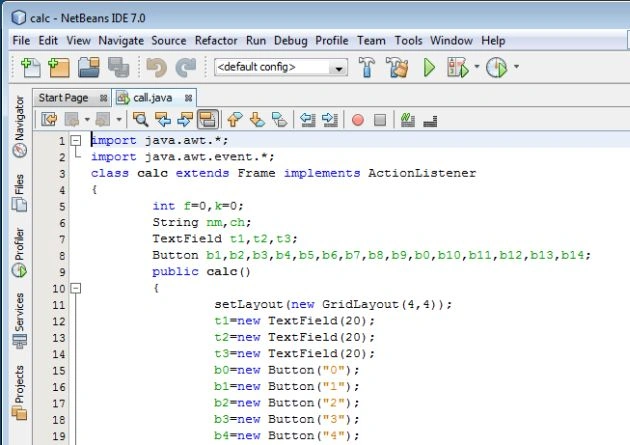
- Toggle Editor: To toggle editor of your NetBeans IDE i.e., to maximize or minimize the editor we can use shortcut keys "Shift+Esc". To maximize the Editor of the NetBeans we need to use this shortcut key to work efficiently on the editor. The following is a sample screenshot,
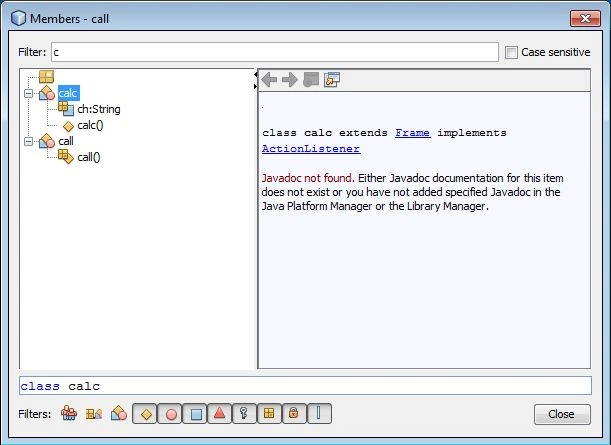
- Navigate to Member: To go to a specific method of a class, the shortcut key "Ctrl+F12" is used to accomplish this task. This shortcut key is mostly used when the size of the class becomes large and its harder to find a method among many methods in the class. When we type the name of the class in the text field provided the content is filtered to determine the matching method name. A screenshot is as follows:
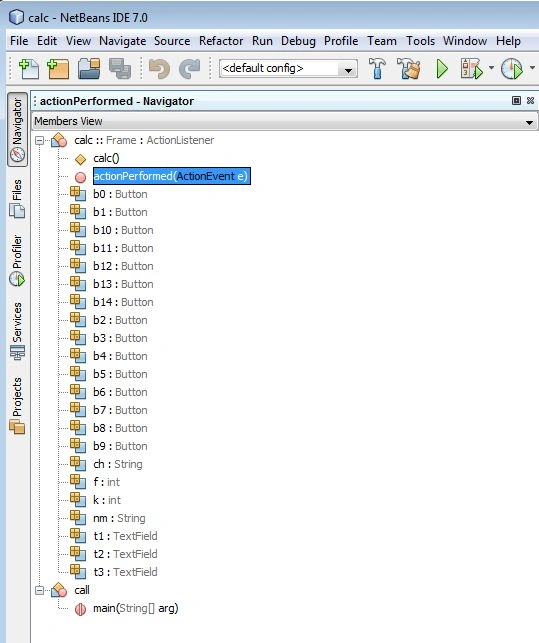
- Open Navigator Window: The Shortcut key used to open the navigator window is "Ctrl+7". This navigator window will appear only when the editor is in maximized mode. One can use this "Ctrl+7" key to navigate and retrieve the method or can use the second method i.e., "Ctrl+F12". The following screenshot gives a view of the Navigator window:
- Format Code: To format your code the combination of keywords used as the shortcut is "Alt+Shift+F". This shortcut makes the code fully in standard Java code formatting template.
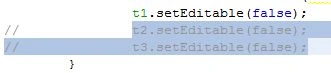
- Toggle comment: To toggle comments the shortcut key used is "Ctrl+/". This shortcut key is used when we require to make a quick commenting of some line, for doing this we need to select those lines and press "Ctrl+/" and to uncomment the same lines we need to simply use this shortcut keys again.
- Activate the Editor: To go back to the editor from the navigator window we need to use the shortcut "Ctrl+0". After using the keys "Ctrl+7" to open a navigator window we use "Ctrl+0" to return the editor back from the navigator window.
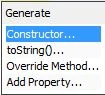
- Generate Code: After pressing the combination "Alt+Insert" we get a code generating menu. This is used when we need to generate a constructor.
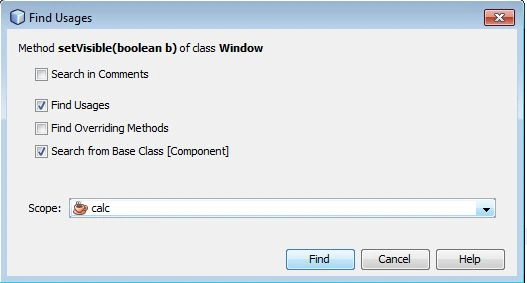
- Find Usage: Sometimes we need to determine all occurrences of a particular method call. We can find do that by using the shortcut "Alt+F7". The following screenshot shows the Find Usage window.
- Close Editor Window: To close the various windows opened in NetBeans we can use one of the following two shortcuts:
- "Ctrl+F4" or
- "Ctrl+Shift+F4"
- Activate various windows: The following shortcuts are used to open various windows:
- "Ctrl+1" is used to open project window.
- "Ctrl+2" is used to open the files window.
- "Ctrl+3" is used to open favourite window.
- "Ctrl+4" is used to open the output window.
- "Ctrl+5" is used to open the service window.
- "Ctrl+6" is used to open tasks window.
Join the conversation! Your thoughts help the community grow.