

As organizations scale their use of Microsoft Fabric, managing who can see what becomes just as important as building dashboards themselves. Dashboards often contain high-level business KPIs, and giving too much—or too little—access can quickly lead to security risks or reduced adoption.
In this article, we’ll explore how to increase and reduce access to dashboards in Microsoft Fabric, the different access control layers involved, and best practices for managing permissions safely and efficiently.
Understanding Access Control for Dashboards in Fabric
Dashboard access in Microsoft Fabric is not controlled in isolation. Instead, it is influenced by multiple layers:
Workspace role
Direct dashboard sharing
App permissions
Dataset permissions
Row-Level Security (RLS)
Changing access at any of these layers can either expand or restrict what a user can see.
Increasing Access to Dashboards in Microsoft Fabric
Increasing access usually means allowing more users to view or interact with dashboards, without giving them unnecessary edit rights.
Increasing Access via Direct Dashboard Sharing
This is useful for quick, targeted access.
Steps
Open the dashboard
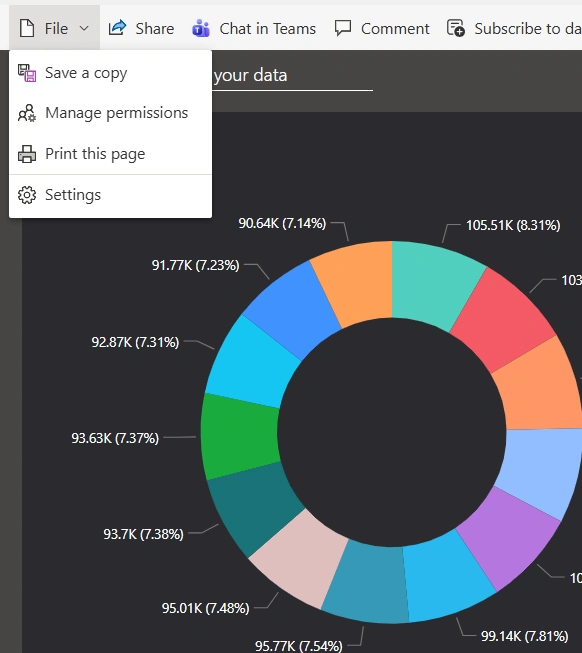
Select File and Manage Permissions
Currently, Enoch who the dashboard was shared with has Read only permission as seen below
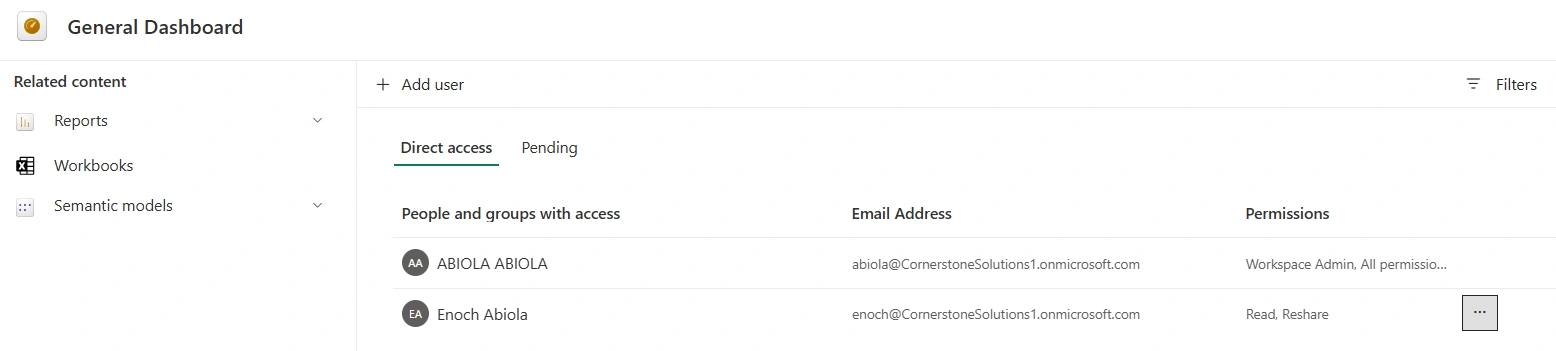
To increase his level of access granting him the permission to share the dashboard with other, click on the ellipse and add share. As seen below, he is now able to share the dashboard with third party
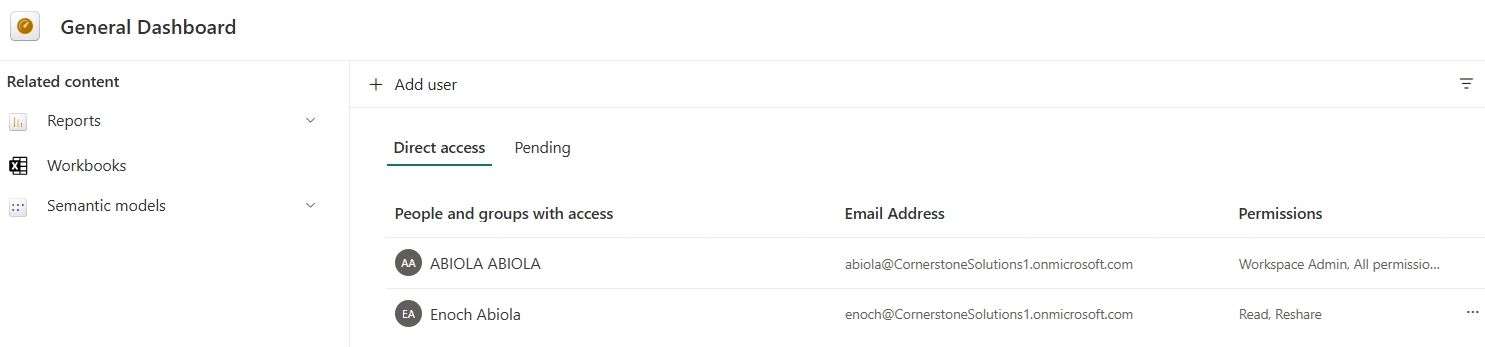
⚠️ This method does not grant workspace access—only dashboard access and it is important to only grant elevated access to users in organizations based on business needs
To decrease access for example, the permission to reshare, click on the ellipsis and remove reshare paermission
Final Thoughts
Increasing and decreasing access to dashboards in Microsoft Fabric is not just a technical task—it’s a governance responsibility. Fabric’s layered security model gives you flexibility, but with that flexibility comes the need for discipline and best practices.
By managing access through workspaces, apps, and security groups—and relying on RLS where needed—you can ensure that dashboards remain secure, trusted, and widely adopted across your organization.
Join the conversation! Your thoughts help the community grow.