

In this article we can explore Indexed Columns that is a less-used feature in SharePoint.
Indexed Columns
Indexed Columns allows indexing of List or Library columns. This enable the following advantages:
- Faster data retrieval
- Improved performance of a large list or library
Indexing at the list or library level will be applied to the database tables too. This helps to increase the retrieval speed, especially for the WHERE condition fields.
Improving performance is required when the list view threshold has reached, for example, a list with more than 5000 items.
Create Indexed Columns
To create indexed columns for a list or library use the following procedure.
Open the List Settings Page.
Figure 1: Open List setting Page
Scroll down and click on the Indexed Columns link.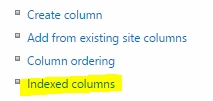
Figure 2: Indexed Columns
You will get the following page.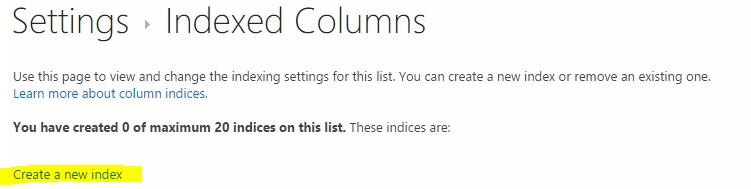
Figure 3: Setting Indexed Columns
Click on the Create a new index link. You will get the following page.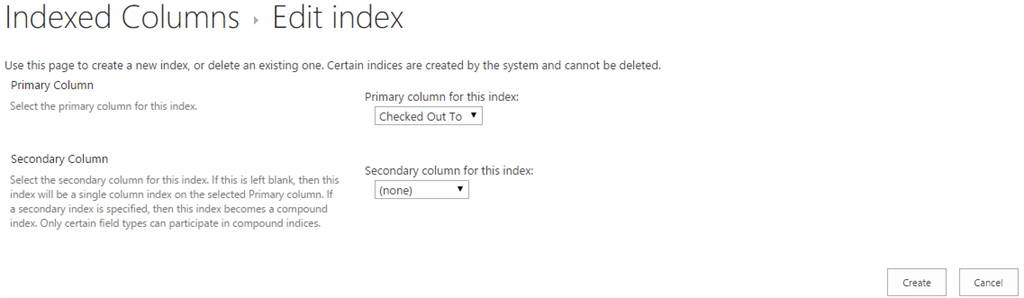
Figure 5: Edit Index
Please note that SharePoint does not allow all column-types to be indexed. See the references section for more information.
You can choose the column for indexing. For the time being, I have chosen Content Type.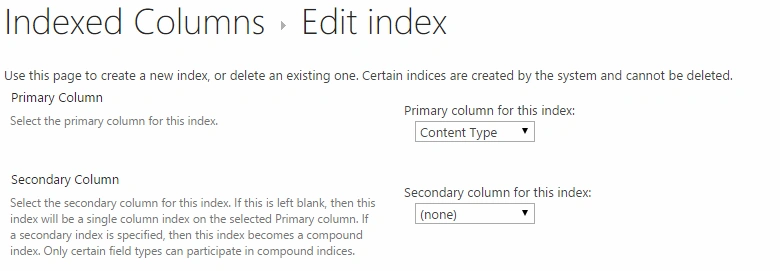
Figure 5: Content type
The changes will be saved automatically.
You can add up to 20 indexed columns.
Database Index
If you have examined a SharePoint Content Database Table structure, you will understand that SharePoint stores a record in multiple rows in the AllItems table. This table also contains records (items) from various lists. So you might have the concern that Adding an Index can impact other List items too!
Explanation
This case won't happen since once a column is indexed, the data will be stored in a new table. So whenever we are adding indexed columns, a new database column will be created in the background. The new database column will be indexed and thus provides better performance.
References
http://bit.ly/1Fy3G0j
Summary
In this article we explored Indexed Columns.
SriramPosted Jul 3, 2015, 3:02 AM
Good
Vivek TripathiPosted May 26, 2015, 12:57 PM
Thanks for sharing
Prasham SabadraPosted May 26, 2015, 2:31 AM
Thanks for Sharing!
Sibeesh VenuPosted May 26, 2015, 1:01 AM
Good one.
Santhakumar MunuswamyPosted May 26, 2015, 12:32 AM
Thanks for nice one