

Another interesting feature of ASP.NET Core is service consumption using Dependency Injection. I already provided the overview of Dependency Injection in my earlier articles. Moving further, in this article we will see how one can inject and consume services to controller using dependency injection.
In ASP.NET, you can access services at any stage of your HTTP pipeline through dependency injection. By default, it provides Constructor injection, but it can easily be replaced by any other container of your choice. Before moving ahead, one point is very important to understand and that is lifetime of services.
ASP.NET Core allows you to configure four different lifetimes for your services.
- Transient - Created on every request.
- Scoped - Created once per request.
- Singleton - Created first time when they are requested.
- Instance - Created in ConfigureServices method and behaves like a Singleton.
To understand the service consumption inan easier way, we will create a sample application going step-by-step. My example service will provide GUID to the respective controller. So, let's start quickly.
- Create a new project - Create a new project using ASP.NET Web Application template as shown below:

- Add Service Interface - Create an interface named IGUIDService under Services folder as shown below:
public interface IGUIDService { string GenerateGUID(); } - Add Service Implementation - Create a class named GUIDServiceunder Services folder and provide the implementation of IGUIDService interface as shown below:
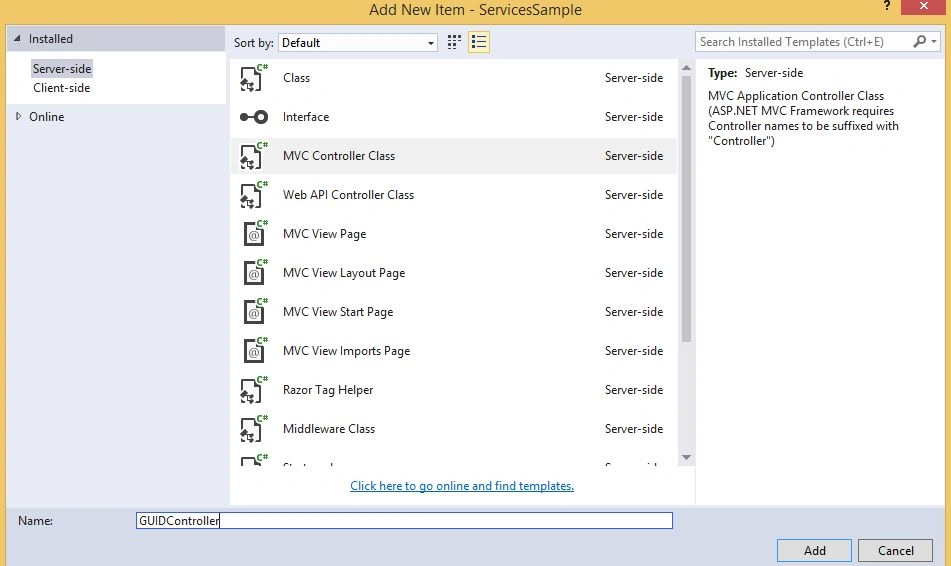
public class GUIDService : IGUIDService { public string GenerateGUID() { return ("Generated GUID is: " + Guid.NewGuid()).ToString(); } } - Add a Controller - Next task is to add a Controller namedGUIDController by right clicking on Controllers folder as shown below:
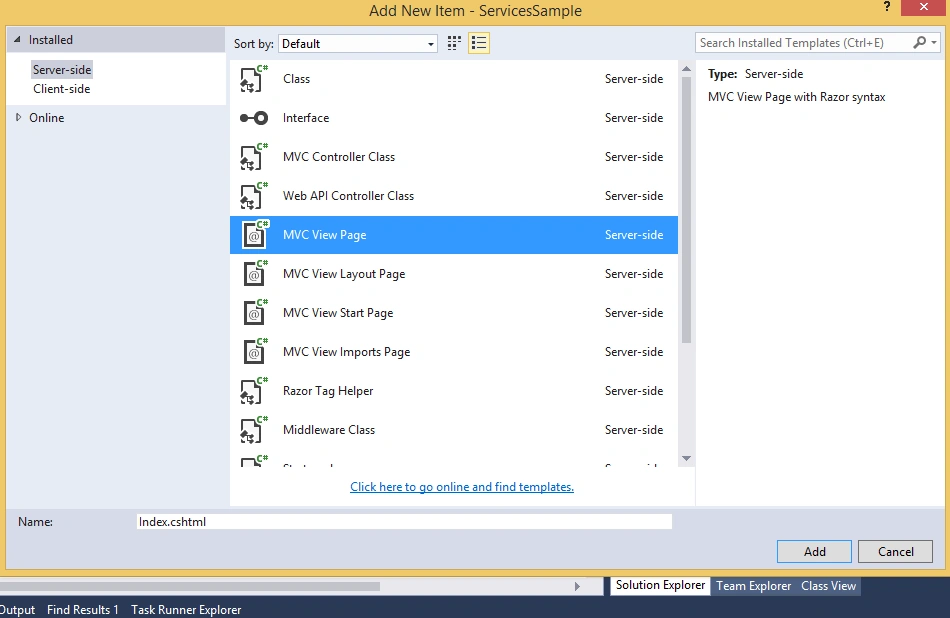
- Add a View - Before adding a View, create a folder named under Views folder. Now add a View by right clicking on GUID folder as shown:
Update the code inside View as shown below:

- Use Service in Controller - Now instantiate the service and set the data for View as shown below:
public class GUIDController : Controller { private IGUIDService _guidService; public GUIDController(IGUIDService guidService) { _guidService = guidService; } public IActionResult Index() { ViewData["GeneratedGUID"] = _guidService.GenerateGUID(); return View(); } } - Register Service - Last step is to register the service in the ConfigureServices method of Startup class as shown below:
public void ConfigureServices(IServiceCollection services)
{
    ...
    ...
    services.AddMvc();
    services.AddInstance<IGUIDService>(new GUIDService());
}
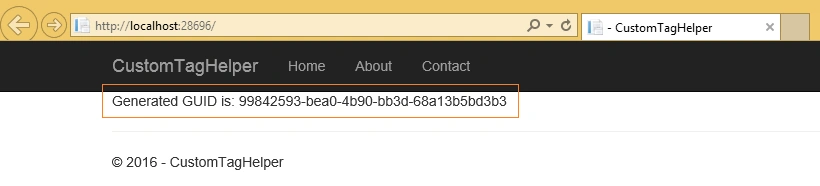
Everything is set. Now run your application and you would be able to see GUID on browser as:
Hope you got an idea on how to inject services in ASP.NET Core 1.0.
Vlado LPosted Jan 16, 2017, 2:35 PM
Would you be able to post a sample of consuming REST service from ASP.NET core?Thanks.
Santhakumar MunuswamyPosted Feb 9, 2016, 11:40 AM
Thanks for nice article