

Introduction
This article explains how to display data in a GridView from two different SharePoint lists from the same or a different site collection having or not having a lookup column using LINQ.
Or
An inner join of two SharePoint Lists using LINQ.
This can also be done using a SPQuery join, provided lists are from the same site collection and properly bound with a lookup column. But if lists are from a different site collection and they do not have any lookup column then the following will definitely work.
Step-by-step Implementation
- Create a custom SharePoint List called States (Master List) with the following columns and data:
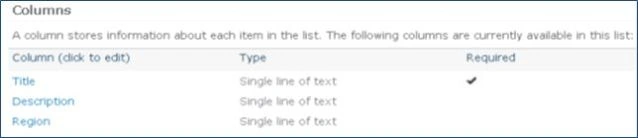
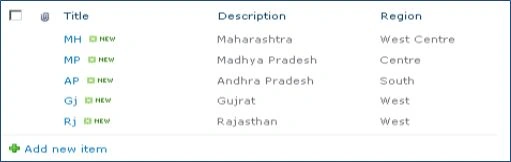
- Create another custom SharePoint List called Cities (Child List) with the following columns and data:


Note: The State column in the Cities list may or may not be a look up column. I have created it as a lookup column as follows:
State column setting: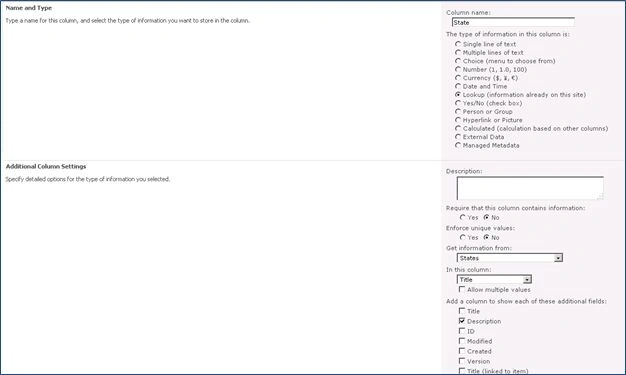
- Create an Empty SharePoint project in Visual Studio 2010 and name it as LinQJoin and click OK.
- Right-click on the project and add a new item as a Visual Web Part and name it as JoinSPList.
- Drag and drop a GridView data control to the designer from the toolbox.
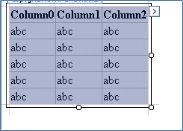
- Write the following code in a designer source page called JoinSPListUserControl.ascx:
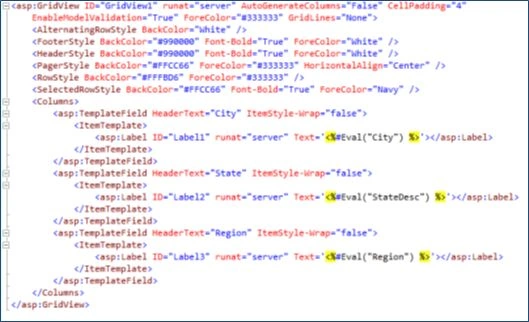
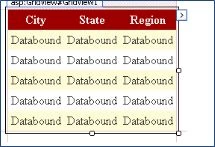
- Add the following code in the Page_Load event:
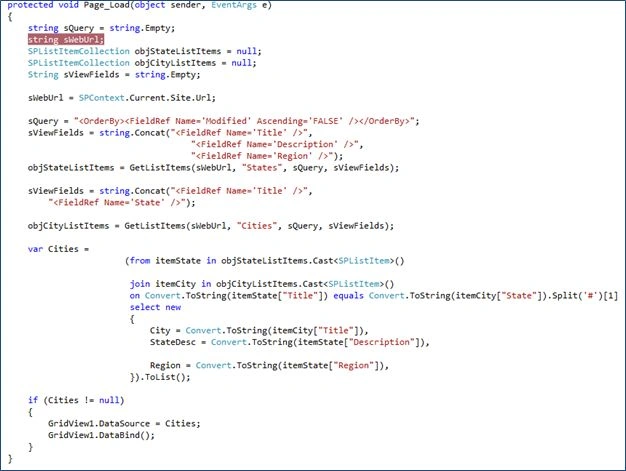
The following is the GetListItems method to get list data: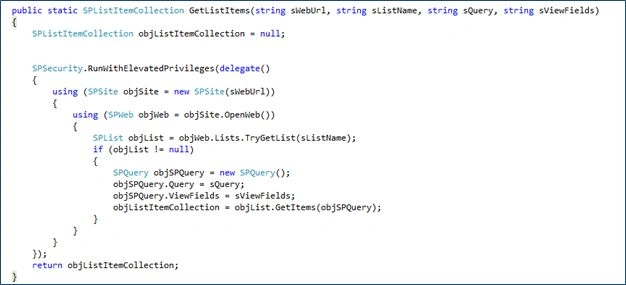
- Build and deploy the project.
- Go to the SharePoint site and create a New Page.
- Insert a new JoinSPList WebPart from Custom category of WebPart and save the page.
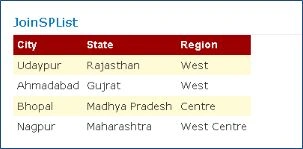
- You will see a GridView with data from both lists.
Join the conversation! Your thoughts help the community grow.