INPUT TYPES in HTML5
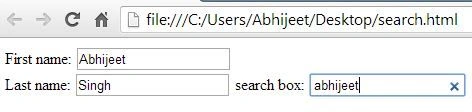
1. <input type="search">
It is used for search boxes.
Example
- <html>
- <body>
- <form>
- First name:
- <input type="text" name="firstname"><br>
- Last name:
- <input type="text" name="lastname">
- search box:
- <input type="search">
- </form>
- </body>
- </html>
2. <input type="number">
It is used for spinboxes.
Example
- <html>
- <body>
- <form>
- First name:
- <input type="text" name="firstname"><br>
- Last name:
- <input type="text" name="lastname">
- number :
- <input type="number">
- </form>
- </body>
- </html>
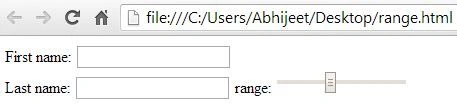
3. <input type="range">
It is used for sliders.
Example
- <html>
- <body>
- <form>
- First name:
- <input type="text" name="firstname"><br>
- Last name:
- <input type="text" name="lastname">
- range:
- <input type="range">
- </form>
- </body>
- </html>
4. <input type="color">
It is used for color pickers.
Example
- <html>
- <body>
- <form>
- First name:
- <input type="text" name="firstname"><br>
- Last name:
- <input type="text" name="lastname">
- color picker :<input type="color">
- </form>
- </body>
- </html>
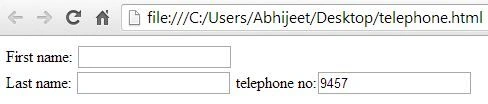
5. <input type="tel">
It is used for telephone numbers
Example
- <html>
- <body>
- <form>
- First name:
- <input type="text" name="firstname"><br>
- Last name:
- <input type="text" name="lastname">
- telephone no:<input type="tel">
- </form>
- </body>
- </html>
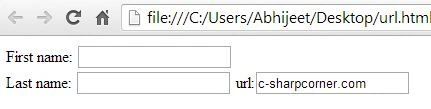
6. <input type="url">
It is used for web addresses.
Example
- <html>
- <body>
- <form>
- First name:
- <input type="text" name="firstname"><br>
- Last name:
- <input type="text" name="lastname">
- url:<input type="url">
- </form>
- </body>
- </html>
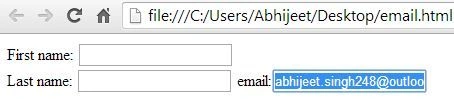
7. <input type="email">
It is used for email addresses.
Example
- <html>
- <body>
- <form>
- First name:
- <input type="text" name="firstname"><br>
- Last name:
- <input type="text" name="lastname">
- email:<input type="email">
- </form>
- </body>
- </html>
8. <input type="date">
It is used for calendar date pickers.
Example
- <html>
- <body>
- <form>
- First name:
- <input type="text" name="firstname"><br>
- Last name:
- <input type="text" name="lastname">
- calender date picker:<input type="date">
- </form>
- </body>
- </html>
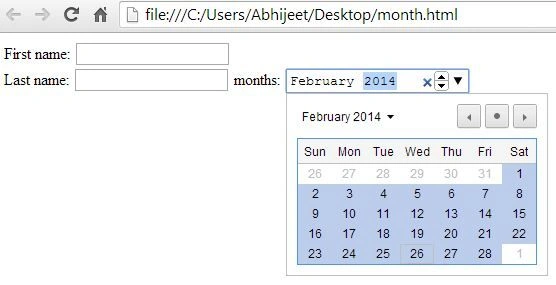
9. <input type="month">
It is used for months.
Example
- <html>
- <body>
- <form>
- First name:
- <input type="text" name="firstname"><br>
- Last name:
- <input type="text" name="lastname">
- months:
- <input type="month">
- </form>
- </body>
- </html>
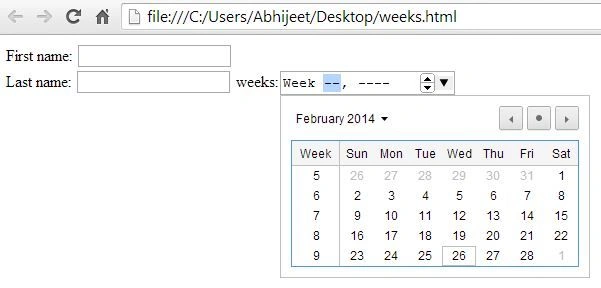
10. <input type="week">
It is used for weeks.
Example
- <html>
- <body>
- <form>
- First name:
- <input type="text" name="firstname"><br>
- Last name:
- <input type="text" name="lastname">
- weeks:<input type="week">
- </form>
- </body>
- </html>
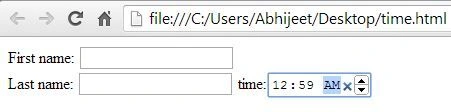
11. <input type="time">
It is used for timestamps.
Example
- <html>
- <body>
- <form>
- First name:
- <input type="text" name="firstname"><br>
- Last name:
- <input type="text" name="lastname">
- time:<input type="time">
- </form>
- </body>
- </html>
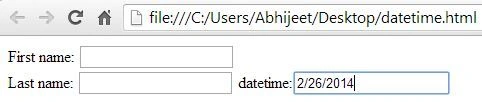
12. <input type="datetime">
It is used for precise, absolute date+time stamps.
Example
- <html>
- <body>
- <form>
- First name:
- <input type="text" name="firstname"><br>
- Last name:
- <input type="text" name="lastname">
- datetime:<input type="datetime">
- </form>
- </body>
- </html>
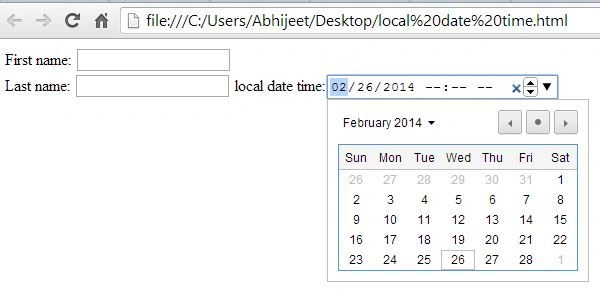
13. <input type="datetime-local">
It is used for local dates and times.
Example
- <html>
- <body>
- <form>
- First name:
- <input type="text" name="firstname"><br>
- Last name:
- <input type="text" name="lastname">
- local date time:<input type="datetime-local">
- </form>
- </body>
- </html>





Rahul BansalPosted Mar 2, 2014, 11:55 PM
I have just copied the above code of 9th example in notepad and save it as filename.html, then open it in Chorme it works fine....
Vipin TyagiPosted Feb 28, 2014, 10:00 AM
I am using this in Chrome but still not showing its feature
Abhijeet SinghPosted Feb 28, 2014, 7:25 AM
thank u sir..
Rahul BansalPosted Feb 27, 2014, 11:17 PM
Month will only work in Chrome,Opera and Safari not in IE and Firefox..:)
Abhijeet SinghPosted Feb 27, 2014, 8:34 AM
It is working properly.... try it again.... :)
Vipin TyagiPosted Feb 27, 2014, 7:21 AM
months not working ...