

Introduction
In this article, I show various ways to Insert and Update in SQL Using User-Defined Table Type and XML.
- Using Datatable
- Using XML
Insert Records using a Datatable
Let us Start with C#
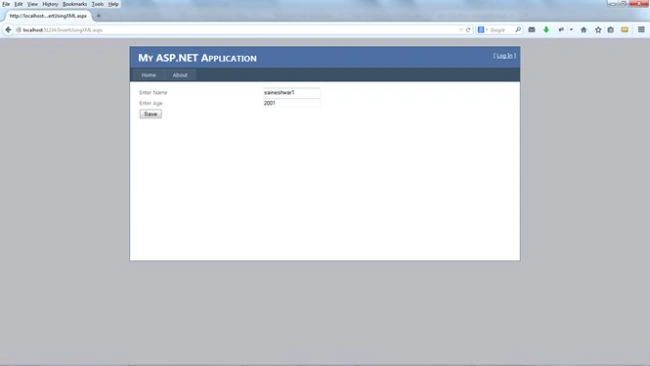
In this example, I will insert only two records
- Name
- Age
Here is a Snapshot.
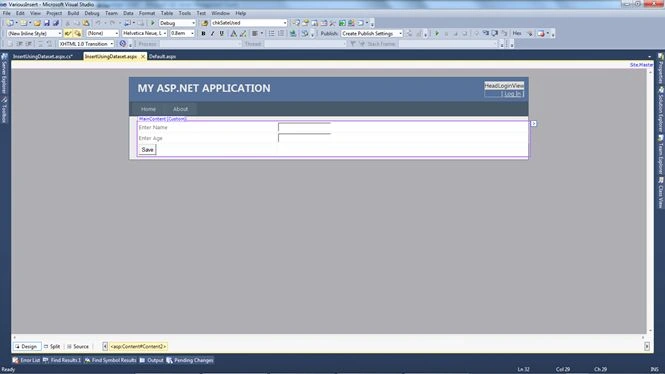
For inserting into a Datatable, I am creating a Datatable with 2 Columns.
- Name
- Age
DataTable DT = new DataTable(); // A Data table .
Adding 2 Columns
DT.Columns.Add("Name",typeof(string));
DT.Columns.Add("Age",typeof(int));
Adding new Datarow in Datatable
DataRow DR = DT.NewRow();
DR["Name"] = txtname.Text; // adding field value
DR["Age"] = txtage.Text;   // adding field value
Adding Datarow into Datatable
DT.Rows.Add(DR);
Let's Start with [ SQL]
For creating a user-defined table type in SQL, here is the procedure:
- First, create a user-defined table type by selecting Object Explorer.
- Inside that, select your database.
After selecting it, expand it. - Inside that, select the Programmability Folder.
After selecting it, expand it. - You will see a folder with Name Types.
- Select and expand it, and you will see a user-defined table type.
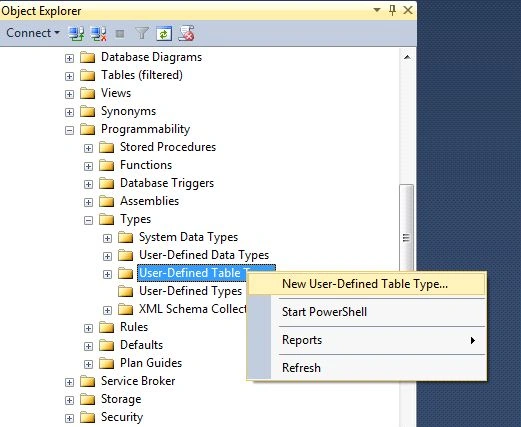
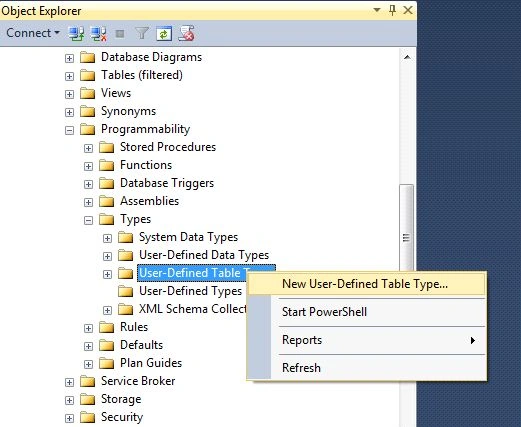
- Right-click on the folder and select "New User-Defined Table Type...".
Here is a Snapshot.
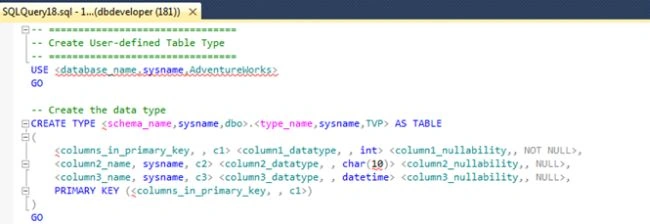
After selecting, you will see this view.
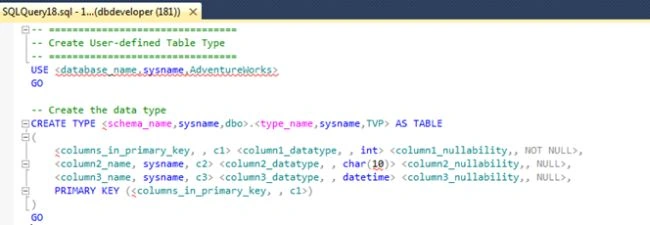
Then I created a Table (SQL Table).
Create Table Vinsert
(
 Vid Int primary key Identity (1,1) not null,
 Name varchar(100),
 Age Int
)
Here I created a user-defined type.
CREATE TYPE UDT_Vinsert AS TABLE
(
        Name varchar(100),
        Age Int
)
Here in this Stored procedure, I used "User_Define_Table_Type."
Create proc [dbo].[Usp_Vinsert]
@UserDefineTable UDT_Vinsert readonly
--- Here i am assign User_Define_Table_Type to Variable and making it readonly
as
begin
Insert into Vinsert
(
Name,
Age
)
select
Name,
Age
from @UserDefineTable   -- Here i am Select Records from User_Define_Table_Type
end
Let us Start with C#
Here I am passing a Datatable to SQL.
Here is the connection String.
SqlConnection con = new SqlConnection(ConfigurationManager.ConnectionStrings["DbConnection"].ToString());
protected void btnsave_Click(object sender, EventArgs e)
{
    DataTable DT = new DataTable();
    DT.Columns.Add("Name",typeof(string));
    DT.Columns.Add("Age",typeof(int));
    DataRow DR = DT.NewRow();
    DR["Name"] = txtname.Text;
    DR["Age"] = txtage.Text;
    DT.Rows.Add(DR);
    DatasetInsert(DT); //calling datatable method here
}
public void DatasetInsert(DataTable dt)
{
    con.Open();
    SqlCommand cmd = new SqlCommand("Usp_Vinsert",con);
    cmd.Parameters.AddWithValue("@UserDefinTable", dt); // passing Datatable
    cmd.CommandType = CommandType.StoredProcedure;
    cmd.ExecuteNonQuery();
    con.Close();
}
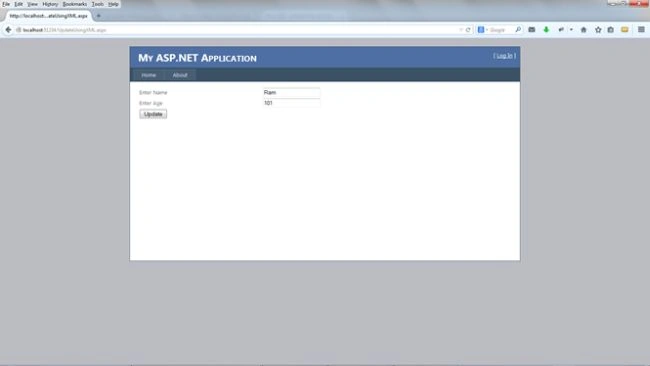
To Update Records
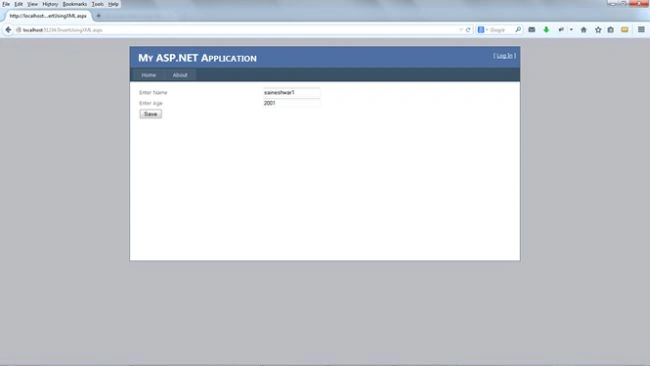
Here is a snapshot.
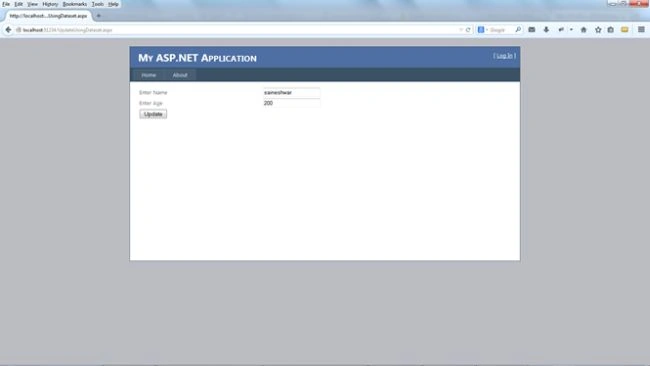
Let us start with SQL.
Here I created a user-defined type.
CREATE TYPE UDT_VUpdate AS TABLE
(
        Name varchar(100),
        Age Int ,
        Vid int
 )
Here in this Stored Procedure, I used "User_Define_Table_Type."
create proc [dbo].[Usp_VUpdate]
@UserDefineTable UDT_VUpdate readonly
 as
  begin
Update Vinsert
set
Name = r.Name,
Age  = r.Age
from @UserDefineTable r
where Vinsert.Vid = r.Vid
end
Here I am passing a Datatable to SQL.
public void DatasetInsert(DataTable dt)
{
    con.Open();
    SqlCommand cmd = new SqlCommand("Usp_VUpdate", con);
    cmd.Parameters.AddWithValue("@UserDefineTable", dt); // passing Datatable
    cmd.CommandType = CommandType.StoredProcedure;
    cmd.ExecuteNonQuery();
    con.Close();
}
protected void btnUpdate_Click(object sender, EventArgs e)
{
    DataTable DT = new DataTable();
    DT.Columns.Add("Name", typeof(string));
    DT.Columns.Add("Age", typeof(int));
    DT.Columns.Add("Vid", typeof(int));
    DataRow DR = DT.NewRow();
    DR["Name"] = txtname.Text;
    DR["Age"] = txtage.Text;
    DR["Vid"] = 1;
    DT.Rows.Add(DR);
    DatasetInsert(DT); //calling datatable method here
} 
Upendra Pratap ShahiPosted Mar 31, 2016, 6:34 AM
nice article..
Nirav VasoyaPosted May 7, 2015, 4:04 AM
Very nice article..